


A slow website is a silent revenue killer. In 2026, users demand instant load times, and search engines punish anything less. If you manage a website, you know you need a Content Delivery Network (CDN) to speed up global delivery.
The debate often narrows down to two contenders: Cloudflare and Bunny CDN.
Cloudflare is the internet’s 800-pound gorilla, offering massive infrastructure and robust security often for free. Bunny CDN is the agile challenger, known for incredible performance-per-dollar and a developer-friendly ethos.
But which one is right for your project today? Our comparison compares speed, pricing, features, and usability to help you choose.
The Big Picture: Titans vs. Speed Demons
Before we look at the numbers, let's understand what we are dealing with.
Cloudflare

Cloudflare is the giant. It powers a huge chunk of the internet. It is not just a CDN; it is a full security suite, DNS manager, and edge computing platform. If you want a tool that does everything from blocking DDoS attacks to running serverless code, this is it.
Key Features
BunnyCDN

Bunny CDN is the specialist. It focuses on one thing: delivering content as fast and cheaply as possible. It is built for performance geeks and developers who want raw speed without the corporate fluff. It is leaner, often faster, and the pricing model is completely different.
Key Features
Quick Comparison: Identifying The Perfect CDN For You
| Feature | Bunny CDN | Cloudflare | Winner |
|---|---|---|---|
| Pricing Model | Pay-As-You-Go ($1/mo min) | Flat Rate (Free / $20 / $200) | Bunny (for value) |
| Global Latency | ~24 ms | ~28 ms (Global Avg) | Bunny (Raw Speed) |
| PoPs (Points of Presence) | 120+ Global Locations | 285+ Global Cities | |
| Setup Ease | Extremely Simple | Moderate Complexity | Bunny |
| Security/DDoS | Good (Standard) | Industry Leading | Cloudflare |
| Video Hosting | Very Cheap ($10/TB) | Expensive ($5/1k mins) | Bunny |
| Ideal For | High bandwidth sites, Video, SMEs | Enterprise, DNS management, Free tier users | Context Dependent |
- Go with Bunny CDN if you push heavy content, video, or files and want to pay strictly for what you use. The speed-to-price ratio is unbeatable.
- Use Cloudflare if you need robust DNS management, protection against massive DDoS attacks, or if your site is small enough to stay within the free tier limits without performance penalties.
Performance and Speed: Which One Loads Faster?
Speed is the primary reason to use a CDN. Both providers use a global network of servers (Points of Presence or PoPs) to store your content closer to your visitors, reducing Time to First Byte (TTFB).
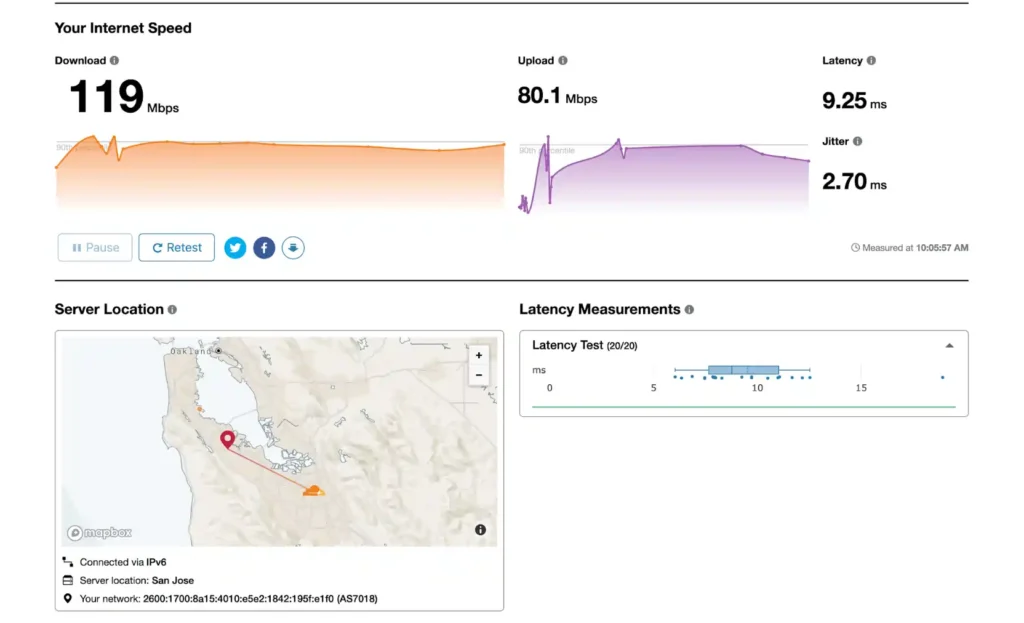
Cloudflare operates one of the world's largest networks, with servers in over 285 cities. Their Anycast network routes traffic to the nearest data center automatically. However, their free tier often routes traffic to slower or more congested nodes compared to their paid enterprise plans.
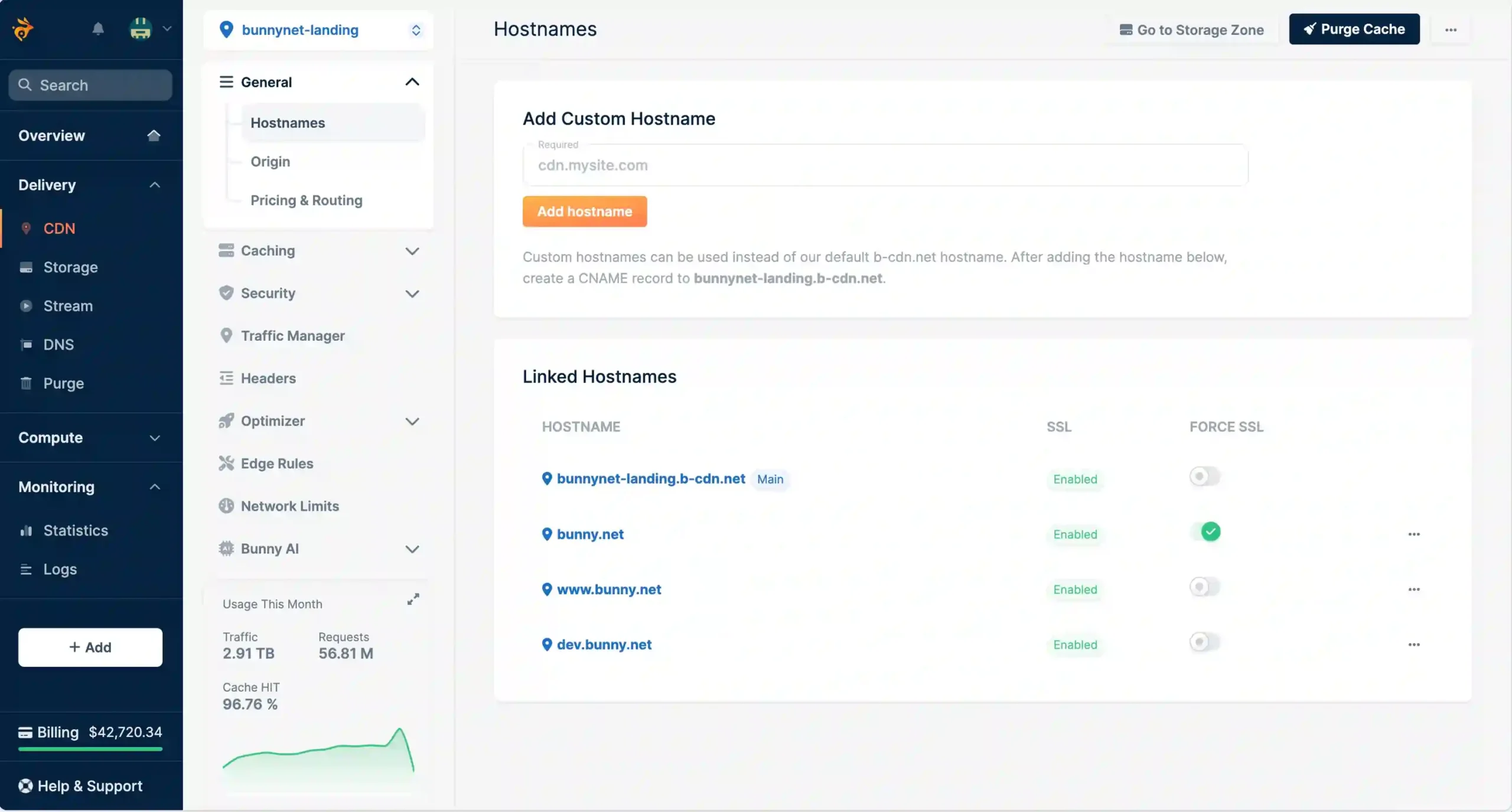
Bunny CDN is built for raw speed. Despite having fewer locations (~120 PoPs), their network is optimized for throughput and lower latency. Independent benchmarks consistently show Bunny outperforming Cloudflare’s free and Pro tiers in North America, Europe, and India.
Key Performance Stats:
For pure speed and lower latency on a budget, Bunny takes the win. Cloudflare only wins if you are on their Enterprise plan or specifically targeting Australian traffic.
Pricing Models: The Real Cost of Scale
This is where the biggest difference lies. Cloudflare uses a flat-rate model (Free/Pro/Business), while Bunny uses a Pay-As-You-Go (PAYG) model.
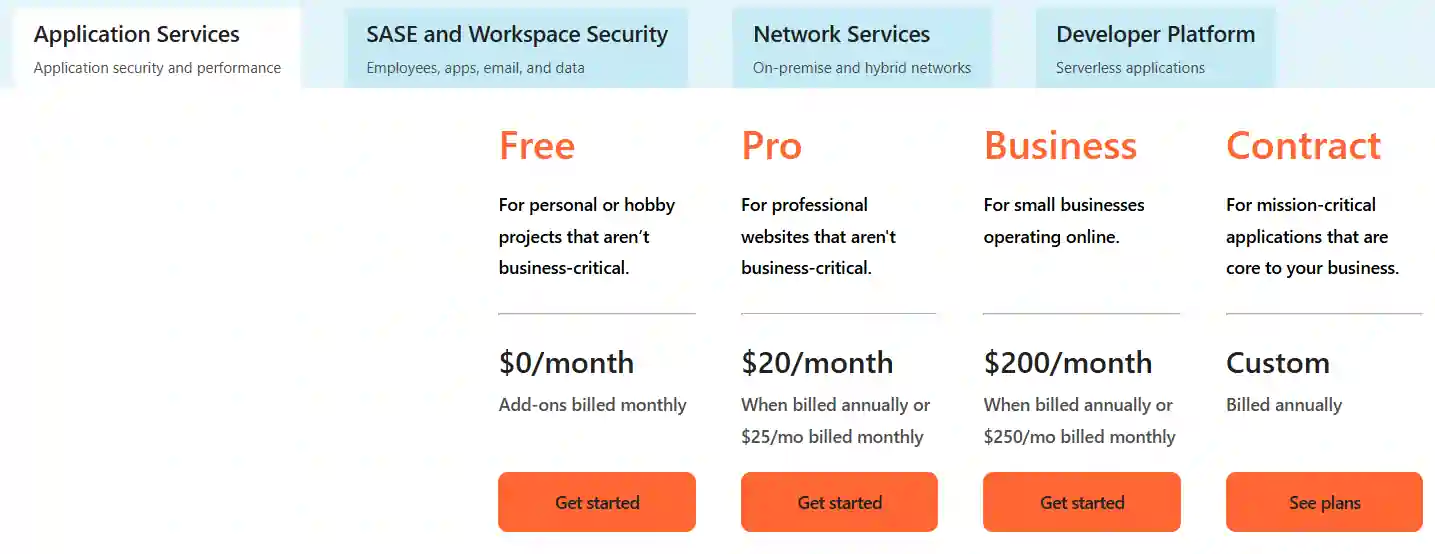
Cloudflare's Trap: The “Free” plan is incredible for small blogs. But as you grow, the jump is steep. The Pro plan is $20/month, and the Business plan is $200/month. If you need Enterprise features (like raw log access or custom edge rules), you are looking at $2,000+ per month.
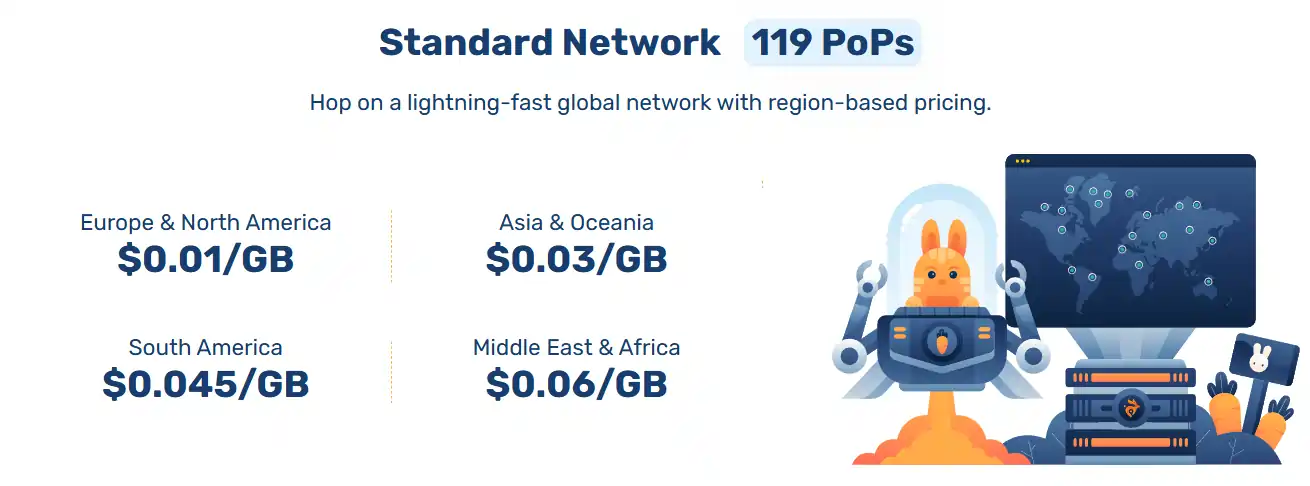
Bunny's Advantage: You pay only for what you use. Bandwidth costs as little as $0.01/GB in North America and Europe. There are no artificial tier jumps. If you use 100GB, you pay $1. If you use 1TB, you pay $10. This creates a linear, predictable cost structure.
Hidden Fees:
For SaaS, video platforms, and growing sites, Bunny’s predictable PAYG model saves thousands. Cloudflare wins only if you are a personal blogger with zero budget.
Video Hosting and Media Optimization
Video delivery is expensive. Hosting videos on your own server crashes it; hosting on YouTube steals your traffic.
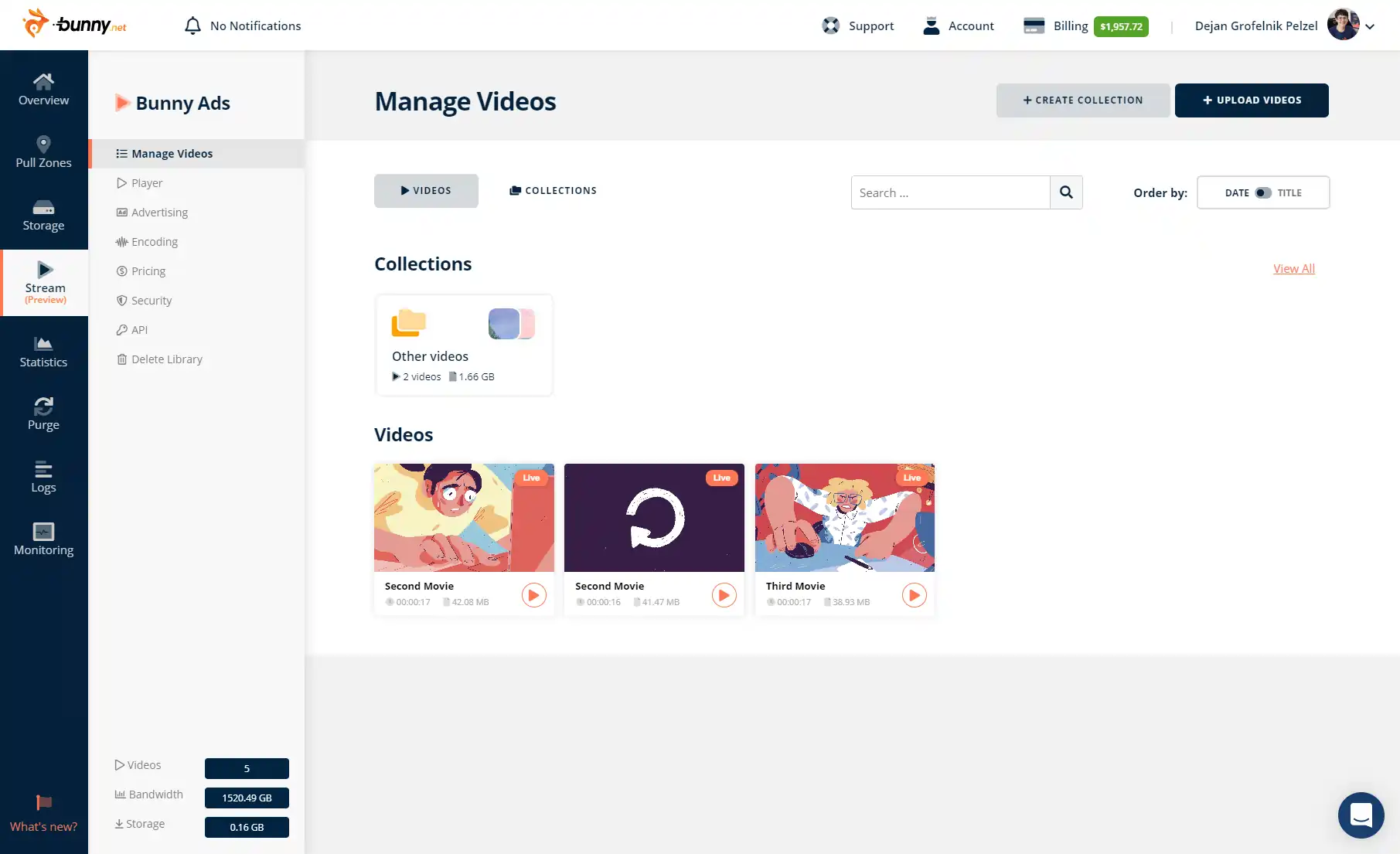
Bunny Stream is a complete video delivery ecosystem. It handles encoding, storage, and player delivery for one price. It protects your content with DRM and prevents direct download links, ensuring users watch on your site.

Cloudflare Stream is also powerful but operates as a separate add-on. It charges based on minutes of video stored and minutes viewed.
Feature Comparison:
Bunny integrates video hosting seamlessly into their CDN structure. It is the superior choice for course creators, membership sites, and agencies needing white-label video solutions.
Storage Solutions: R2 vs. Edge Storage
Modern web apps need to store user uploads, backups, and media assets.
Cloudflare R2 is their answer to Amazon S3. Its biggest selling point is Zero Egress Fees. You pay for storage ($0.015/GB-month), but you do not pay when users download that data. This is game-changing for heavy download sites (like software repositories or wallpaper sites).
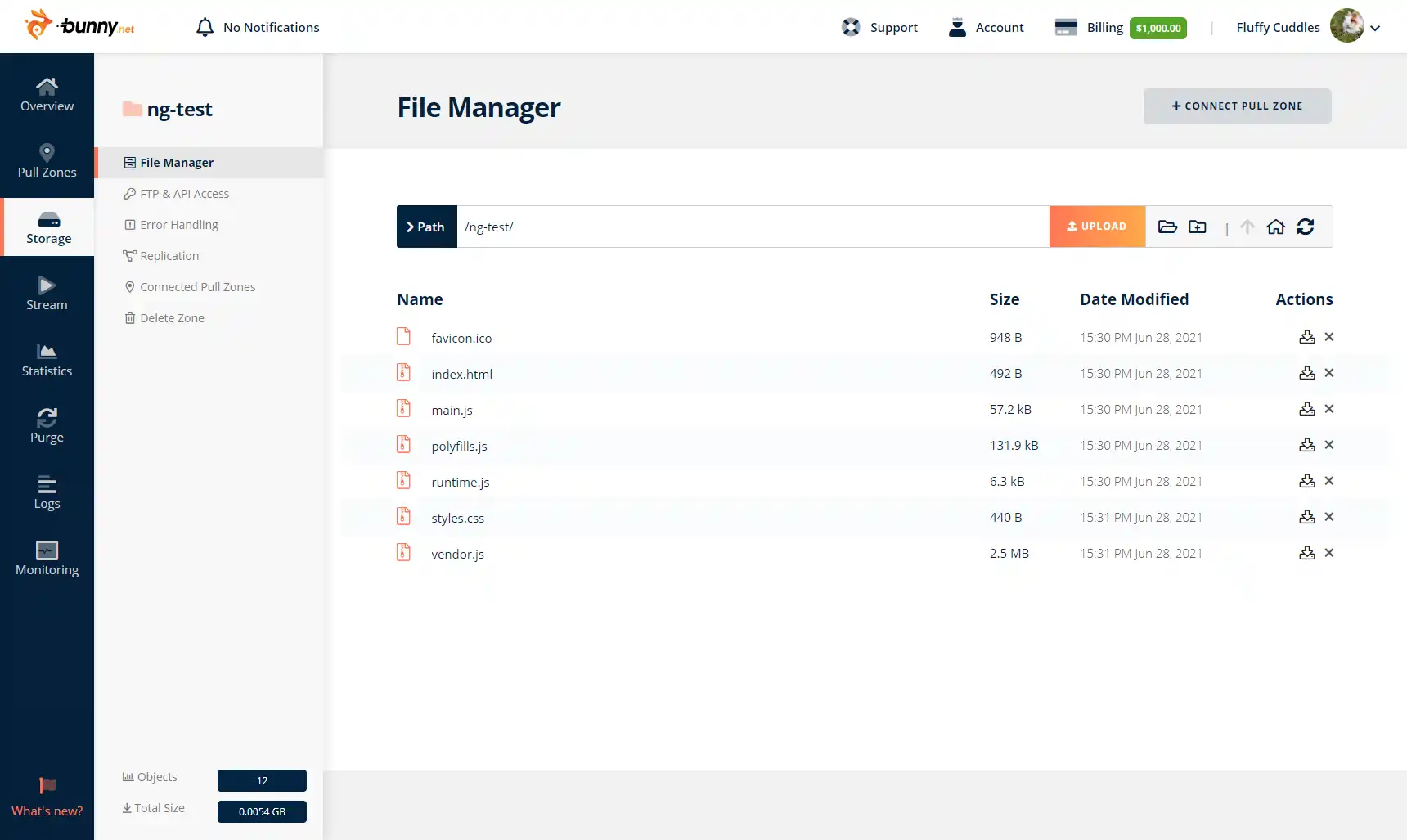
Bunny Edge Storage is a geo-replicated storage solution. It replicates your files across multiple zones (e.g., NY, London, Singapore) so the file is physically close to the user before it’s even requested. Storage costs are slightly higher for multi-region replication, but standard storage is competitive.
Storage Cost Breakdown:
If you serve massive files (ISOs, binaries, large archives), the zero egress fee policy of R2 makes it mathematically cheaper than almost any other option on the market.
Security and Reliability: Protecting Your Assets
Security is Cloudflare's home turf. They process over 100 billion threats per day.
For mission-critical security, banking apps, or high-risk targets, Cloudflare is the undisputed king.
Ease of Use and User Experience (UX)
SaaS founders and marketers value time. You do not want to spend hours configuring DNS records.
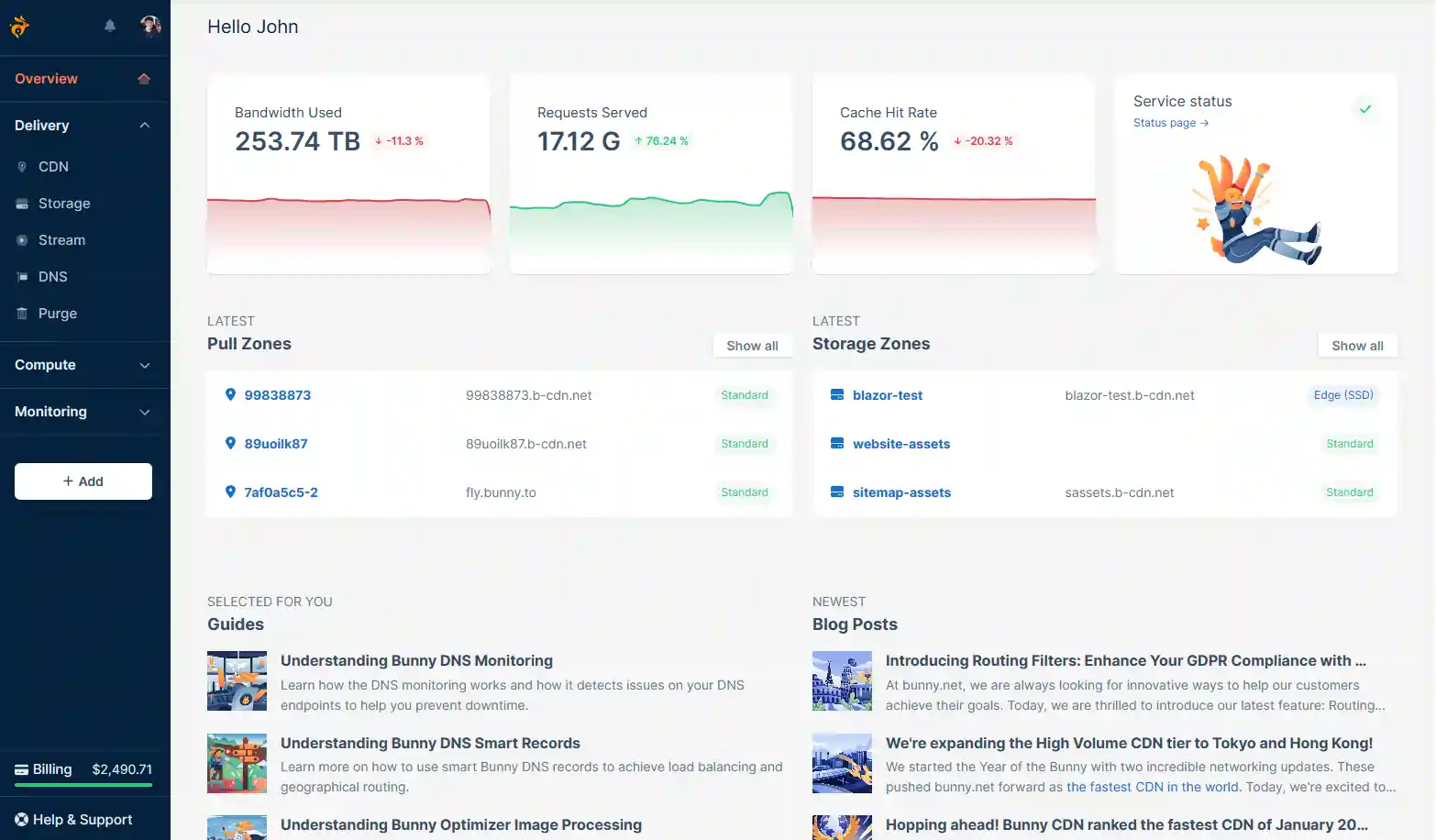
Bunny CDN Dashboard: The interface is clean, modern, and intuitive. Setting up a “Pull Zone” takes 30 seconds. The stats panel is beautiful and provides real-time data on bandwidth, cache hit rate, and error codes without needing to upgrade to a premium plan. It feels like a product built for developers who want things to “just work”.
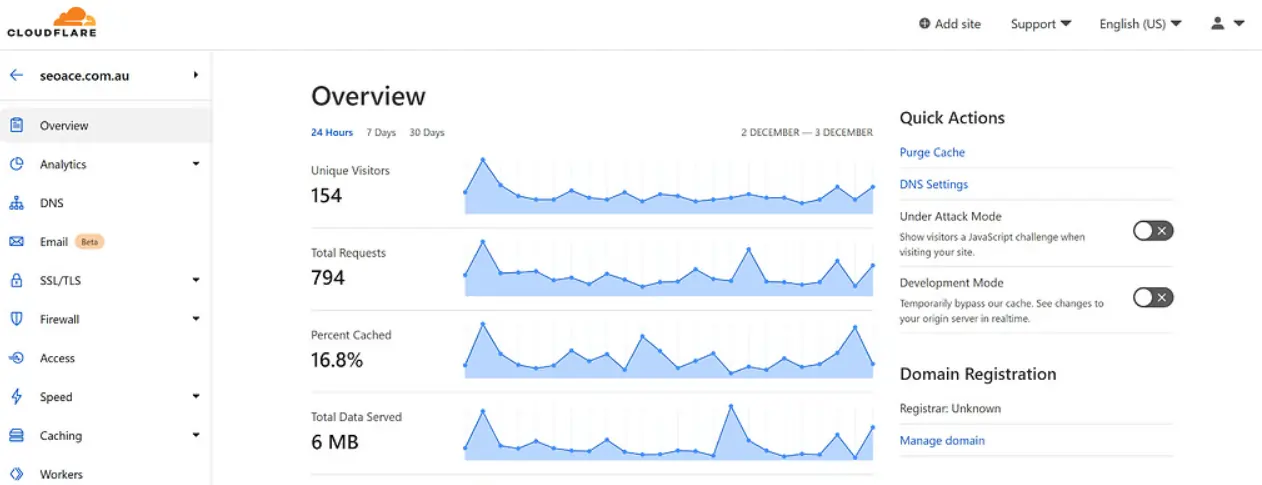
Cloudflare Dashboard: Cloudflare is complex. Because they offer DNS, email routing, tunnels, and zero-trust features, the dashboard is dense. Finding a specific setting for caching rules can require clicking through five sub-menus. It has a steeper learning curve for beginners.
Bunny wins on usability. It respects your time with a simpler, cleaner UI.
Final Thoughts: Which One for You?
We have been in this game for over a decade. We have seen tools come and go.
We appreciate tools that respect your budget. Bunny CDN does exactly that.
Recommended Step: Check your current bandwidth usage. If you are pushing over 500GB a month, run the numbers. You might find that moving to Bunny cuts your bill in half while speeding up your site.


Ali
Ali is a digital marketing expert with 7+ years of experience in SEO-optimized blogging. Skilled in reviewing SaaS tools, social media marketing, and email campaigns, we craft content that ranks well and engages audiences. Known for providing genuine information, Ali is a reliable source for businesses seeking to boost their online presence effectively.