
AI influencers are crushing it on Instagram right now, but here's the problem: static images don't cut it anymore. The algorithm loves video content, and your AI character needs to move, talk, and vibe with trending audio to rack up those views.
OpenArt's image-to-video generator solves this headache in minutes. You can transform your carefully crafted AI influencer portraits into scroll-stopping Reels without learning complex animation software or burning through your budget.
This guide breaks down exactly how to do it, from upload to viral-ready content.
What is OpenArt Image-to-Video? (AI Video Generator Basics)
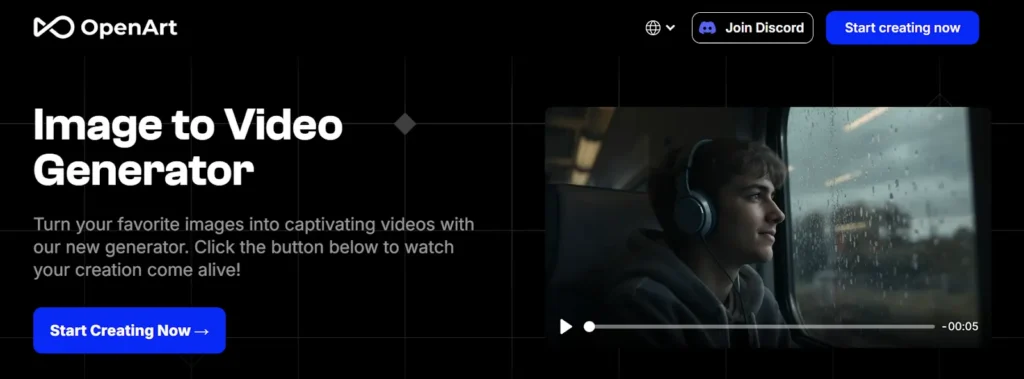
OpenArt's image-to-video tool converts your static AI character images into animated videos using advanced AI models. The platform runs on Kling AI and Veo 3, two powerful video generation engines that understand motion, physics, and realistic animation.
Here's what makes it different from basic photo slideshow apps:
The interface feels less like a technical video editor and more like chatting with a creative assistant. Upload your AI influencer image, tell it what kind of movement you want, and watch your character come alive.
OpenArt Image-to-Video AI – Limited Discount
Create stunning AI videos from images using OpenArt, Kling AI, and Veo 3. Save 15% with ALL15.
Why AI Influencers Need Image-to-Video Tools for Instagram Reels
Instagram's algorithm in 2026 prioritizes Reels over static posts by roughly 3:1 in reach. Your beautifully generated AI influencer face gets buried if it doesn't move.
Consistent character video content builds trust with your audience. People want to see your AI personality in action – reacting to trends, talking about products, showing different angles. Static images feel incomplete now.
The time factor matters too. Manual animation takes hours per 15-second clip. OpenArt's AI video generator cuts that down to 2-3 minutes per Reel once you nail your workflow. That's the difference between posting twice a week versus twice daily.
Step-by-Step: Converting Your AI Influencer Images to Instagram Reels on OpenArt
Step 1 – Prepare Your AI Character Images
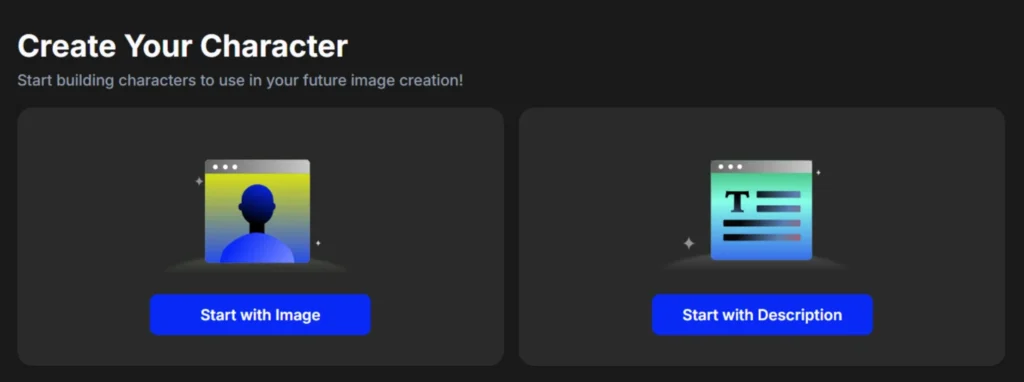
Start with high-quality AI character portraits generated through OpenArt's character consistency feature. Your images should show clear facial features, proper lighting, and the pose you want as the starting point.
Pro tip: Generate 3-4 variations of your character in similar poses. This gives you options when certain images animate better than others.
Step 2 – Access OpenArt's Image-to-Video Feature
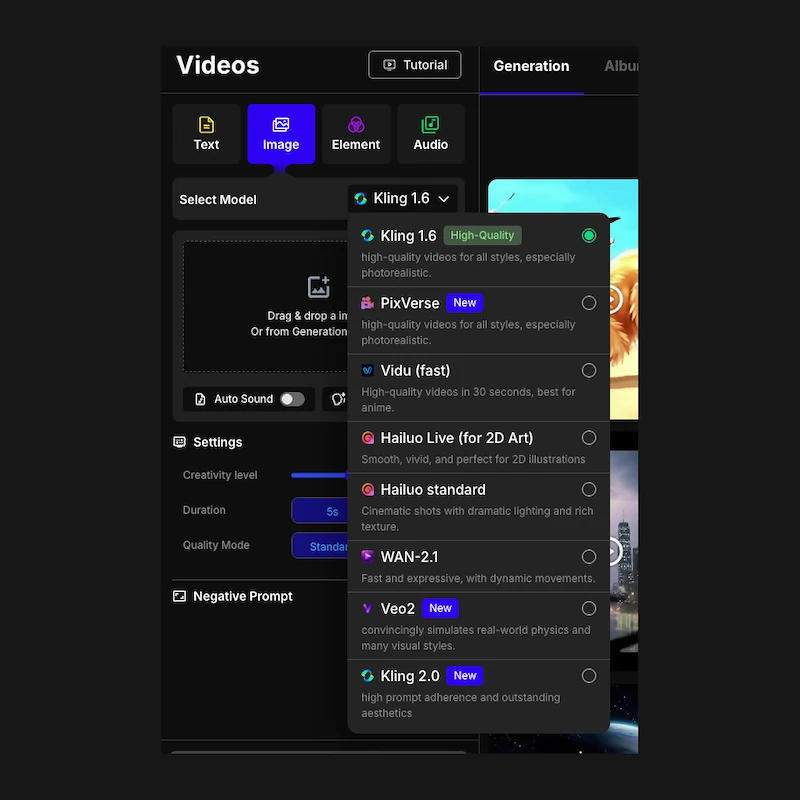
Log into OpenArt and navigate to the Video Tools section. You'll see two main options: Kling AI video model (better for realistic motion) and Veo 3 (stronger with creative, stylized movement).
Free plan users receive 40 one-time trial credits—these are for image generation and testing premium image features. To create videos, you'll need a paid plan starting at $14/month or purchase add-on credit packs.
Step 3 – Upload and Configure Your Image
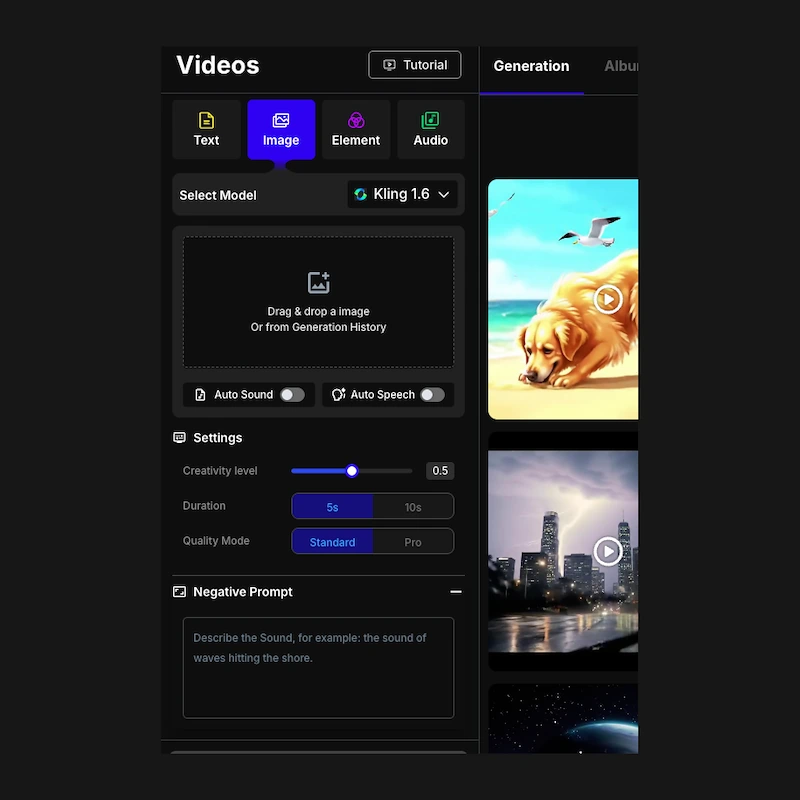
Drag your AI influencer image into the upload zone. The motion sync settings let you control how much movement happens:
For Instagram Reels, medium motion hits the sweet spot between natural and attention-grabbing.
Step 4 – Add AI Voiceover and Sound Effects
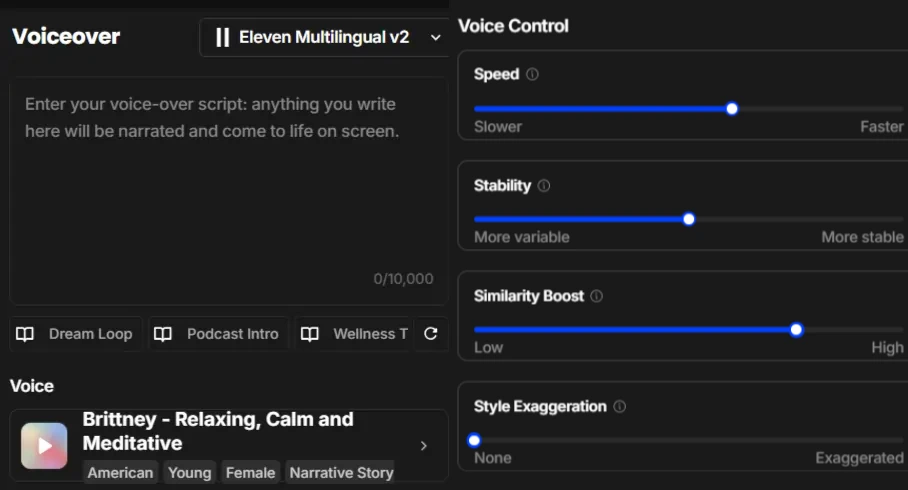
OpenArt integrates audio tools directly into the video workflow. You can generate AI voiceovers that match your influencer's personality or add sound effects that complement the visual motion.
The AI music video creator feature syncs your character's movements to trending audio tracks – perfect for those dance challenge Reels without doing actual choreography.
Step 5 – Enhance with AI Lip Sync (Optional)
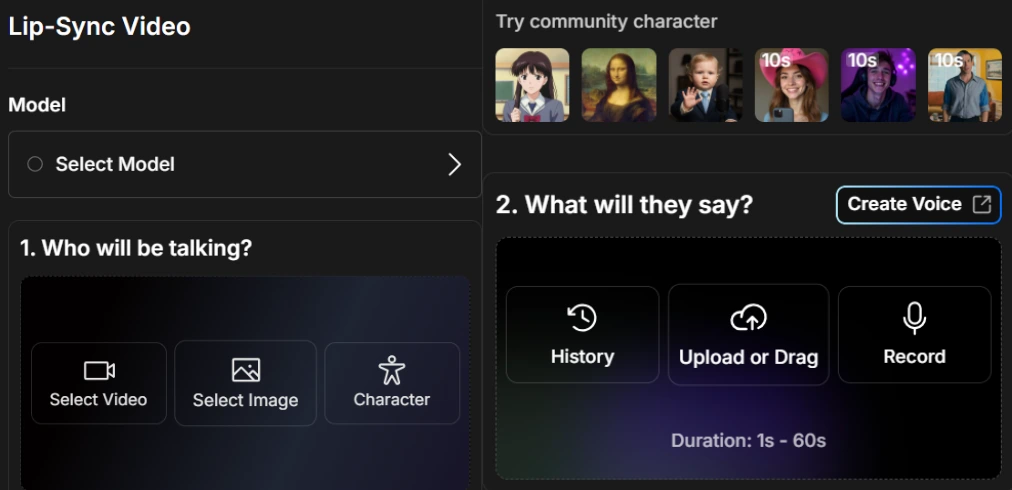
Want your AI influencer to actually talk? The lip sync feature maps dialogue to mouth movements. Record your script or generate AI voiceover first, then apply lip sync in the final rendering step.
Skip this for lifestyle or aesthetic Reels where silent motion works better. Talking videos perform well for reviews, tutorials, or personality-driven content.
Step 6 – Optimize for Instagram Reels Format
Instagram Reels need vertical 9:16 aspect ratio. OpenArt auto-detects this, but double-check before rendering. The platform also offers auto caption generation – use it because 85% of Reels get watched without sound.
Keep your final video between 7-15 seconds for maximum rewatchability. Shorter loops get more complete views, which signals quality to the algorithm.
Advanced Techniques: Multi-Scene AI Influencer Reels
Single-image animation works for basic content, but multi-scene Reels separate amateur AI influencers from pros. OpenArt's storyboard builder lets you sequence multiple character images with different motions.
Scene generation creates smooth transitions between your AI character in different outfits, locations, or poses. The character replacement tool swaps backgrounds or accessories while keeping your influencer's face consistent across cuts.
Budget 5-8 credits per multi-scene Reel (about $1.25-$2.00 in premium credit value). The production value increase justifies the cost for sponsored content or important launch posts.
OpenArt vs Other Instagram Reels AI Generators (Quick Comparison)
| Feature | OpenArt | Runway ML | Pika Labs |
|---|---|---|---|
| Image-to-video | Yes | Yes | Yes |
| Consistent AI characters | Character feature | Reference feature | Limited |
| Free credits | 40 bonus | 125 credits (one time) | 80 video credits |
| Lip sync capability | Yes | Yes | Yes |
| Max resolution | 1024×1024 | 1280×768 | 512×512 |
| Starting price | $0 | $0-$95 | $10/month |
OpenArt wins on character consistency and free entry. Runway offers slightly higher resolution but costs upfront. Pika Labs sits in the middle but lacks the character tools AI influencers need.
Monetization Tips: Turning AI Influencer Reels into Revenue
Affiliate marketing pairs perfectly with AI influencer video content. Product review Reels with your animated character testing items convert 40% better than static image carousels.
Brand collaborations want proof your AI influencer drives engagement. Batch video generation on OpenArt lets you create 10-15 Reels at once for content calendar consistency. Brands pay $150-$500 per sponsored Reel for established AI influencers with 10K+ engaged followers.
Track which video styles (talking vs. silent, fast motion vs. slow, lifestyle vs. tutorial) perform best for your niche. Double down on what works.
OpenArt Image-to-Video AI: Animate Photos Instantly
Animate AI images into realistic videos with OpenArt image-to-video AI. Use code ALL15 for 15% off.
Troubleshooting Common OpenArt Image-to-Video Issues
10 Creative AI Influencer Reel Ideas Using OpenArt
- Day-in-the-life vlogs – String together your AI character in different settings with matching motion
- Product unboxing with reactions – Animate facial expressions as your influencer “discovers” items
- Get ready with me sequences – Show outfit or makeup changes using scene transitions
- Trending audio challenges – Sync your character's motion to viral sounds
- Before/after transformations – Dramatic motion between two character states
- POV content – First-person perspective shots with your AI influencer
- Talking head opinions – Lip sync feature for hot takes and commentary
- Aesthetic mood boards – Slow, dreamy motion for lifestyle content
- Tutorial demonstrations – Step-by-step content with your character as the guide
- Seasonal themed content – Holiday or event-specific animations
Start Creating AI Influencer Reels Today
OpenArt image-to-video removes the biggest barrier AI influencers face: making static characters feel alive. The free plan gives you enough runway to test concepts and find your style.
Your first few Reels won't go viral – that's normal. Experiment with different motion styles, audio pairings, and content formats. The AI handles the technical animation work so you can focus on what actually matters: creating content your audience wants to watch again.
Sign up for OpenArt, grab those 40 trial credits to test image creation, then upgrade to a paid plan to unlock video generation and turn your AI influencer into a Reels machine.
Ali
Ali is a digital marketing expert with 7+ years of experience in SEO-optimized blogging. Skilled in reviewing SaaS tools, social media marketing, and email campaigns, we craft content that ranks well and engages audiences. Known for providing genuine information, Ali is a reliable source for businesses seeking to boost their online presence effectively.