
Running your own personal AI assistant platform sounds complex. But with OpenClaw and a Hostinger VPS, you can get it done in minutes. No coding skills needed. 🚀
OpenClaw (formerly known as Moltbot and Clawdbot) is an open-source AI agent that connects to WhatsApp, Telegram, Slack, Discord, Signal, and more.
It runs on your own server, meaning your data stays private and under your control. With over 150,000 GitHub stars, it has quickly become one of the most popular self-hosted AI assistant tools available.
OpenClaw acts like a digital employee. It manages emails, updates calendars, runs commands, and even automates workflows across all your messaging apps.
And you can set it all up on a Hostinger VPS using a one-click Docker template without touching a single line of code.
Why Host OpenClaw on a Hostinger VPS? ☁️
Running OpenClaw locally on your laptop is fine for testing. But for a real, always-on AI assistant, a VPS is essential. Here is why Hostinger stands out for self-hosted AI assistant deployment:
| Feature | Benefit |
|---|---|
| One-click Docker template | No command-line setup needed |
| Full root access | Complete control over your server |
| Dedicated CPU & RAM | Stable performance for WebSocket connections |
| Global server locations | Low latency wherever you are |
| Built-in Docker Manager | Deploy, update, and monitor containers from a GUI |
Hostinger VPS plans start affordably, and you get enterprise-grade resources. Use coupon code AFFMAVEN8 for an extra 8% off your plan 🎉.
Host OpenClaw on Hostinger VPS Like a Pro
Get 8% off Hostinger annual VPS plans using code AFFMAVEN8. Launch OpenClaw with powerful, affordable hosting now.
Path 1: Deploy OpenClaw on a Brand New VPS
If you do not have a VPS yet, Hostinger lets you deploy OpenClaw directly from its marketplace. Follow these steps:
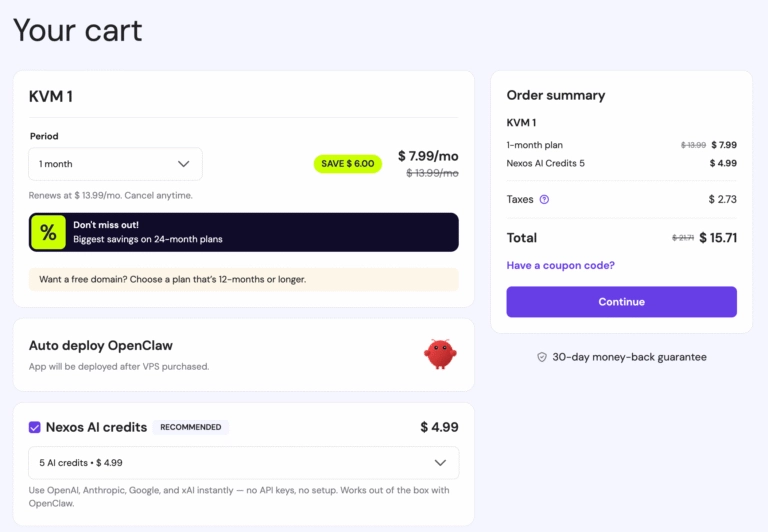
- Visit the OpenClaw VPS hosting page on Hostinger.
- Choose a VPS plan that fits your needs.
- Click Deploy: OpenClaw is automatically pre-selected as your application.
- Optionally, purchase Nexos AI credits for built-in AI model access (no API keys needed).
- Complete your purchase and head to the configuration screen.
After checkout, a configuration screen will appear. You will need to set up environment variables for OpenClaw.
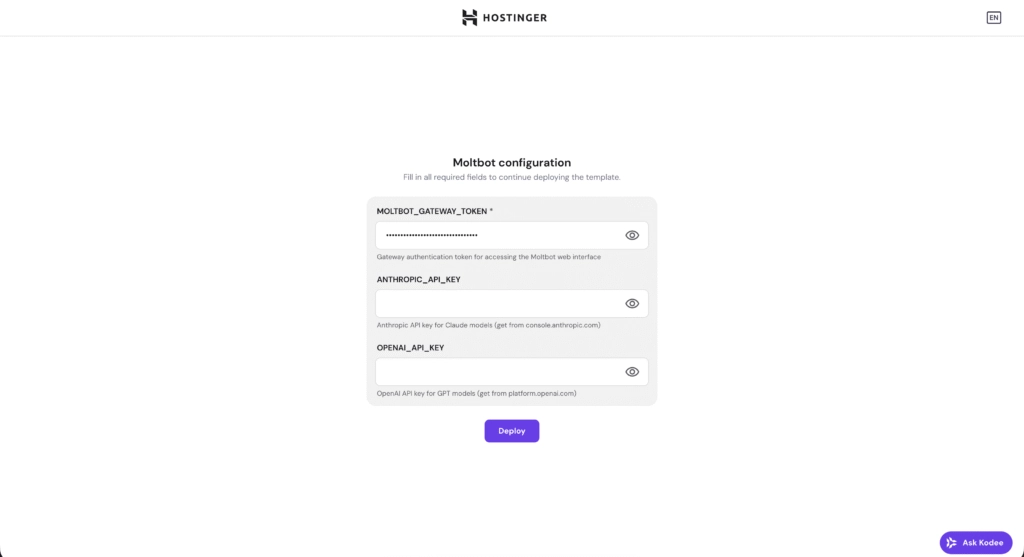
🔑 Configuration Options Explained
You can configure AI models in two ways:
With Nexos AI credits, you will see:
Without Nexos AI credits, additional fields appear:
Once you click Deploy, a Docker container is created automatically. It typically takes a few minutes. After that, you will see exposed ports ready for access.
Path 2: Install OpenClaw on an Existing Hostinger VPS
Already have a Hostinger VPS? No problem. You can install OpenClaw through Docker Manager in four quick steps.
Step 1: Install Docker Manager on Your VPS
Step 2: Find OpenClaw in the Docker Catalogue
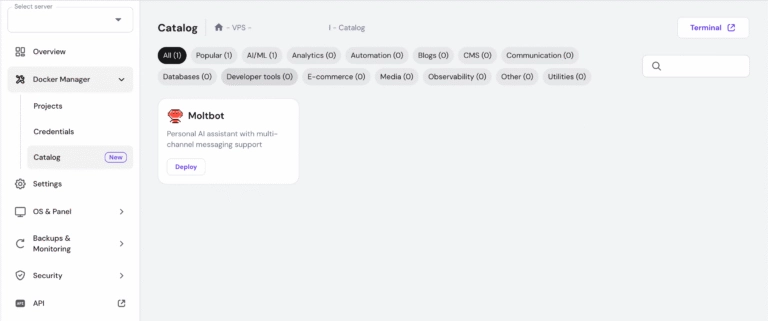
Step 3: Configure Your Environment Variables
Fill in your keys during deployment:
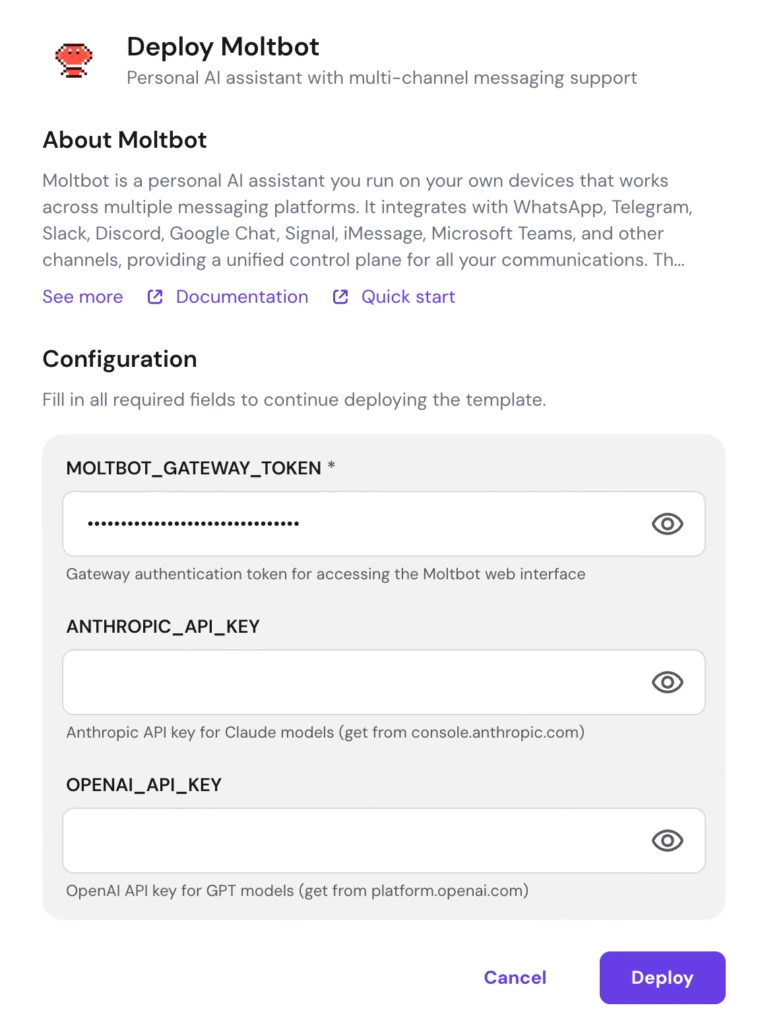
You can leave optional fields empty and add them later from settings.
Step 4: Deploy and Wait ⏳
Hostinger VPS 8% Off – Limited Deal
Activate code AFFMAVEN8 to get 8% off Hostinger annual VPS plans for OpenClaw, AI automation, and web apps.
That is it. Your OpenClaw AI agent is now live on your VPS. 🎉
How to Access Your OpenClaw Dashboard ?🖥️
Once deployment is complete:
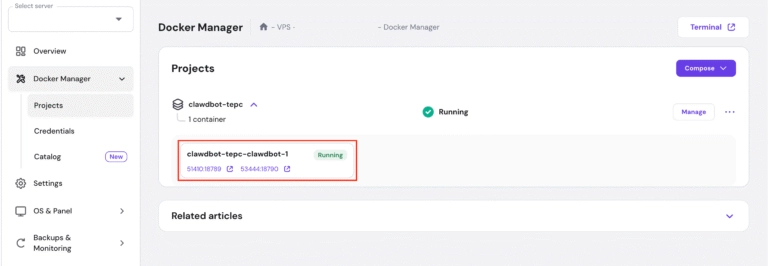
- Open Docker Manager and go to your OpenClaw project.
- Note the assigned port number.
- Visit http://your-vps-ip:port in your browser or simply click on the port link in hPanel.
- Enter your OPENCLAW_GATEWAY_TOKEN in the login field.
- Click Login to authenticate.
You now have full access to your personal AI assistant web panel.
Connect WhatsApp and Other Messaging Channels 📱
One of OpenClaw's biggest strengths is multi-channel messaging integration. Here is how to connect WhatsApp:
- Inside OpenClaw, go to Channels and click Show QR.
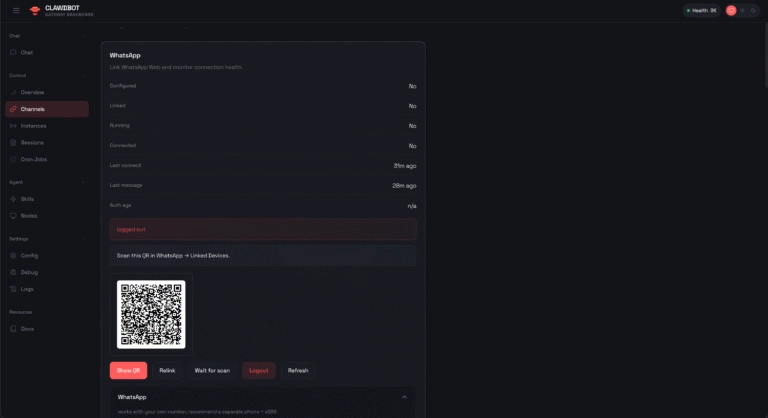
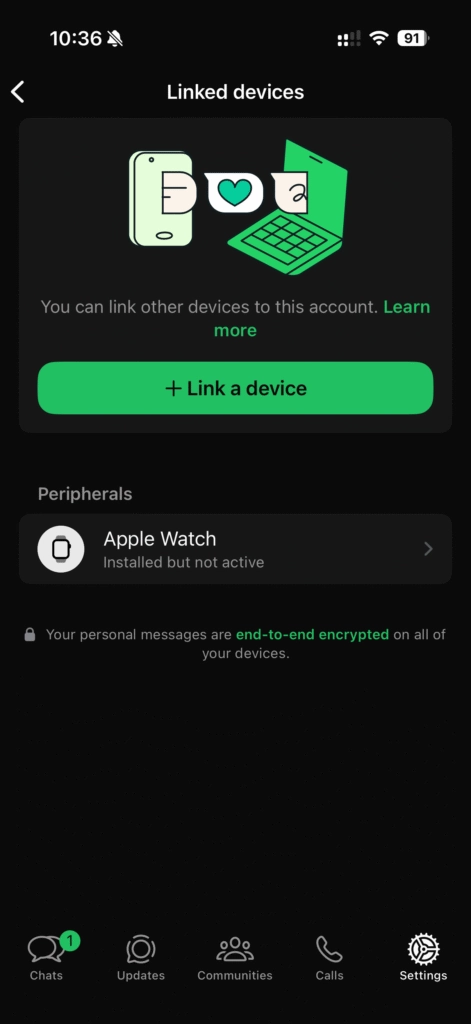
- On your phone, open WhatsApp → Settings → Linked Devices.
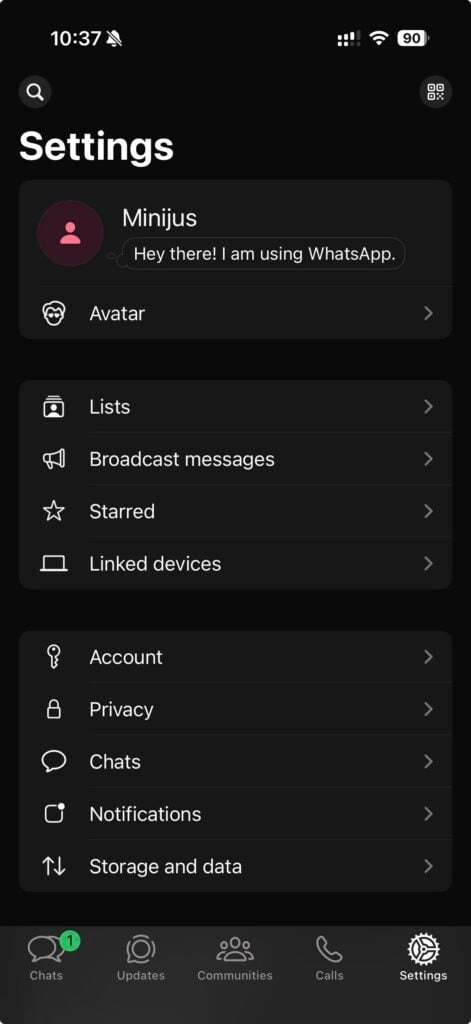
- Tap Link a Device and scan the QR code.
If you see a “WhatsApp login failed: status=515” error, go to Settings → Config, click Update in the upper right corner, then return to Channels. It should connect.
You can also link Telegram, Discord, Slack and other platforms from the same Channels page.
Manage, Update, and Secure Your Instance 🔒
Keeping your AI assistant updated is simple through Docker Manager:
After everything is running, explore automated workflows using the built-in skills platform for AI agents. Set up proactive monitoring, persistent memory, and sandboxed execution to make your assistant truly autonomous.
Ready to Run Your Own AI Assistant?
OpenClaw is open-source, powerful and growing fast. Hosting it on a Hostinger VPS with Docker gives you a stable, always-on setup without any heavy server admin work.
With one-click deployment, you can go from zero to a working self-hosted AI chatbot in under 10 minutes.


Ali
Ali is a digital marketing expert with 7+ years of experience in SEO-optimized blogging. Skilled in reviewing SaaS tools, social media marketing, and email campaigns, we craft content that ranks well and engages audiences. Known for providing genuine information, Ali is a reliable source for businesses seeking to boost their online presence effectively.