
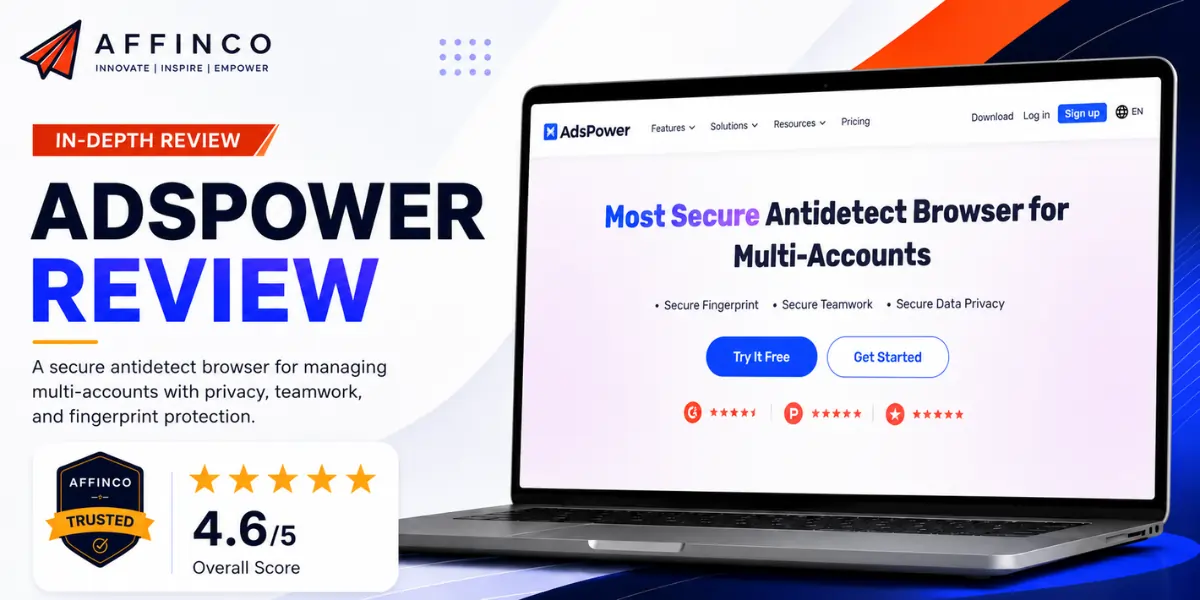
This AdsPower Review comes from an agency that has burned through ad accounts for over a decade. AdsPower is the best value antidetect browser for affiliate teams right now. Strong browser fingerprint control, dual Chromium and Firefox engines, real RPA automation, and a free forever plan. Heavy power users will hit a few rough edges, which we cover below.
Running paid traffic for a living teaches one painful lesson fast. Platforms hate when one person touches many accounts from one machine.
We have lived that pain since 2015. Google flagging a fresh ad account on day two. Meta wiping a whole business manager overnight. TikTok shadow limiting a brand new profile before the first dollar even spent.
An anti fingerprint browser is what stopped the bleeding. Each account gets its own clean device identity, its own cookies, its own proxy. To the platform, every login looks like a separate real person on a separate laptop.
We have tried most tools in this space. AdsPower is the one our team keeps open every single day. Here is the honest rundown, warts included.

AFFiNCO’s Take on AdsPower
My name is Ali Akbar Fakhri, and I've owned AFFiNCO for over a decade. We've run paid traffic on Google, Meta, and TikTok across SaaS, eSIM, dating, AI tools, and ecommerce offers since around 2015. Antidetect browsers aren't optional for us, they're infrastructure. We've paid for several. AdsPower is the one most of our team logs into every single morning.

What Is AdsPower And Why This Antidetect Browser Keeps Accounts Alive

AdsPower is a multi account browser built by Sunflower Tech, a Singapore company that has been operating since 2019. The job is simple to say and hard to build. Spin up many isolated browser profiles on one computer, give each a believable identity, and keep platforms from linking them.
The pitch lands. The browser now sits at 9M+ users across 235 countries with a 4.8 TrustScore and 200+ partners. That is not a hobby project anymore.
Under the hood, every profile carries a unique browser fingerprint. Different canvas value, different WebGL, different fonts, different timezone. Pair that with a matching proxy and account linking becomes very hard for the platform to prove.
For an affiliate marketing browser, that is the whole game. Keep accounts separated, keep them warm, keep them alive long enough to make money.
Why Affiliate Marketers Lean On AdsPower For Paid Traffic Accounts

If you only run one ad account, you don't need any of this. Skip it.
But the second you scale, the math changes. More accounts means more reach, more budget tests, more offers live at once. Platforms hate that, so they hunt for linked accounts.
Here's where AdsPower earns its keep for an affiliate marketing browser setup.
We run offers across six niches. Without browser profile isolation, one banned account would put the rest at risk. With it, a ban stays contained to a single profile.
Browser Fingerprint Protection That Holds Up Against Platform Detection

This is the heart of any antidetect tool, so let's get specific.
A fingerprint is the bundle of signals a site reads to identify your device. AdsPower lets you control 50+ of those signals per profile. Strong browser fingerprint protection means those signals stay consistent and believable, not random and obviously fake.
Here's what AdsPower spoofs and locks per profile.
| Signal | What AdsPower controls |
|---|---|
| IP and geolocation | Matched to your proxy so location lines up |
| Cookies and IndexedDB | Stored per profile, never shared across accounts |
| Canvas, WebGL, WebGPU | Hardware-render signals masked with consistent noise |
| Fonts and language | Adjusted to fit the persona and region |
| Timezone and resolution | Set to match the IP and device story |
| DNS and WebRTC | Routed and masked to stop real-IP leaks |
| User agent and OS | Windows, macOS, Android, and iOS options |
The point of fingerprint spoofing isn't to look invisible. It's to look like a normal, boring, real human. AdsPower does that well because the parameters stay internally consistent. A profile claiming to be an iPhone in Berlin will carry the timezone, language, resolution, and proxy geo that an iPhone in Berlin actually has.
When those details clash, platforms smell a rat. AdsPower's defaults keep them aligned, which is why our accounts age better.
SunBrowser And FlowerBrowser, The Dual Engine Edge

Most antidetect browsers give you one engine. AdsPower gives you two.
- SunBrowser is built on the Chromium core, the same foundation as Chrome. It supports every Chrome Web Store extension and feels familiar instantly. Unlike Chrome, it doesn't leak your real info to Google.
- FlowerBrowser is built on the Firefox core. It produces a genuine Firefox fingerprint, not a Chrome browser pretending to be Firefox. It pulls extensions from the Firefox add-ons library.
Why do two engines matter for a multi login browser? Fingerprint diversity.
Most platforms see a flood of Chrome traffic. If 99% of accounts are Chrome and a few of yours are Firefox, those Firefox profiles don't look suspicious, they look rare and human. Anti-fraud setups can't easily group a Gecko fingerprint with your Blink ones, even on a shared proxy.
Multilogin, GoLogin, Dolphin Anty, and Octo are all Chromium-only on the fingerprint side. AdsPower's true dual-engine core gives it a structural edge competitors can't copy without rebuilding. We run most profiles on SunBrowser and shift problem niches to FlowerBrowser when a platform gets ban-happy on Chrome.
Setting Up Your First AdsPower Profile
Setup is quick once you've done it twice. Here's the path we hand to every new VA on our team. Steps stay short on purpose.
- Download AdsPower for your OS and create your account, then turn on 2FA right away.

- Click “New Profile” and name it something you'll recognize later, like “FB-eSIM-US-01.”
- Drop the profile into a group and add tags. Groups by niche, tags by status, saves you hours when the list grows.

- Pick your engine, SunBrowser for Chrome habits or FlowerBrowser for diversity.
- Choose the OS and kernel version. Match the persona you want, desktop or mobile.
- Paste your proxy for this profile. One unique proxy per account, always.
- Hit “New fingerprint” to auto-generate a clean fingerprint, or fine-tune timezone, language, and resolution by hand.
- Save, then click “Open” to launch. Log into your account inside that profile and you're live.
For scale, skip the one-by-one route. Use mass import and upload up to 1,000 profiles at once from an Excel or TXT file. That single feature is why bulk profile management on AdsPower beats almost everyone.
Ready to Set Up Your AdsPower Account?
Create your AdsPower account in just a few minutes, then apply coupon code BLOGADS during checkout to enjoy an exclusive 5% discount on your purchase.
Profile Stability, Isolation, And Cloud Sync At Scale
Creating profiles is easy. Keeping them stable and separate is the real test.
Profile isolation here is strict. Cookies, cache, local storage, and IndexedDB never bleed between accounts. A login on profile #3 can't be seen by profile #4.
Profiles open and run cleanly even when you've got a dozen windows live. Our team regularly runs 15 to 20 open at once on a mid-range machine without crashes.
Cloud profile sync keeps your accounts available across devices and team members. Configure a profile on your office machine, your VA opens the same one from theirs, cookies and state intact. That's the backbone of real team account management.
One honest note. There's a daily cap on how many times a profile can be opened or imported, and it applies to the whole team. Hit the ceiling and you wait until the next day. On heavy days that has slowed us down.
Proxy Setup Inside AdsPower
A fingerprint without a matching proxy is useless. AdsPower handles proxies well.
Supported protocols cover HTTP, HTTPS, SOCKS5, and SSH, plus both IPv4 and IPv6. That's everything a proxy management stack needs.
You can store proxies in a central list, bulk-add up to 500 at once, and assign them to profiles without retyping. AdsPower auto-checks each one and shows the detected geo, so you can match timezone and language before you ever launch.
It also auto-matches rotating proxies from big providers like Bright Data and Oxylabs. Type the geo you want and it finds a fitting IP.
A newer addition is built-in proxy purchase right inside the app, so you can buy IPs without bouncing to a separate provider portal. Handy, though we still bring our own residential proxies for the heavy accounts. AdsPower doesn't bundle free proxies, and that's true of every serious antidetect browser, so budget for proxies separately.
Automation With RPA, Synchronizer, Local API, And The Official API
This is where AdsPower pulls ahead of pricier rivals. The automation comes built in, even on the free plan.
RPA automation (Robotic Process Automation) lets you record and replay tasks with zero code. Clicks, typing, scrolling, logins, form fills. Build it once, run it across hundreds of profiles. AdsPower upgraded this into RPA Plus, which adds a visual editor, reusable variables, proper task management, and a build to debug to run to review loop. For repeatable account warm-ups, RPA Plus is a genuine time saver.
The Synchronizer mirrors your actions across every open SunBrowser window at the same time. Type once, it types everywhere. Perfect for bulk posting or warming a batch of new accounts in parallel.
For the technical crowd, there's a Local API and an official API. Hook AdsPower into Selenium, Puppeteer, or Playwright and drive profiles programmatically. The Business tier raises the API rate limit to 300 requests per minute versus 120 on Professional, which matters for automation-heavy operations.
AdsPower also shipped a CLI so you can create profiles, switch proxies, refresh fingerprints, and pull cookies straight from your terminal, plus an MCP option in beta that lets AI tools read and run AdsPower tasks. Batch actions and ready-made templates round out the toolkit so repetitive task automation stops eating your day.
Team Account Management And Permission Controls For Agencies
Running an agency means trusting people with valuable accounts. AdsPower's collaboration tools are built for exactly that.
A super-administrator creates member seats and assigns granular permissions, who can view, edit, share, or open which profiles. Profile sharing keeps everyone on the same accounts without anyone holding the raw passwords.
The security layer for teams is genuinely strong.
For social media account management and team account management at scale, those audit trails are gold. One time, our action logs flagged a contractor opening a profile from an IP we didn't recognize. We caught it in minutes and locked the seat. That single feature paid for the plan.
Security Features And Encrypted Data Protection

Beyond team controls, AdsPower protects the data itself.
Transmission is encrypted, storage is encrypted, and profile and proxy configs live locally with encryption rather than sitting wide open. There's no telemetry harvesting your activity, and the app runs a bug bounty program to catch holes early.
The certifications back this up. SOC 2 Type II is one of the toughest third-party audits going, and ISO 27001 plus ISO 27701 cover data security and privacy management. No other antidetect browser carries that full set.
That said, certifications don't make any tool bulletproof, which leads straight into the part most reviews skip.
How We Used AdsPower Across 40+ Ad Accounts

Real numbers from our own operation. No fluff.
We moved our paid media accounts onto AdsPower after losing too many ad accounts on a weaker tool. Here's what changed.
None of this is magic. AdsPower plus good proxies plus disciplined account hygiene is what actually moved the needle. The tool is the foundation, not the whole house.
Recent AdsPower Updates Worth Knowing
AdsPower ships updates constantly, which keeps fingerprints fresh against platform detection. The recent ones that matter to operators like us.
The direction is clear. More stable fingerprints, deeper automation, better collaboration. AdsPower isn't coasting.
The Negatives We Didn't Like About AdsPower
No tool gets a free pass on our site. Here's the stuff that genuinely bugged us.
The bring your own proxy model is the biggest one. Rivals like GoLogin and Multilogin bundle residential traffic into their plans. With AdsPower you are sourcing and paying for proxies separately, which adds both cost and a setup step. For a beginner, that first proxy config can eat a couple of hours.
The team pricing structure quietly frustrated us. The headline price feels cheap, then you add buyers and the bill creeps up in a way that is not obvious upfront.
The interface, while clean, throws upgrade prompts at you. The lifetime profiles popup in particular sits in a spot that pulls your eye when you are trying to work.
And RPA, as powerful as it is, is not point and click magic. Building a reliable flow for the first time took us real trial and error.
None of these are dealbreakers for us. But you deserve to know them before you commit.
Pros And Cons Of AdsPower
No tool is perfect. Here is the straight version after running it on real campaigns.
Pros
Cons
AdsPower Pricing Plans

Here's the only place we'll talk about money, since you asked for it clean.
AdsPower uses a build-your-own model. You pick the profile count and member seats, and the price adjusts. Billing comes monthly, quarterly, or annual, and annual saves you up to around 40%.
| AdsPower Plan | Profiles | Starting price | Best for |
|---|---|---|---|
| Free | 2 | $0 forever | Trying it out, solo testers |
| Professional | 10 and up | from $9/mo monthly, $7.20/mo annual | Solo affiliates, small teams |
| Business | from 200 | $61/mo monthly, $48.80/mo annual | Agencies and scaling operations |
| Enterprise | 5,000+ | Custom quote | High-volume farms and large teams |
A few notes worth knowing. Extra member seats run about $5 each. The Business tier lifts the Local API rate limit to 300 requests per minute. At mid-tier volume the per-profile cost lands near $0.31 to $0.36, which is among the cheapest in the category. There's also a short 3-day trial of the paid team features once you bind your email and phone.
AdsPower's entry price is roughly 70% below Multilogin's, and the permanent free plan lets you confirm it fits before you pay a cent. For affiliate teams watching cash, that value is hard to beat. Prices shift now and then, so check the live figure before you buy.
AdsPower vs Other Antidetect Browsers
We've paid for most of these over the years. Here's the straight comparison, warts and all.
| Antidetect Browser | Entry price | Free option | Engines | Automation | Team & audit |
|---|---|---|---|---|---|
| AdsPower | $7.20/mo annual | Yes, 2 profiles | Chromium + Firefox | RPA, RPA Plus, Synchronizer, CLI, API | Strong permissions + logs |
| Multilogin | $11/mo | No free plan | Mimic + Stealthfox | API only, no native RPA | Best-in-class audit |
| GoLogin | $9/mo | Yes, 3 profiles | Chromium only | API and SDK, basic | Moderate |
| Dolphin Anty | $10/mo | Yes, 5 profiles | Chromium only | No-code builder + Sync | Basic to moderate |
| Octo Browser | €7/mo | No free plan | Chromium (Octium) | API, limited mass actions | Excellent audit |
Our honest read.
- Multilogin has arguably the best fingerprint quality and the cleanest enterprise audit trail, but it's the priciest by a wide margin and gives you no free way to try it. Automation is API-only, so you build your own layer.
- GoLogin is the gentlest entry. Cloud version, Android app, built-in proxies, and a simple UI make it great for beginners, though kernel updates can lag and automation stays basic.
- Dolphin Anty is purpose-built for paid-traffic affiliates and has a built-in proxy marketplace, but it suffered a confirmed 2022 data breach that leaked 15% of user profile data, and it carries a mixed reputation outside its core community.
- Octo Browser is fast and rock-stable with top-tier team controls and encryption, but there's no free plan or trial, mass actions are weak for big farms, and the price runs premium.
AdsPower wins on value, bulk handling, and built-in automation, plus it's the only one with a true second engine. For our affiliate operation, the balance tips to AdsPower. If raw fingerprint quality with deep pockets is your only concern, Multilogin is the call.
Who Should Use AdsPower
Reach for AdsPower if any of these sound like you.
If you manage two or three accounts total, the free plan alone might carry you.
Who Should Skip AdsPower
It is not the right call for everyone.
FAQs Related to AdsPower
Does AdsPower stop Facebook and Google from linking my ad accounts?
It removes the easy links, the shared fingerprint and device signals, by giving each account its own fingerprint, cookies, and proxy. It can't fix a bad proxy, sloppy account behavior, or a payment method reused across accounts. Pair it with clean residential proxies and disciplined hygiene and your link risk drops hard.
Can I drive AdsPower with Selenium, Puppeteer, or Playwright?
The Local API and official API let you create, launch, and control profiles programmatically with all three. Professional caps the Local API at 120 requests per minute, Business raises it to 300. There's also a CLI for terminal control and an MCP beta for AI tools.
What proxy types work with AdsPower, and does it leak my real IP?
AdsPower supports HTTP, HTTPS, SOCKS5, and SSH proxies on IPv4 and IPv6. It includes WebRTC and DNS leak protection, so your real IP stays hidden when the proxy is set correctly. Run the built in proxy checker and Network Diagnostics before binding an IP to an important account, since a silent proxy failure is a common cause of bans.
Does AdsPower pass Pixelscan and CreepJS fingerprint checks?
In our runs, profiles cleared Pixelscan and CreepJS without the inconsistency flags that trigger account reviews. The key is keeping the kernel current and aligning the proxy with the timezone and language, since a mismatch matters more than any single spoofed value.

Our Verdict On AdsPower
After years of relying on it across Google, Meta and TikTok, AdsPower is still the tool our team opens first.
It cut our Meta bans by around 70%, shaved account setup from twelve minutes to ninety seconds, and handed our buyers back fifteen hours a week through RPA. That is real money for an affiliate shop.
It is not flawless. The free tier is thin, the dashboard gets noisy at scale, and heavy API users need a bigger plan. None of that outweighs the value on offer.
For affiliate marketers, agencies and e-commerce sellers who need a dependable antidetect browser without premium pricing, this is the one we recommend starting with. Try the free plan, run it on your own accounts, and judge from there.

Ali
Ali is a digital marketing expert with 7+ years of experience in SEO-optimized blogging. Skilled in reviewing SaaS tools, social media marketing, and email campaigns, we craft content that ranks well and engages audiences. Known for providing genuine information, Ali is a reliable source for businesses seeking to boost their online presence effectively.