

Getting a perfect 100 on Google PageSpeed Insights is the holy grail of web performance. It's not just about bragging rights; it directly impacts SEO rankings and user experience.
While many factors contribute to achieving that coveted score, your theme serves as the foundation. This technical guide dissects how Kadence WP is engineered to help you achieve that perfect score through strategic optimizations and performance-first architecture.
Ready to supercharge your site's performance? Get up to 40% OFF on Kadence WP with our exclusive coupon INSIDER15 and start building lightning-fast websites today.
Understanding Core Web Vitals and Why They Matter
Core Web Vitals (CWV) are a set of metrics defined by Google that measure real-world user experience on your web pages. They focus on three primary signals:
These metrics not only define user satisfaction but directly influence search engine rankings. A performant theme that is lightweight and built for speed sets the stage for excellent CWV scores.
🔥 Grab 40% OFF Kadence WP Coupon Now!
Unlock premium Kadence WP themes & plugins at unbeatable prices. Use code INSIDER15 today and save massive 40%!
Why Kadence WP Excels in Web Performance
Unlike many WordPress themes that add unnecessary bulk, Kadence WP is crafted from the ground up with performance in mind. Here’s what differentiates Kadence WP performance from typical themes:
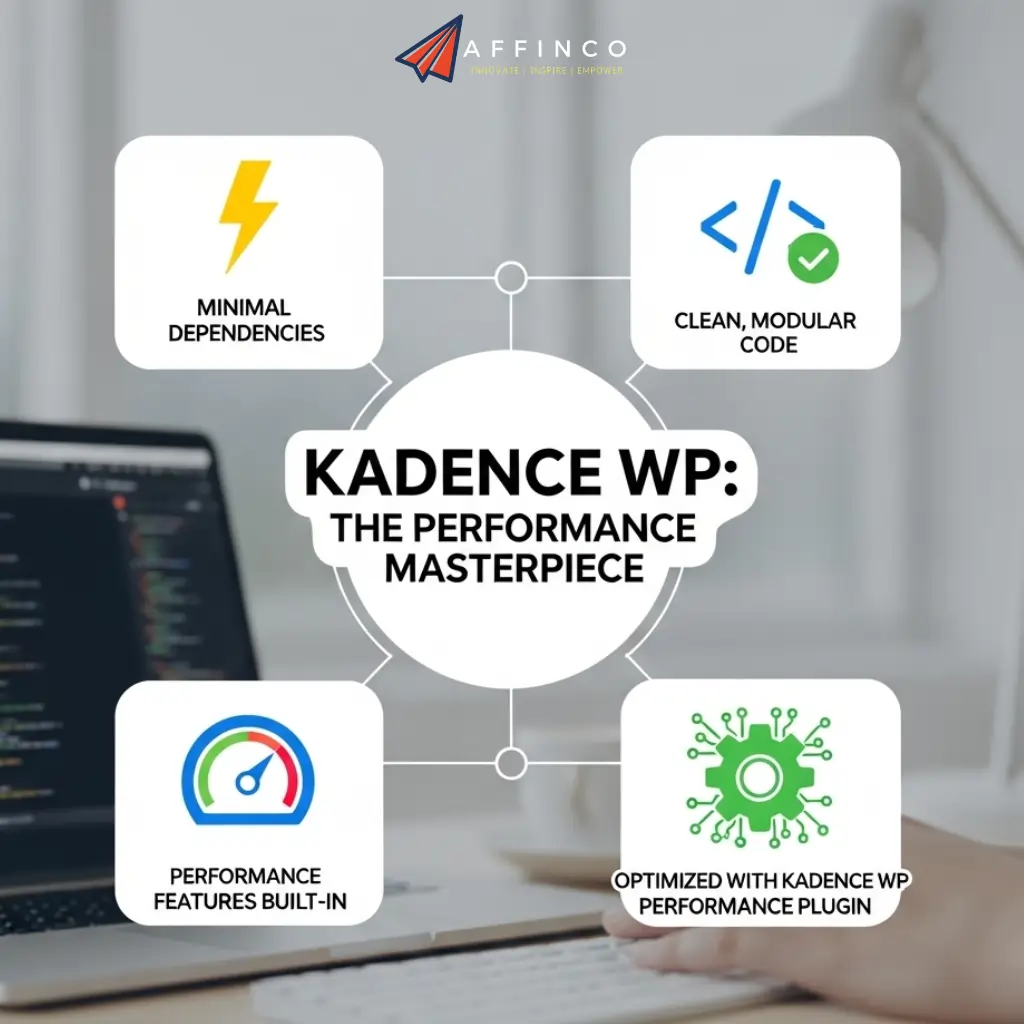
These engineering choices push Kadence WP beyond just “fast theme” hype — it's a performance masterpiece.
Tackling LCP: Engineering Faster Paint Times
The CSS Preloading Strategy
One of KadenceWP's standout features is its CSS preloading capability. Accessible through Appearance → Customize → General → Performance, this feature preloads critical CSS in the header, making styles available instantly when needed.
Here's what happens technically:
- Critical CSS identification – Kadence WP analyzes above-the-fold content
- Header injection – Essential styles load in the document head
- Deferred loading – Non-critical CSS loads asynchronously
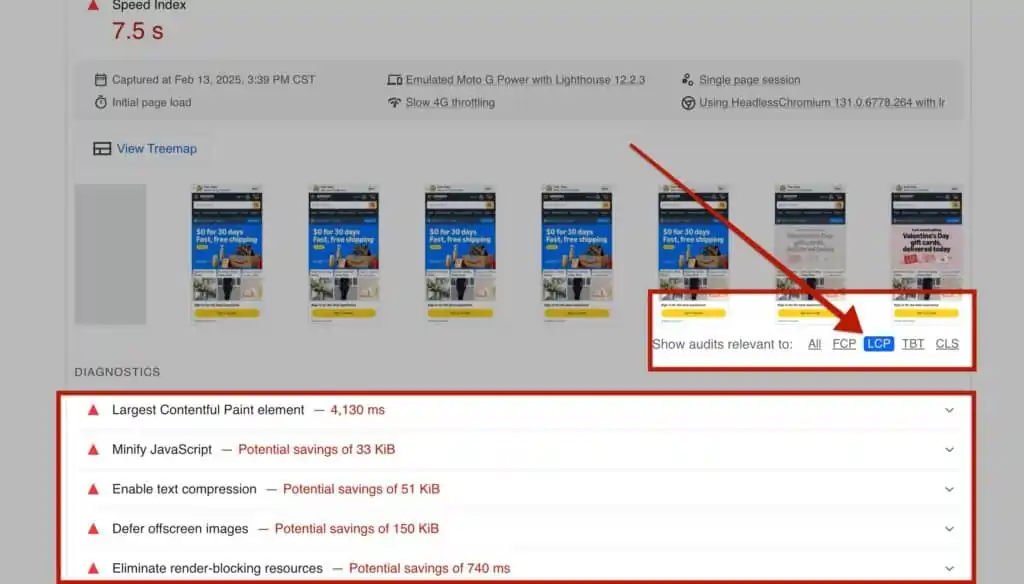
This strategy directly improves First Contentful Paint (FCP) and LCP scores by ensuring styling information is available before content rendering begins.
Smart Image Handling
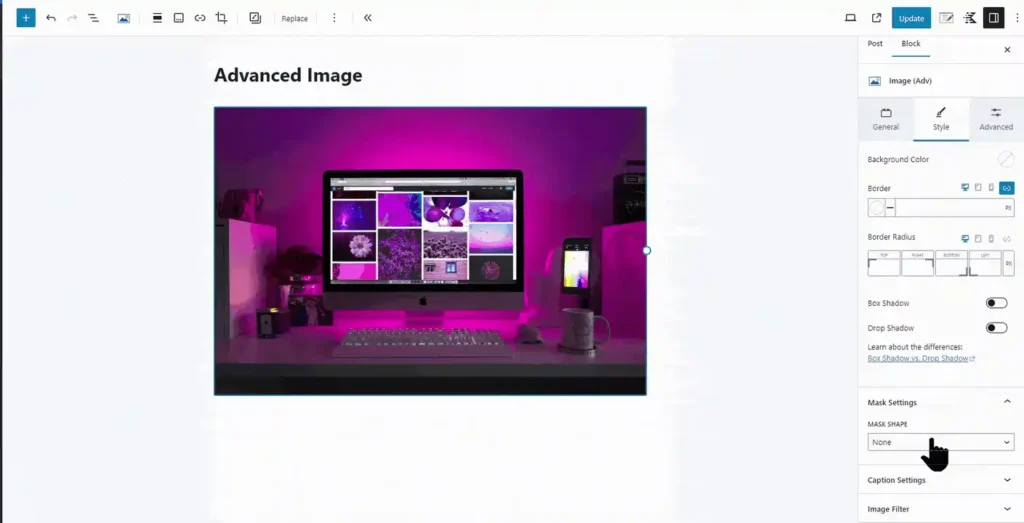
KadenceWP's Kadence WP Performance feature includes intelligent image optimization:
The system generates optimized image sizes automatically if they don't exist, ensuring mobile users aren't forced to download desktop-sized images.
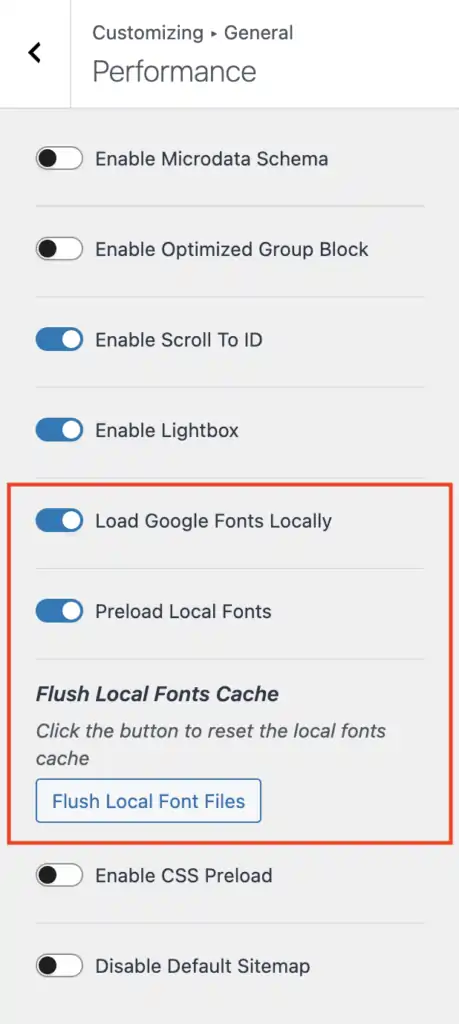
Local Google Fonts Implementation
Loading fonts from Google's CDN creates additional DNS lookups and render-blocking requests. KadenceWP's local Google Fonts feature eliminates this bottleneck.
Technical implementation:
- One-time font fetch – Downloads selected Google Fonts locally
- Local storage – Fonts stored on your server
- Preloading option – Instructs browsers to fetch fonts early in the loading process
This optimization can significantly improve LCP scores by reducing external dependencies and preventing layout shifts caused by web font loading delays.
Conquering INP: JavaScript Optimization
Intelligent Load Architecture
The Kadence WP Blocks Intelligent Load system represents a paradigm shift in how JavaScript resources are managed. Unlike traditional page builders that load massive JS files on every page, Kadence WP implements.
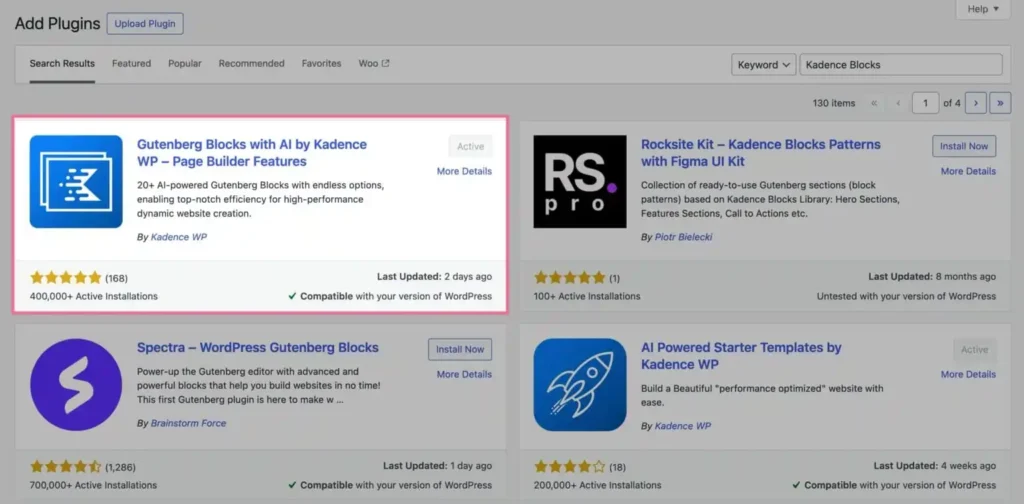
This approach directly impacts Interaction to Next Paint (INP) scores. When the browser has less JavaScript to process, it can respond to user interactions much faster.
Code Comparison: Clean vs Bloated
Here's a technical comparison showing KadenceWP's clean HTML output versus typical page builder nested structures:
Kadence WP Clean Output:
<div class='kadence-block'>

  <h2>Main Title</h2>

  <p>This is clean HTML output from Kadence WP block.</p>

</div>
Typical Page Builder Output:
<div class='page-builder-wrapper'>

  <div class='nested-div'>

    <div class='nested-div-inner'>

      <h2>Main Title</h2>

      <p>This is more complex nested div structure.</p>

    </div>

  </div>

</div>
The cleaner markup means faster DOM parsing and reduced memory usage during page rendering.
Eliminating CLS: Visual Stability Engineering
Inline SVG Icons Strategy
Kadence WP includes over 1,500 SVG icons that load as inline elements rather than external font libraries. This design choice provides multiple performance benefits:
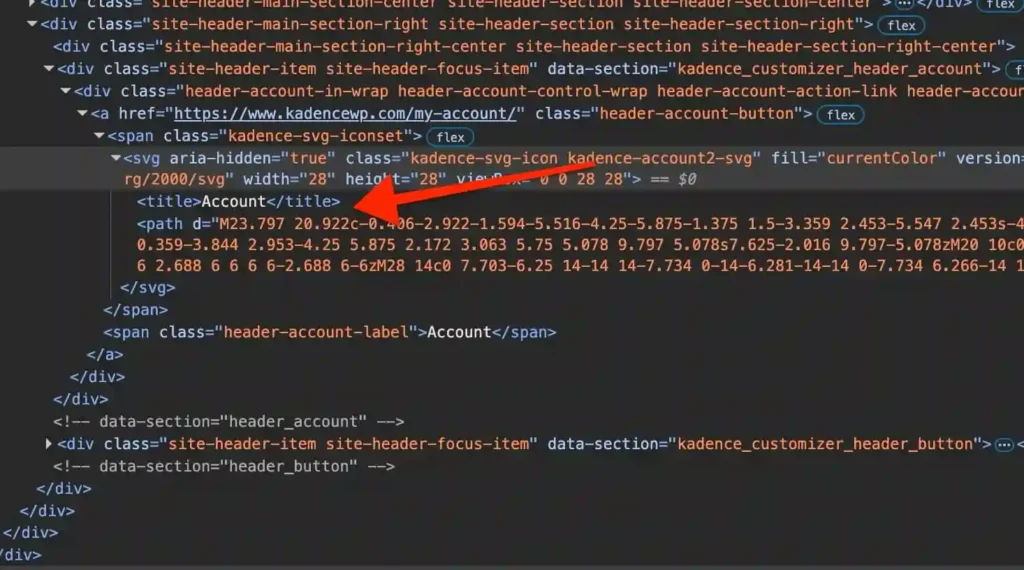
The system even includes accessibility features with built-in title tags, though these can be removed if needed using the kadence_svg_icons_have_title filter.
Image Dimension Handling
Proper image dimensions are crucial for preventing CLS. Kadence WP automatically:
- Specifies image dimensions in HTML attributes
- Reserves layout space before images load
- Prevents content jumping as images appear
Clean Code Structure
KadenceWP's commitment to semantic HTML and proper markup inherently prevents many CLS issues. The theme avoids:
- Dynamic content injection above the fold
- Poorly positioned advertising slots
- Unstable CSS animations during initial load
Advanced Performance Features
Kadence WP Performance Beta
The Kadence WP Performance system (currently in beta testing) provides additional optimization layers:
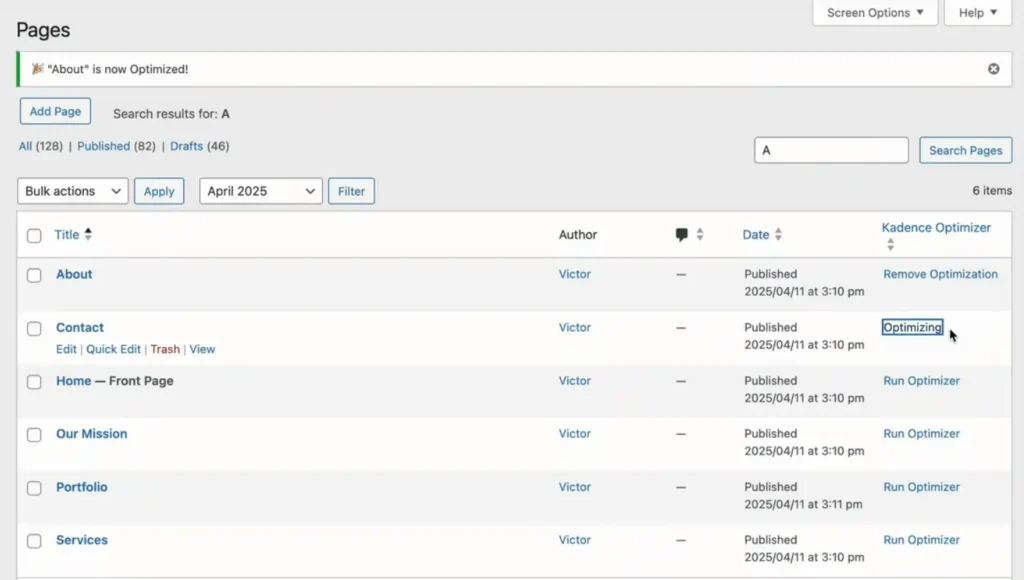
This system works alongside existing caching plugins, providing complementary rather than competing optimizations.
Caching Integration Excellence
Kadence WP is specifically engineered to work seamlessly with leading caching solutions
The theme's clean code structure ensures caching plugins can effectively optimize without conflicts.
Real-World Performance: Kadence WP in Action
Testing with Google PageSpeed Insights often shows Kadence-powered sites delivering near-perfect scores across CWV metrics. Here’s why:
Below is a simplified HTML snippet comparison for clarity:
| Feature | Kadence WP Block Output | Typical Page Builder Output |
|---|---|---|
| HTML Structure | Clean, semantic, minimal divs | Nested divs, wrappers, redundant markup |
| CSS | Critical CSS preloaded with minimal CSS | Large bundled CSS, render-blocking |
| JS | Deferred, loaded as needed | Large JS bundles loaded upfront |
This lean, finely-tuned structure directly translates to better user experience metrics and SEO.
PageSpeed Insights Scores
Testing on InstaWP servers reveals impressive Kadence WP performance metrics:
These scores demonstrate KadenceWP's engineering excellence across all performance categories.
Technical Implementation Guide
Getting Started with Optimization
Step 1: Enable Core Performance Features
Go to Appearance → Customize → General → Performance and activate:
Step 2: Configure Kadence WP Performance
Install Kadence WP Blocks and access the performance optimizer through your post/page lists. Click “Run Optimizer” to apply automated optimizations.
Step 3: Optimize Images
Ensure all images include proper dimensions and implement:
Advanced Configuration
Font Optimization:
// Flush local font cache if needed

add_action('wp_footer', function() {

    // Custom font optimization code

});
SVG Icon Customization:
// Remove title tags from SVG icons if required

add_filter('kadence_svg_icons_have_title', '__return_false');
Beyond the Theme: Holistic Performance
While Kadence WP provides an excellent foundation, achieving consistent 100 PageSpeed scores requires a comprehensive approach:
Wrapping Up: The Road to 100 with KadenceWP
Achieving top PageSpeed Insights scores requires more than wishful thinking – it demands a theme architected specifically for speed. KadenceWP’s smart engineering and lightweight design give you an insurmountable advantage.
Of course, to really nail these scores, it’s important to combine Kadence WP with:
- Good hosting environment (preferably VPS or better)
- Caching plugins and CDN integration
- Image optimisation and compression
But start with a lightweight WordPress theme designed for performance out of the box, and you’ll get far closer to that 100.
Ready to build your next high-performance project on the theme engineered for speed? Don’t miss out on this deal to jumpstart your speed optimisation journey and dominate Core Web Vitals!


Ali
Ali is a digital marketing expert with 7+ years of experience in SEO-optimized blogging. Skilled in reviewing SaaS tools, social media marketing, and email campaigns, we craft content that ranks well and engages audiences. Known for providing genuine information, Ali is a reliable source for businesses seeking to boost their online presence effectively.