
Vista Social is one of the most popular social media management platforms for brands and agencies looking to simplify content publishing, engagement and analytics.
Trustpilot Rating
G2 Rating
While writing Vista Social review, I noticed several updates to features, a refreshed pricing structure and even AI-powered DM automations that were not available before.
Vista Social is preferred by marketers as an all-in-one social media tool, and is widely recognised for post scheduling, social listening and review management. With fresh updates and new capabilities, does it still deliver strong value for money? 🤔
I have covered all key features in detail, including real-time analytics, AI assistant, practical examples, and a quick guide to get you started.
Let's talk about what makes Vista Social stand out, how you can benefit from it, and if it fits your social media marketing goals!
What is Vista Social? 🧐
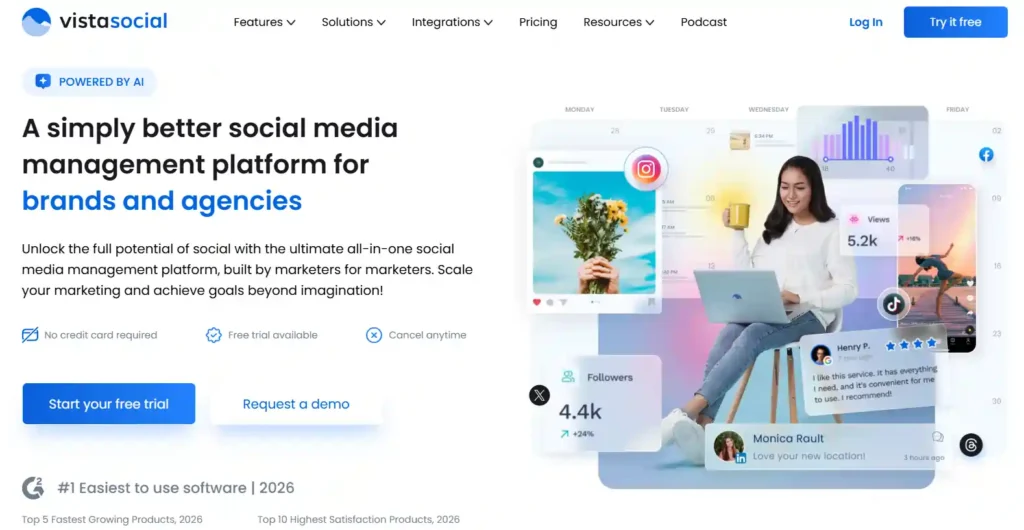
Vista Social is a modern social media management platform built for marketers, agencies and creators. It brings content scheduling, analytics, social inbox, listening and reputation management into one place.
Founded in 2022 by Vitaly Veksler and backed by Y Combinator, it quickly grew to $1M ARR in just 24 months. Today it holds a 4.8 out of 5 rating on G2 and supports 10+ social networks.
| Key Aspect | Details |
|---|---|
| 📅 Founded | 2022 |
| 👤 CEO and Founder | Vitaly Veksler |
| 🏢 Headquarters | New York, New York, US |
| 👥 Team Size | 11 to 50 employees |
| 💰 Seed Funding | $500,000 from Y Combinator (March 2022) |
| 🌐 Website | vistasocial.com |
| 📱 Supported Networks | Facebook, Instagram, LinkedIn, X, TikTok, Pinterest, Reddit, YouTube, Threads, Bluesky |
| 💵 Starting Price | $39 per month |
| 🆓 Free Plan | Yes, available |
| 🎯 Best For | Brands, agencies, freelancers, creators and startups |
| 🏆 Recognition | G2 Top 5 Fastest Growing Products 2026 |
| 🏢 Industry | Software Development |
Vista Social earned $1 million in annual recurring revenue within just two years of launch, which shows strong market demand. For any social media marketer looking for a feature-packed yet easy to use tool, it remains a top pick in 2026.
Vista Social Key Features 🔑
Here is where things get exciting. Vista Social packs a serious punch when it comes to features. Let me walk you through each one so you know exactly what you are getting.
Publishing and Content Calendar 📅
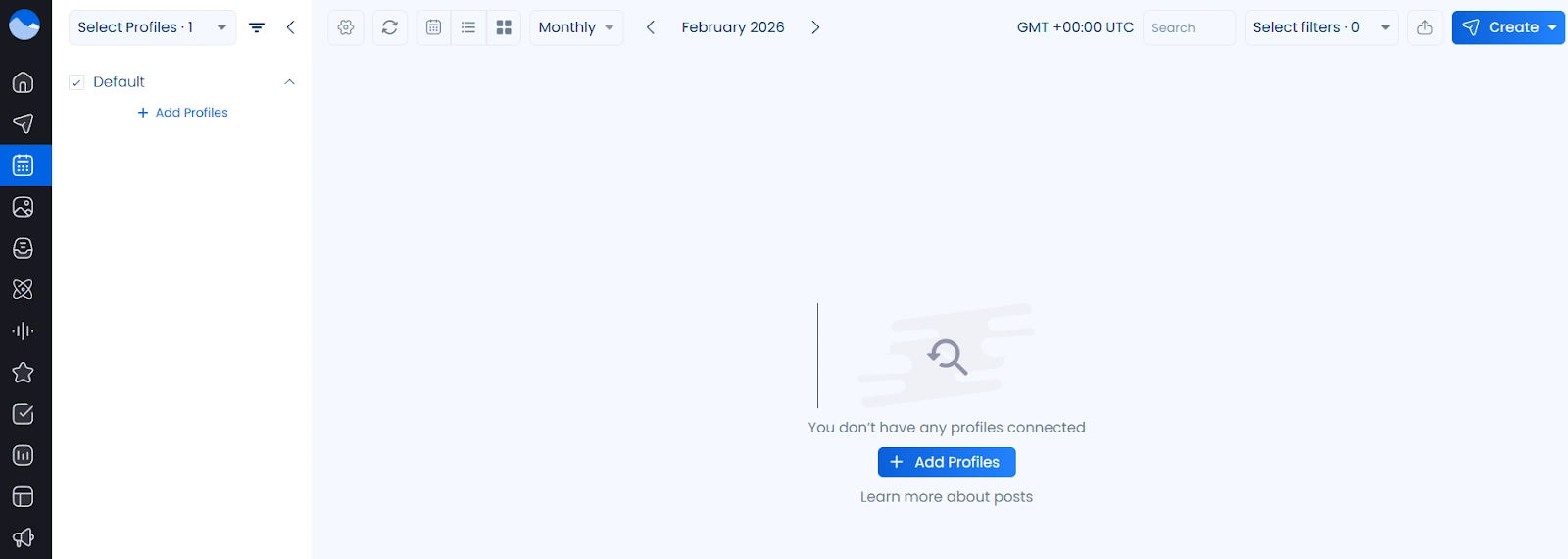
Vista Social is a powerful social media scheduler. Users get a visual drag-and-drop content calendar that makes planning posts a breeze. You can preview every post before it goes live and customise captions per profile.
Bulk scheduling is available on Professional plans and above. Upload posts via CSV, RSS feeds, or schedule them all at once. A Smart Scheduling feature picks optimal posting times based on when your audience is most active.
For agencies juggling 10+ client accounts, you can also set up posting schedules per profile. Combine that with a built-in media library for images, videos, and sounds, and you have a very efficient publishing workflow. No more switching between five different tabs. 👏
AI Assistant ✨
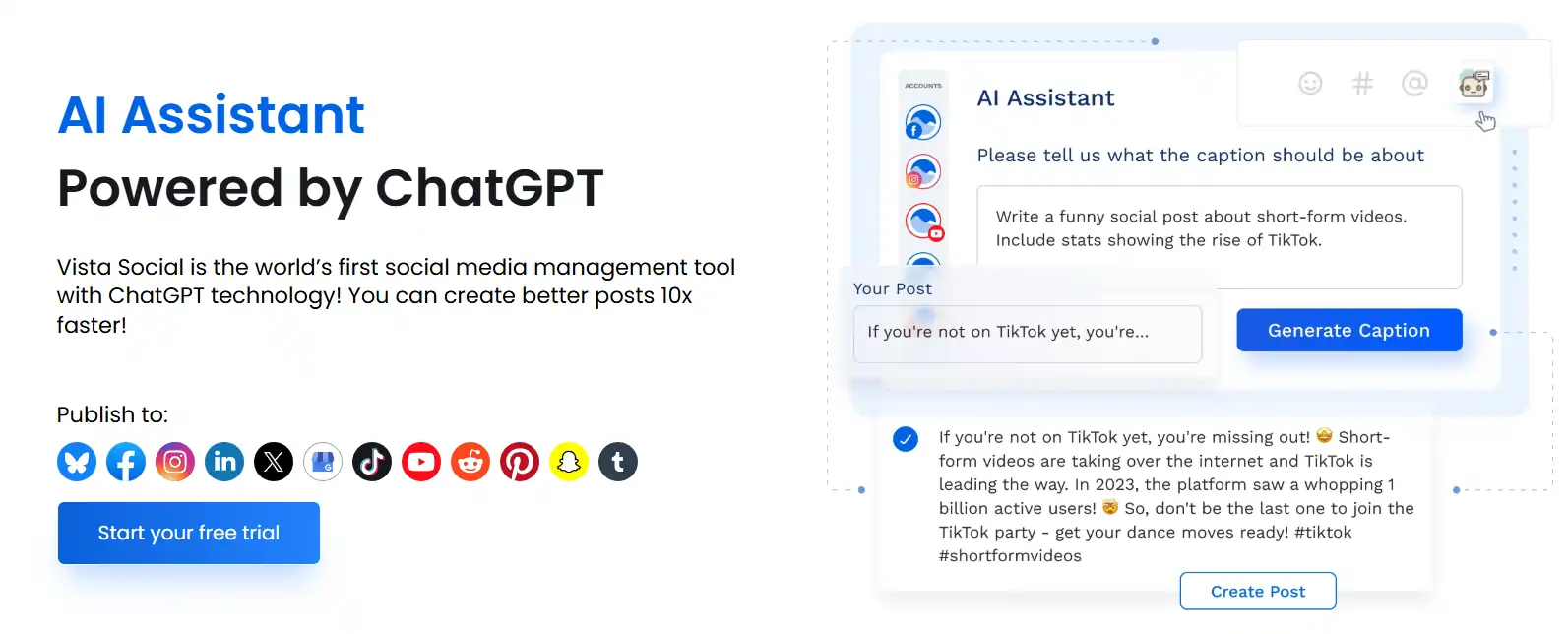
Vista Social includes an AI Assistant powered by ChatGPT. You can use it to generate captions, write message replies, and brainstorm post ideas.
For marketers who need to produce content at scale, AI caption generation alone can save hours every week.
Just input your brand voice, add a few prompts, and let Vista Social handle drafts for you to review and refine. 🤖
Social Inbox and Engagement 💬
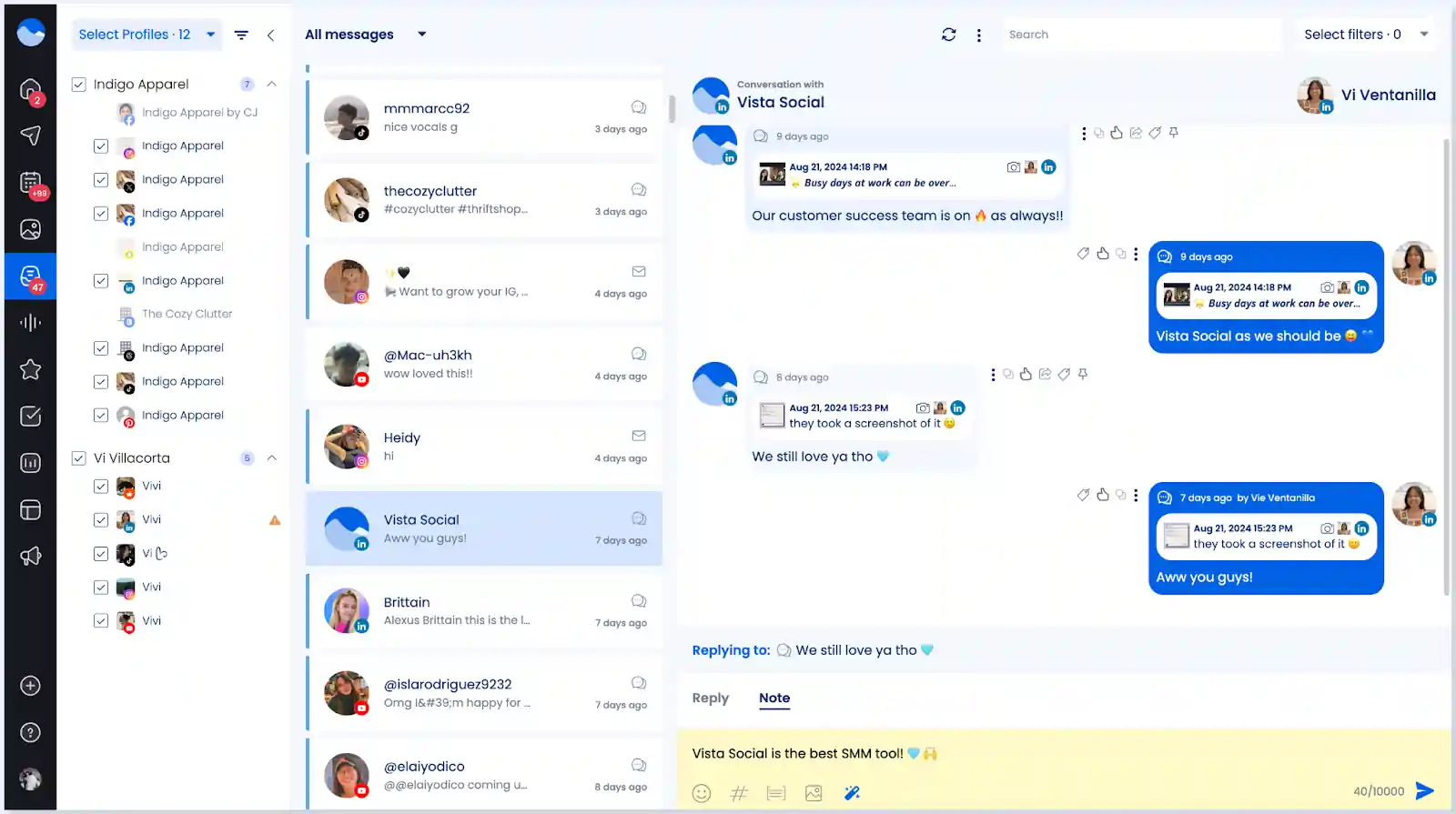
Managing comments, DMs, and mentions across 10+ social channels manually is a nightmare. Vista Social solves it with a centralised social inbox. You can reply to messages from every connected platform in real time without leaving your dashboard.
Team features make it even better. Assign messages to team members, add internal notes, apply message labels, and use saved replies for faster responses. A spam management filter keeps junk out of your inbox, while sentiment tagging helps you prioritise urgent messages.
For brands that care about community building (and you should), Vista Social makes social media engagement far more manageable. 🙌
DM Automations 🤖
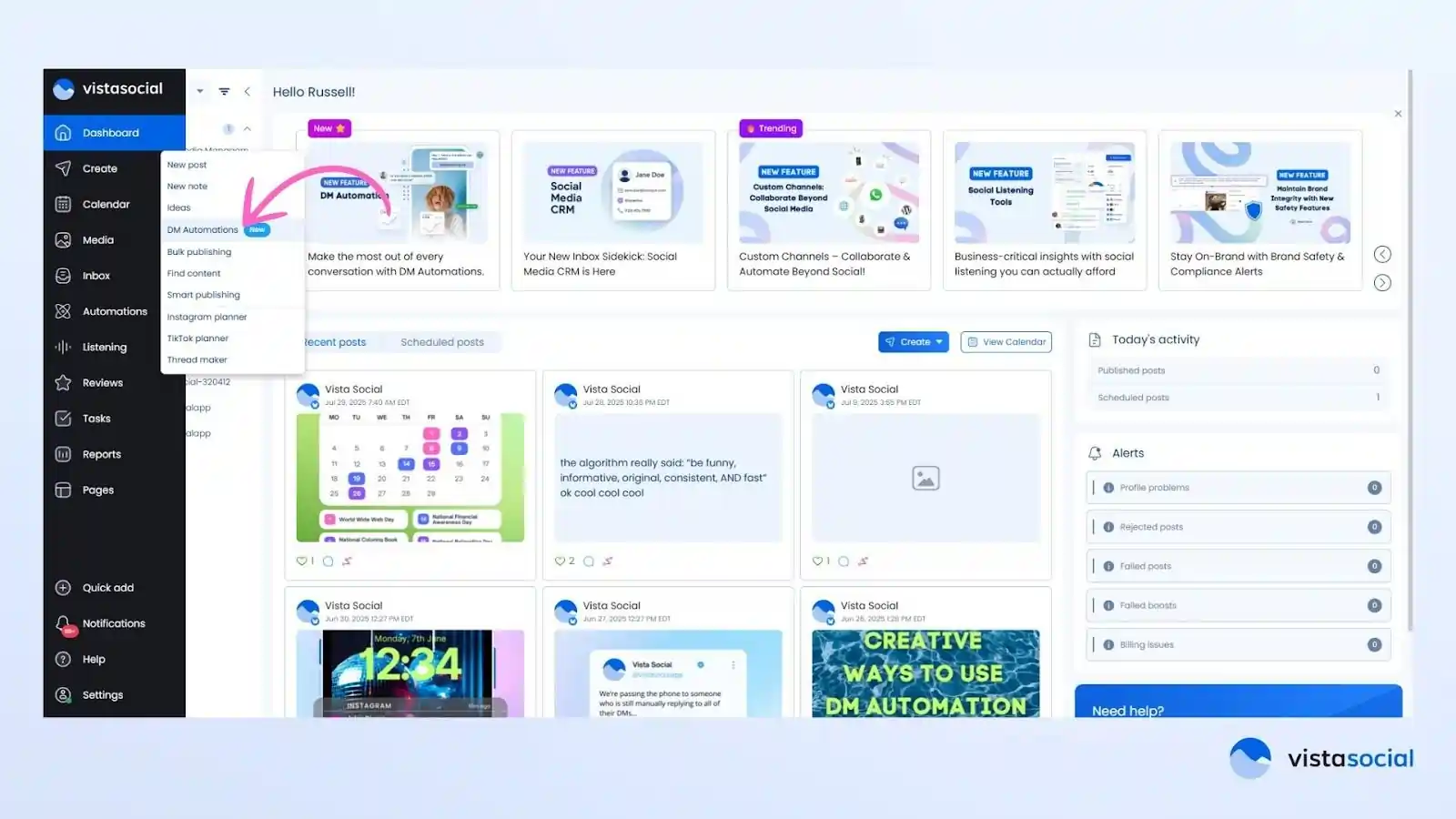
Here is one of Vista Social's newest and most exciting additions. DM Automations let you respond to every comment and direct message on autopilot. You can send links, answer FAQs, collect leads, and even close sales without lifting a finger.
Think about it. A follower comments on your Instagram Reel. Within seconds, an automated DM fires off with a link to your product or a lead capture form. No manual effort needed.
Vista Social calls it turning your DMs into lead generation machines, and honestly, that is exactly what it does. 💰
Analytics and Reporting 📊
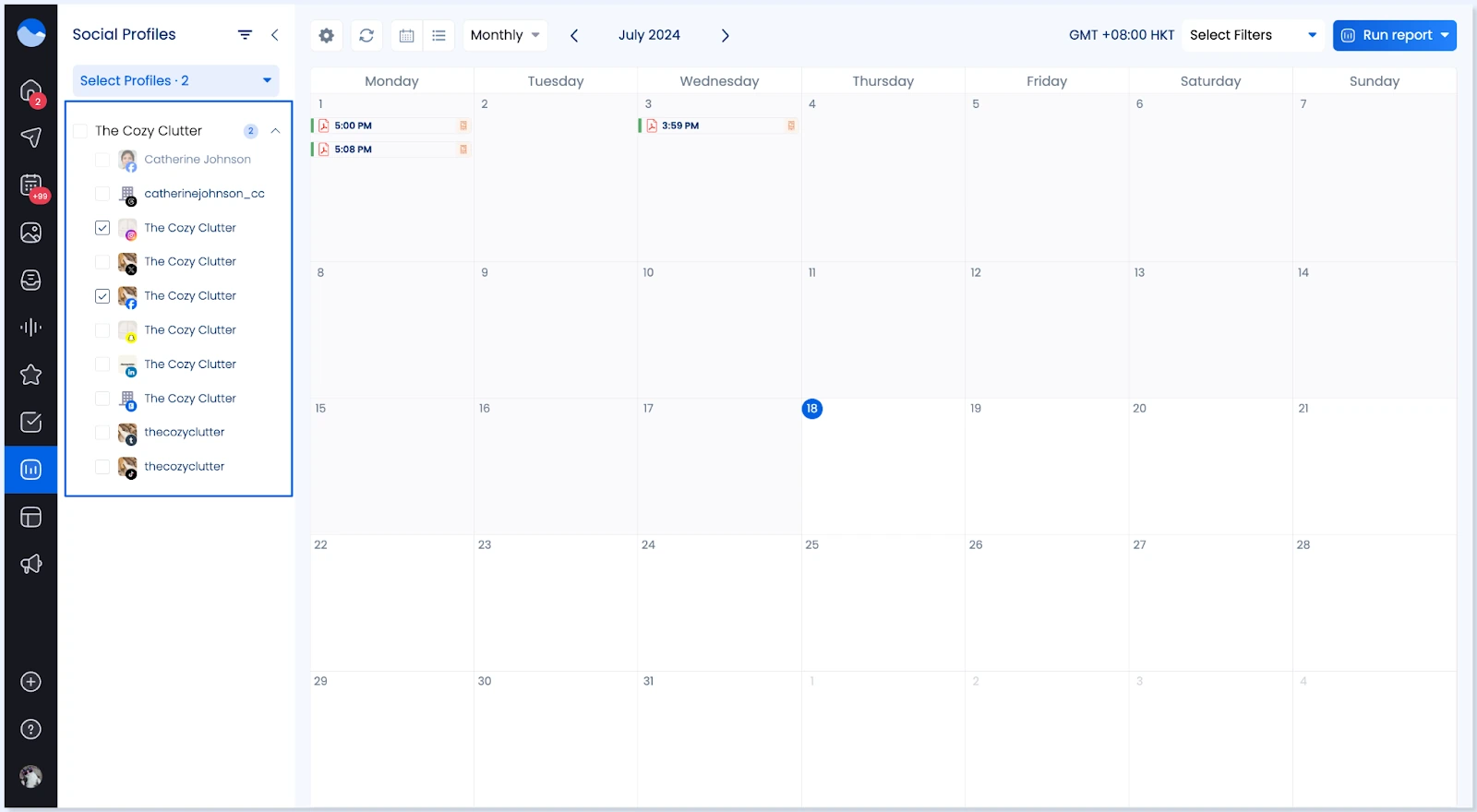
Data matters. And Vista Social delivers solid social media analytics across all connected profiles. You get real-time performance tracking, post performance reports, and competitor reports so you can benchmark yourself against rivals.
Reports are fully customisable. You can schedule them to be delivered automatically to team members or clients.
A standout here is that Vista Social includes web analytics reports as well. So you can track how social traffic impacts your website performance. Most competing tools charge extra for reporting like that. 📉
Social Listening 👂
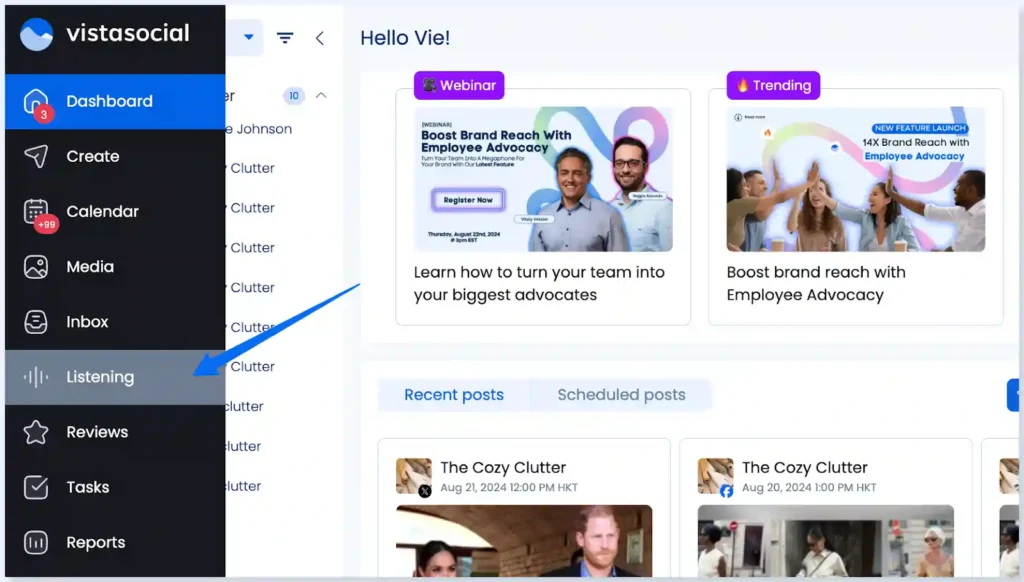
Social listening helps brands keep track of conversations that matter to them. Monitor brand mentions, track industry keywords, and get timely alerts when someone talks about your brand or competitors.
Listening for content on your own social profiles comes free with Vista Social. For wider monitoring across social channels, web, and news, pricing starts at $75 per month as an add-on. It is a powerful feature for marketers doing brand monitoring and competitor research. 🔍
Review Management ⭐
If you run a local business or an agency managing local brands, review management is a game changer.
Vista Social lets you monitor and respond to reviews across Facebook, Google, Yelp, TripAdvisor, OpenTable, and TrustPilot from one place.
You can set up alerts so no review slips through. Reporting tools show review trends over time. For brands focused on online reputation management, having everything in a single dashboard saves a massive amount of time. 🏆
Vista Page (Link in Bio) 🔗
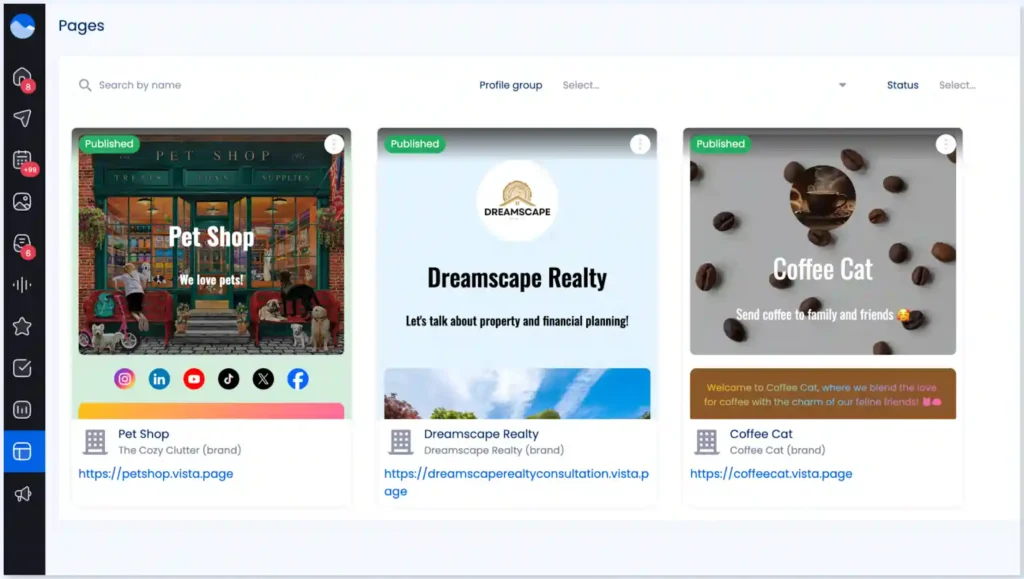
Vista Page is Vista Social's built-in link in bio tool. You can create fully customisable landing pages to drive traffic from social networks. It supports payment collection, lead generation forms, appointment booking, and click tracking.
On Advanced plans, you can even set up custom domains and integrate Google Tag Manager for deeper tracking.
For creators and small businesses who rely on Instagram or TikTok traffic, Vista Page is a solid alternative to standalone tools like Linktree.
Vista Social Employee Advocacy 📣
Employee advocacy is a feature many marketers overlook. But it can amplify brand reach significantly. Vista Social includes a built-in employee advocacy programme that lets employees easily engage with and share brand content.
For mid-size to large organisations looking to boost organic reach through team members, it is a handy feature bundled right into an existing tool.
Vista Social Pricing 💰
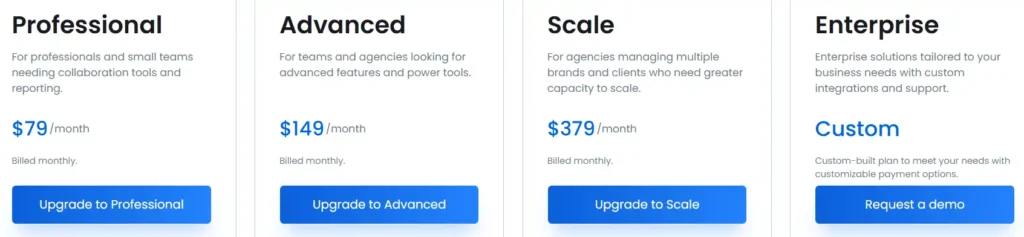
Vista Social offers four main pricing plans plus a free tier. Here is what each one includes.
| Vista Social Plan | Monthly Price | Social Profiles | Included Users |
|---|---|---|---|
| Professional | $79/month | 15 | 3 |
| Advanced | $149/month | 30 | 6 |
| Scale | $379/month | 70 | 10 |
| Enterprise | Custom | Custom | Custom |
Annual billing gives you a 20% discount. Every paid plan includes a 14-day free trial without needing a credit card.
For a small team of 5 people, the Professional plan at $79 per month offers strong value. You get 15 social profiles, collaboration tools, bulk scheduling, and social listening all bundled in.
Compare that to Hootsuite where social listening alone costs extra.cheduling, and social listening all bundled in. Compare that to Hootsuite where social listening alone costs extra.
Getting Started with Vista Social: A Step by Step Guide
Setting up an account on Vista Social is quick and straightforward. Here is a simple walkthrough so you can hit the ground running. 🏃
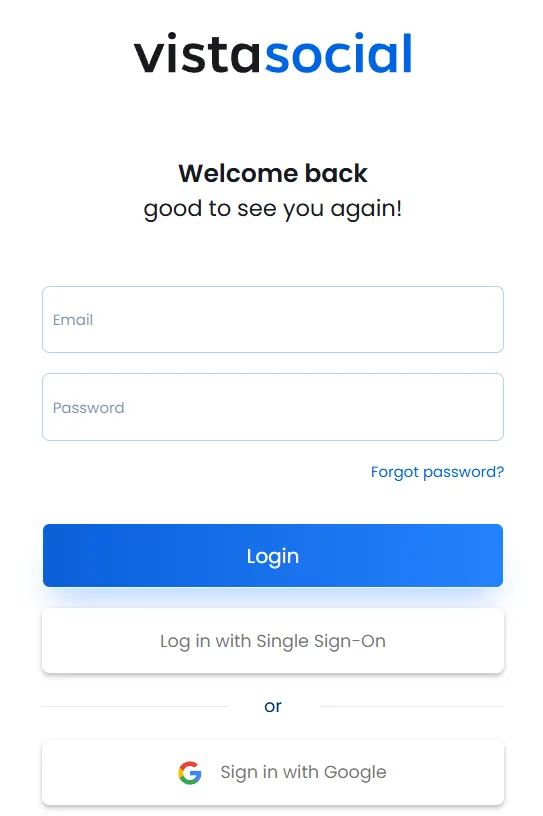
- Step 1: Sign up for a free account at vistasocial.com. No credit card is needed to start a 14 day free trial.
- Step 2: Connect your social profiles. Vista Social supports Facebook pages and groups, Instagram business profiles, LinkedIn profiles and company pages, X accounts, TikTok, Pinterest, Reddit, YouTube, Vimeo, and review sites like Yelp and TripAdvisor.
- Step 3: Set up your content calendar. Use a drag-and-drop interface to plan posts visually. Upload media to your media library for quick access.
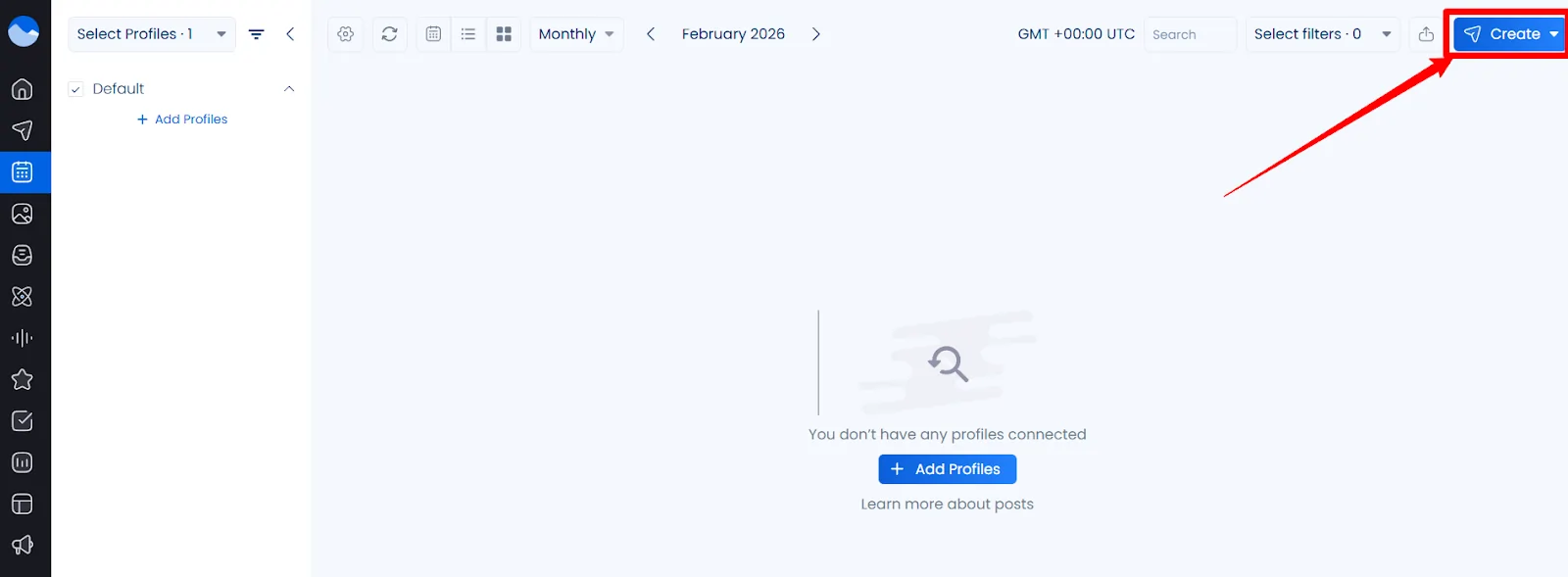
- Step 4: Create your first post. Write captions, attach images or videos, and customise content per profile. Use hashtag suggestions and an AI Assistant to speed things up.
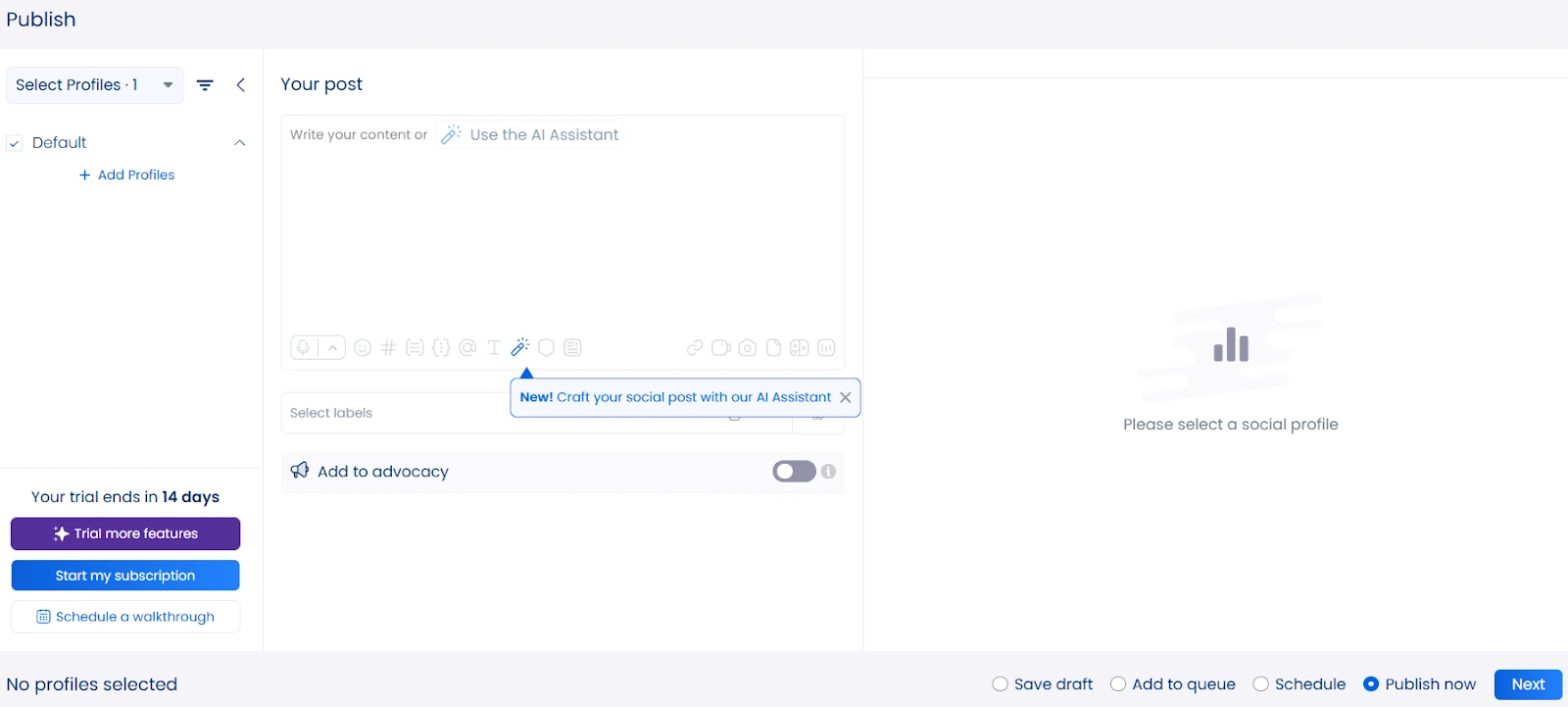
- Step 5: Schedule or publish. Pick a specific date and time, or use Smart Scheduling to post when your audience is most engaged.
- Step 6: Set up your social inbox. Enable notifications for comments, DMs, and mentions so you never miss an important message.
- Step 7: Build your first report. Choose from pre-built templates or create a custom analytics report. Schedule it to be sent to your inbox or a client's email automatically.
That is it. Seven steps and you are running a full social media management operation. Vista Social also hosts weekly training webinars where you can ask questions live.
Vista Social Integrations and Platform Support 🔌
A social media tool is only as good as its integrations. Vista Social covers a wide range of platforms and third-party tools.
| Category | Supported Platforms and Tools |
|---|---|
| Social Networks | Facebook, Instagram, X (Twitter), LinkedIn, TikTok, Pinterest, Reddit, YouTube, Threads, Bluesky, Vimeo |
| Review Sites | Google, Yelp, TripAdvisor, OpenTable, TrustPilot |
| Design Tools | Canva, Google Drive, OneDrive, Dropbox |
| Automation | Zapier, Make.com, Slack |
| Tracking | Google Tag Manager (via Vista Page) |
Support for newer platforms like Threads and Bluesky gives Vista Social a real advantage over competitors like Hootsuite and Buffer, which often lag behind on new network integrations.
Collaboration and Workflow Features 🤝
For agencies and teams, collaboration tools can make or break a platform. Vista Social handles team workflows well.
Calendar notes, post comment collaboration, and a shared calendar help teams stay aligned. You can assign user permissions and roles to control who can publish, edit, or only view content.
External calendar integrations, custom fields, and external profile connection links are available for Advanced and Enterprise users.
If you work with outside clients, these tools help streamline feedback loops without messy email chains.
Pros and Cons of Vista Social ✅❌
No tool is perfect. Here is an honest look at what Vista Social does well and where it falls short.
Pros ✅
Cons ❌
Vista Social Alternatives Compared 🔄
Choosing a social media management platform means comparing options. Here is how Vista Social stacks up against three popular alternatives.
| Feature | Vista Social | Hootsuite | Buffer |
|---|---|---|---|
| Starting Price | $39/month | $99/month | $6/month per channel |
| Free Plan | Yes | No | Yes (limited) |
| Social Profiles (Entry Plan) | 8 | 10 | 1 per channel |
| AI Assistant | Yes (built in) | Yes (add on) | Yes (limited) |
| DM Automations | Yes | No | No |
| Social Listening | Yes (from $75/mo add on) | Yes (premium plans) | No |
| Review Management | Yes | No native | No |
| Link in Bio Tool | Yes (Vista Page) | No | No |
| Threads and Bluesky Support | Yes | Limited | No |
| Approval Workflows | Yes (all paid plans) | Yes (enterprise only) | No |
| Best For | Agencies and growing teams | Large enterprises | Solo creators |
Buffer is ideal for solo users who need simple scheduling at a low cost. Hootsuite works for large enterprises with big budgets and complex needs.
Vista Social sits right in a sweet spot for marketers, agencies, and mid-size brands who want full-featured social media management without enterprise-level pricing.
Security and Compliance 🔒
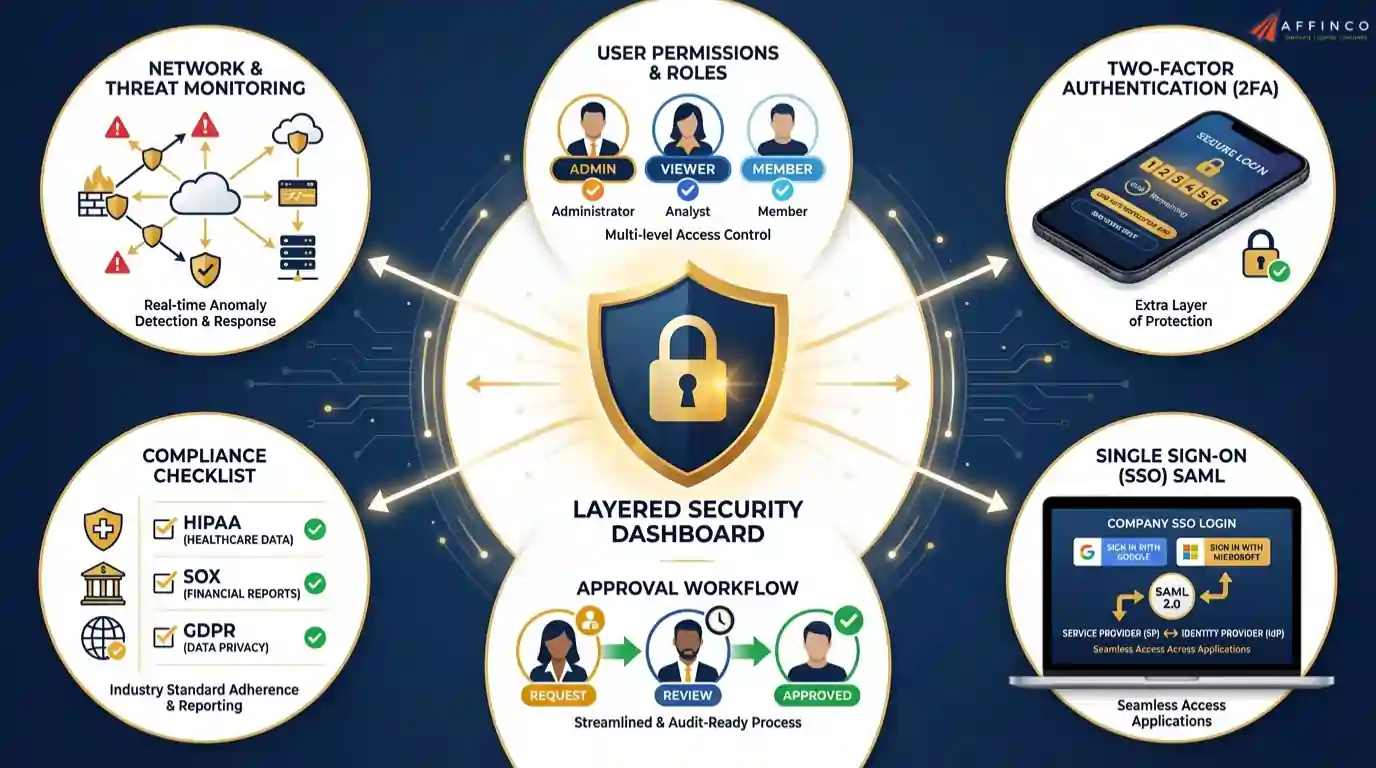
For businesses handling sensitive data, security matters. Vista Social offers user permissions and roles so you can control access at a granular level.
Two-factor authentication is available across all plans. Single sign-on (SSO) with SAML 2.0 is available on the Enterprise plan for organisations that require centralised login management.
The Enterprise plan also includes brand safety and compliance tools to protect your brand reputation. For regulated industries like finance and healthcare, having approval workflows combined with compliance features is a big plus.
Conclusion 🏁
Vista Social earns a solid 4.8 out of 5 rating for features, ease of use, and value.
With support for 10+ social platforms, pricing starting at $0, and paid plans from $79 per month covering up to 15 profiles and 5 users, it delivers more per pound than most social media management tools available right now.
Over 75% time savings reported by real agencies and a spot in G2's Top 10 Highest Satisfaction Products for 2026 say a lot.
So the real question is, can your current social media scheduler match all of that?


Ali
Ali is a digital marketing expert with 7+ years of experience in SEO-optimized blogging. Skilled in reviewing SaaS tools, social media marketing, and email campaigns, we craft content that ranks well and engages audiences. Known for providing genuine information, Ali is a reliable source for businesses seeking to boost their online presence effectively.