
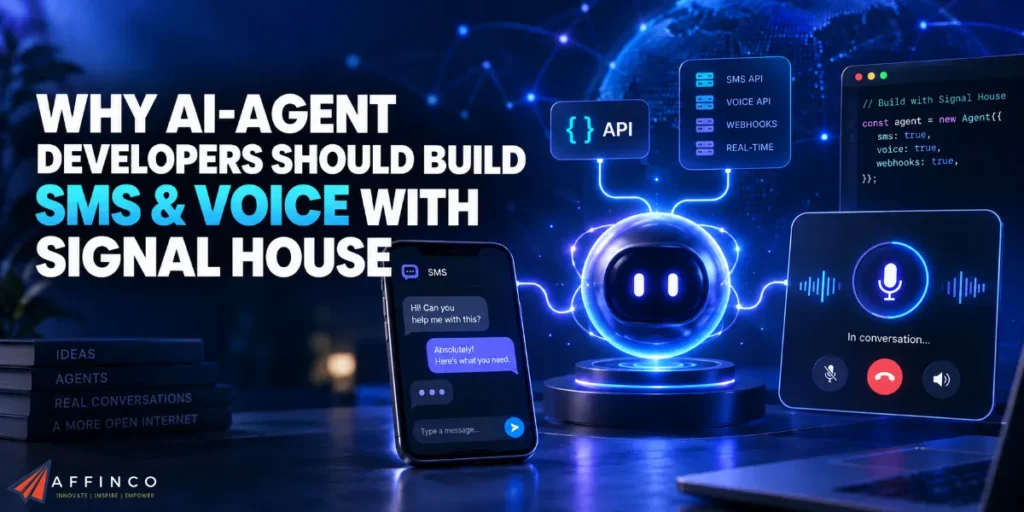
An AI agent needs more than a good answer. It needs a working connection to whoever should receive one. Signal House gives developers an SMS and voice API built around AI-assisted development, two-way conversations and programmable communication workflows.
Its typed SDK, messaging webhooks and shared platform for text and calls make it a strong choice for agents handling appointments, customer enquiries and follow-ups.
Your model can decide what comes next. Your application should approve each action. Signal House supplies communication capabilities underneath both.
Get those responsibilities right, and your agent can continue a conversation beyond a browser tab without turning every new feature into another telecom integration project.
Quick AFFiNCO Verdict
Build on Signal House when your product needs AI agent SMS integration alongside programmable calling. Start with one permitted, consented workflow, prove delivery and reply handling, then add voice. Choose it around your agent’s communication needs, not around replacing somebody else’s API.
Your Coding Agent Should Read Types, Not Guess Endpoints
Traditional communications integrations usually began with a human developer translating documentation into application code. Signal House puts AI-assisted construction closer to its starting point. Its @signalhousellc/sdk package includes TypeScript definitions, with an integration path built around editors such as Cursor and Lovable.
Here is why that matters in practice. Give your coding assistant a precise task and readable interfaces, and you can review an implementation against actual parameters rather than approve plausible-looking code.
Do not confuse faster code generation with permission to skip engineering. Ask your assistant to explain authentication, validate inputs and test error responses before approving a merge.
Nor does “AI-native” mean older APIs cannot support agents. The useful distinction is a build process centred on AI tools, conversational events and application-controlled actions, rather than another provider comparison chart.
Our CRM already enriches company records through automation. A Signal House integration would address a separate job: helping a business continue an opted-in customer conversation after an enquiry arrives. Data collection and permission to contact someone remain separate decisions.
Give Signal House Transport, Keep Decisions in Your App
Use a clear division of responsibility when designing AI agent communication infrastructure. Here is a practical architecture to implement, not a promise of automatic business logic.
| Component | Responsibility in your application design |
|---|---|
| Language model | Interpret a reply and propose an appropriate next action |
| Application service | Check consent, customer identity, booking state and spending limits |
| Signal House integration | Submit approved communication requests and receive provider events |
| Database and job queue | Preserve conversation history, pending actions and processing status |
Consider an appointment assistant. A customer replies with a preferred time. Your calendar service checks availability, reserves a slot and returns a confirmed booking identifier. Only then should your messaging service send confirmation.
An eloquent reply is not a reservation. Keep commercial truth in systems that can verify it.
Build Your Signal House SMS Agent Step by Step
Choose a Permitted Customer Conversation
Start with a narrow use case, such as appointment confirmations or support follow-ups for customers who explicitly agreed to receive messages.
Signal House requires prior express written messaging consent. Its prohibited categories include affiliate marketing and third-party lead generation involving purchased, sold or shared consumer information. An agency audience needs that distinction upfront. A scraped phone number is not permission to send.
Store consent evidence, collection wording and customer identifiers in your own database. Check permission again when a queued message is about to leave, not only when your agent first proposes sending.
Connect Your Backend and Inspect Authentication
Create an account, then open Developer Tools → API Keys. Signal House exposes an API Key and Public Key. Developer Tools → API Documentation provides endpoint details, authentication notes, request bodies and response examples.
Install the package:
npm install @signalhousellc/sdk
Keep SIGNALHOUSE_API_KEY in server-side environment configuration. Give your coding assistant variable names, not production credentials. Inspect the installed SDK’s types and account documentation before choosing a message-sending method.
Save the tested package version in your lockfile. Treat generated code as a draft requiring review, not an integration certificate.
Register Your Brand and Actual Messaging Use Case
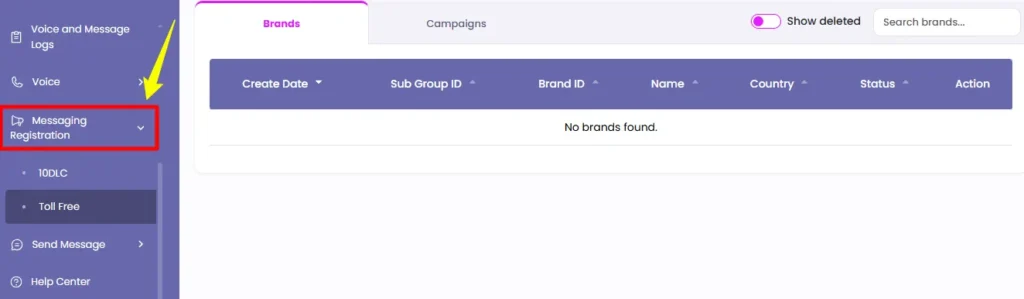
For US local-number business messaging, complete A2P 10DLC registration before launch. In Brands → Add New Brand, provide accurate business identity, contact information and consent details. Brand submission is also available through POST /brand/nonBlocking.
Next, create a campaign through 10DLC Registration → Campaigns → Add New Campaign. Supply a use case, message samples, opt-in process and required keyword responses. API-based onboarding uses POST /campaign/campaignBuilder.
Configure STOP, HELP and START responses, identify your business in message samples and disclose embedded links or media. Match production messages to submitted examples.
Keep actual agent output within your approved campaign purpose. Registration does not grant permission to invent unrelated promotional messages. Approval timing also belongs in your launch plan, not buried after development finishes.
Attach a Number and Two Reply Destinations
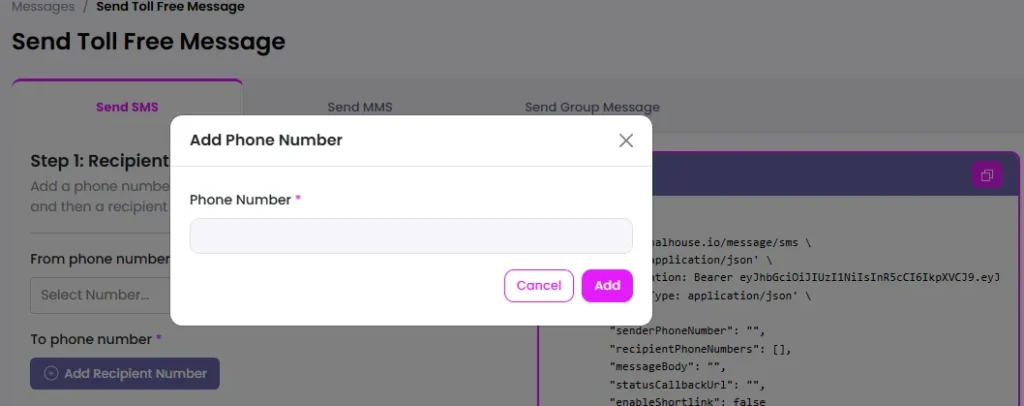
Purchase or port a number, then open Your Numbers → Configure. Associate your Brand, Campaign and relevant Sub Group. Add primary and fallback inbound webhook URLs.
API provisioning uses POST /phoneNumber/configurePhoneNumber. A Brand or Campaign assigned to a different Sub Group can cause a configuration error. Confirm messaging status reaches Ready before testing.
A soft port moves messaging while voice stays with your existing provider. A hard port transfers both. Select the appropriate route instead of assuming a messaging migration also enables calls through Signal House.
Keep primary and fallback handlers connected to shared processing records. Otherwise, a fallback attempt could trigger an additional reply instead of recovering an interrupted one.
Ask Your AI Editor to Build a Restricted Send Function
Use a task like this rather than “add texting”:
Inspect the installed Signal House SDK definitions and implement a backend SMS action.
Resolve recipients from authorised customer records. Require current consent, an approved sender and a unique action identifier. Validate message length. Record provider responses.
Create tests for rejected requests and duplicate actions. Never expose credentials to browser code.
Those requirements belong to your application; they are not implied SDK features.
Name your own wrapper sendAppointmentConfirmation, rather than exposing unrestricted provider access to a model. Accept a booking identifier, fetch verified details server-side and construct the final message from approved data.
Make the wrapper refuse an unconfirmed booking. A model should not be able to bypass business rules by producing convincing text.
Treat customer replies as untrusted input. Requests to disclose another account or change permitted destinations must never override application permissions.
Turn Incoming Webhooks Into Durable Conversation Events
Signal House’s Developer Tools → Webhooks lets you create event subscriptions with a destination URL and inspect recent delivery responses. Number-level inbound URLs handle your reply entry points.
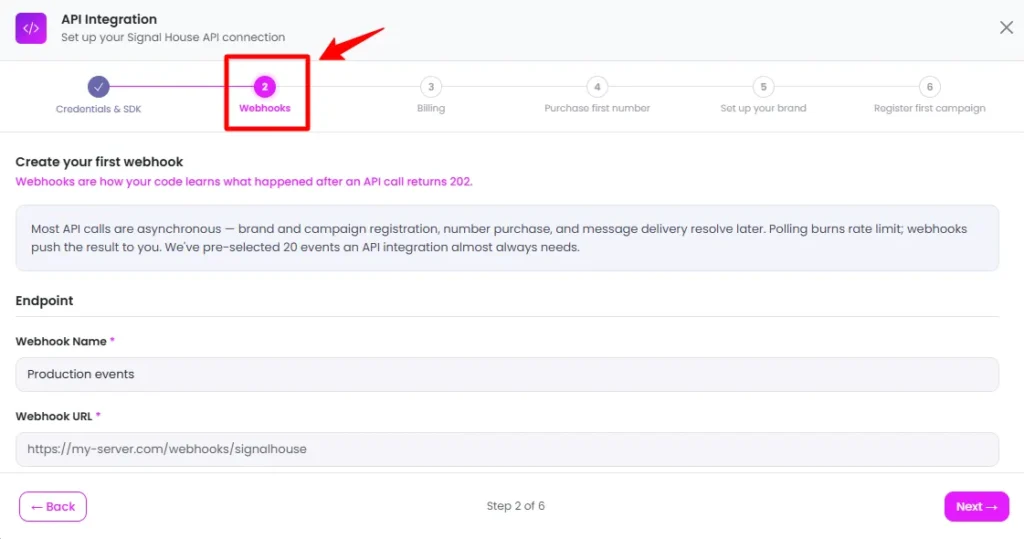
Build your two-way SMS automation around a durable inbox:
Do not assume every callback contains identical fields. Inspect real test events and implement deduplication around their documented identifiers.
Maintain an outbound action record before contacting your provider. If a request times out after submission, do not blindly send again. Reconcile available provider records first, then retry or request human review. Application idempotency is your responsibility unless a specific endpoint documents equivalent protection.
Partition conversation records by tenant, business number and customer. Process each conversation in order. Immediately recheck suppression status before sending any queued reply.
Test Delivery, Replies and Failure Recovery
Send a controlled message through Send Message, using your configured number and a test recipient. Then reply, inspect your webhook and check the resulting conversation record.
Test an opt-out, duplicate event, malformed payload and unavailable backend. Your pass condition is one correct business action, not merely one successful HTTP response.
Signal House distinguishes Sent from Delivered. Sent can still await a final outcome; Delivered indicates handset delivery. Keep those transport states separate from application states such as booking confirmed or support resolved.
Add Programmable Voice Without Rebuilding Your Customer Workflow
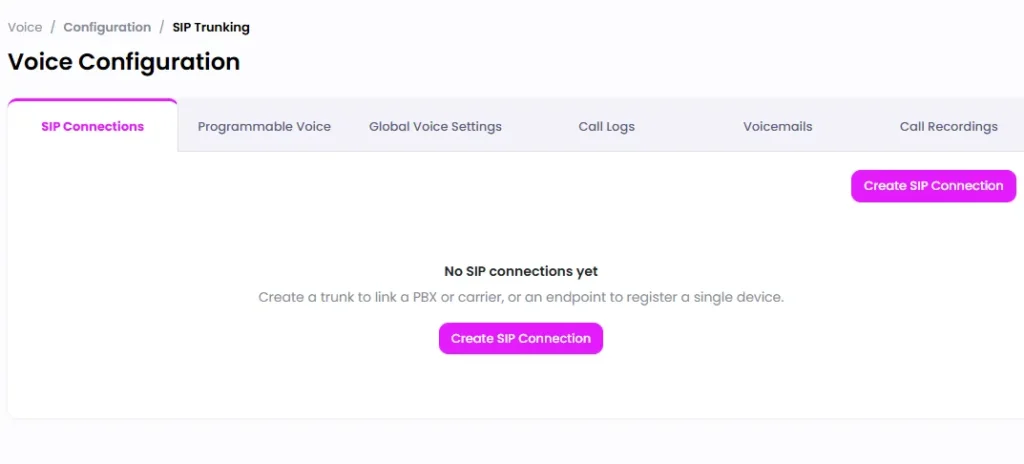
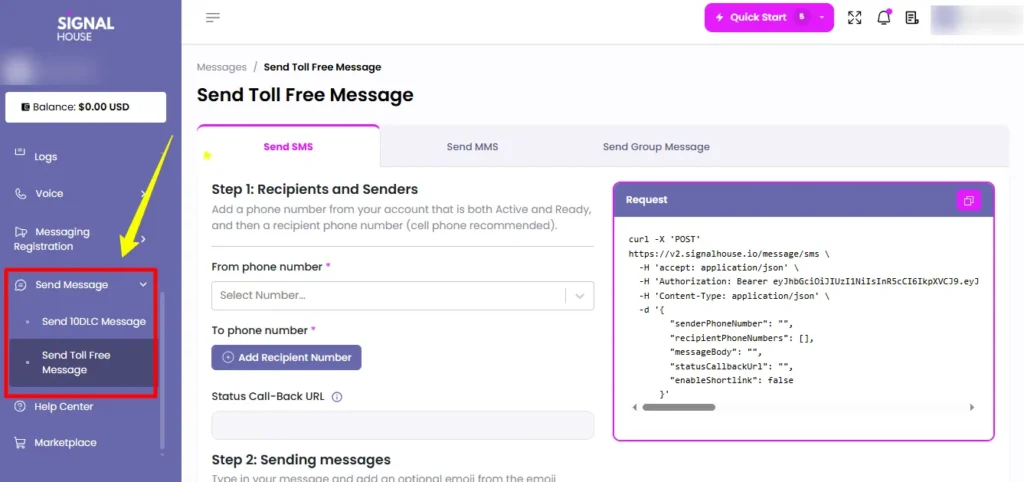
Signal House’s programmable voice API supports backend calls, SIP connections and SHML call instructions. Outbound calls use voice.calls.create; answer_url points to your call-control handler. Inbound control uses a Programmable Voice Profile with CALL_CONTROL and an assigned number. Enable request signing for call-control webhooks.
Save this server-side example as an .mjs file and supply the four environment variables shown below. Execute only when ready to place a chargeable test call:
import { SignalHouseSDK } from "@signalhousellc/sdk";
const required = (name) => {
  const value = process.env[name];
  if (!value) throw new Error(`Missing ${name}`);
  return value;
};
const client = new SignalHouseSDK({
  apiKey: required("SIGNALHOUSE_API_KEY"),
  baseUrl: "https://v2.signalhouse.io",
});
try {
  const response = await client.voice.calls.create({
    callData: {
      from: required("SIGNALHOUSE_FROM"),
      to: required("CONSENTED_TEST_NUMBER"),
      answer_url: required("VOICE_ANSWER_URL"),
    },
  });
  console.log(response.data.call_id);
} catch {
  console.error("Call submission failed; verify credentials and request data.");
  process.exitCode = 1;
}
Use an owned, voice-enabled sender and a consented test recipient. Your answer handler must return SHML instructions; a call request alone does not create a conversational assistant.
| SHML instruction | Available action |
|---|---|
<Say> | Speak supplied text |
<Play> | Play an audio resource |
<Gather> | Capture keypad input |
<Record> | Capture a recording |
<Dial> | Connect another phone number |
<Gather> captures digits, not speech recognition. Bring your model and any required speech stack; confirm live-audio compatibility before promising an interruptible voice agent.
Put Human Handoff Inside Your Browser App
For browser calling with WebRTC, Signal House uses server-issued tokens and a browser Device from @signalhousellc/sdk/voice-browser. Install jssip alongside the SDK. Issue a token with voice.tokens.create, supply it to Device, register, then connect a call.
Subscribe to registered, registrationFailed and incoming events. Handle call-level accepted and ended events separately. Your interface should distinguish an available phone session from an answered call.
Use authenticated staff identities and protect your token endpoint. Short-lived credentials belong in a controlled session, not a public endpoint anyone can use to obtain calling access.
A useful product pattern is an assistant that handles routine SMS exchanges, then hands unresolved cases to a person with conversation history visible beside browser calling controls.
Keep Message Length and Carrier Capacity Under Control
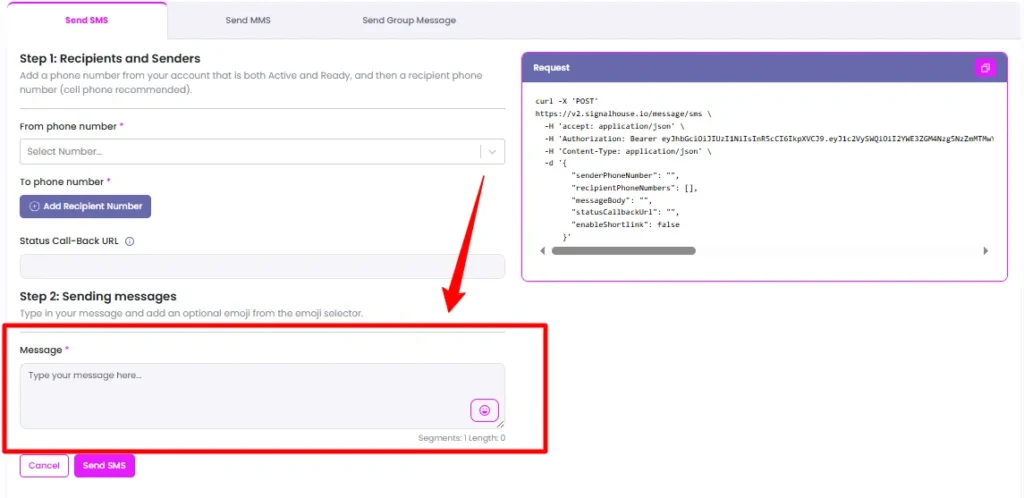
Your agent’s writing habits affect SMS segment billing. Basic GSM-7 messages fit 160 characters in one segment; concatenated messages allow 153 per segment. UCS-2 limits are 70 and 67 respectively. Emoji and some punctuation can change encoding.
A 161-character GSM-7 message occupies two segments, not one. One extra character can therefore add another billable segment.
Measure the finished message after inserting names, links and required wording. Reject or shorten excessive output before submission, without deleting consent-related instructions.
Signal House provides a URL shortener API with click tracking. Use server-approved booking links rather than letting a model invent destinations.

Capacity also needs deliberate control. T-Mobile daily segment allowances are shared across campaigns under a brand, while AT&T applies campaign-level throughput constraints. Shape your outbound queue around applicable carrier limits, not only API request speed.
Low Volume Mixed campaigns cannot simply be converted into Standard campaigns. Higher capacity requires a new campaign, so choose your initial registration with expected usage in mind.
Calculate Signal House Costs Per Conversation
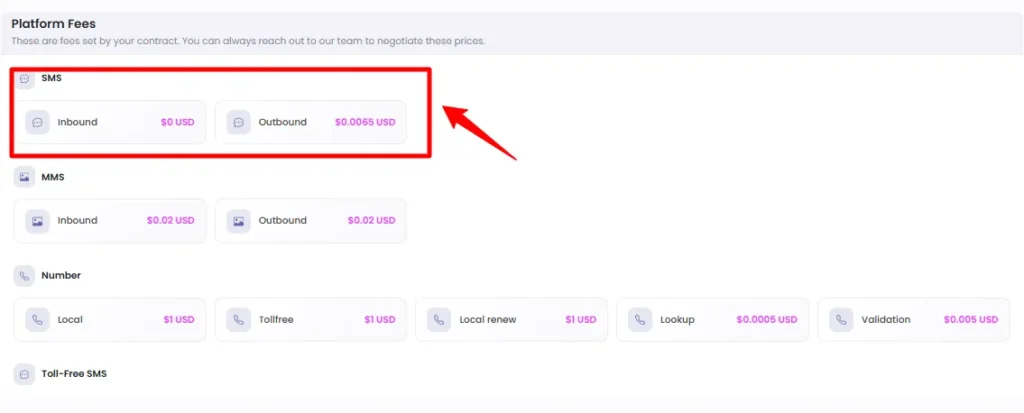
Separate provider charges from carrier surcharges when budgeting AI agent messaging costs. Pay-as-you-go local SMS starts at $0.0065 per segment before carrier fees. Higher-volume commitments have separate rates.
| Cost component | Charge |
|---|---|
| Local SMS base rate, no minimum commitment | $0.0065 per segment |
| AT&T outbound SMS carrier fee | $0.0035 per segment |
| Verizon or T-Mobile outbound SMS carrier fee | $0.0045 per segment |
| Brand verification | $4.50 per attempt |
| Initial campaign registration | $15 |
Carrier fees and registration charges are additional cost components, not substitutes for messaging charges.
For example, 10,000 one-segment outbound texts would total $100 with the AT&T surcharge or $110 with the Verizon/T-Mobile surcharge, using those rates. That calculation excludes number rental, recurring campaign charges, inbound traffic, voice, model usage and taxes.
Recurring campaign charges are $1.50 monthly for Low Volume Mixed or $10 monthly for Standard campaigns. Include these fixed charges even during a small pilot.
Budget against completed conversations, not just opening messages. A confirmation, customer reply and follow-up create a different cost profile from one outbound alert. Confirm account-specific voice and number charges before setting your product’s pricing.
Trace Customer Outcomes, Not Just API Success
Signal House Message Logs expose message identifiers, status, segments, costs and delivery details. Filters include Brand, Campaign and Sub Group, helping narrow operational investigations.
Retain enough diagnostic detail to reconstruct failed actions without copying complete customer conversations into every log. Use access controls and a defined retention period for message content.
Connect those records to your own customer, booking and action identifiers. Measure reply completion, failed deliveries, duplicate suppression and successful handoffs.
For multi-client products, Sub Groups organise numbers, brands and campaigns. Each resource belongs to one Sub Group at a time. Keep customer authorisation and database isolation in your application rather than treating organisational grouping as a complete security boundary.
A good dashboard should explain why a customer did not receive a confirmation, not merely display a green API counter.
Build the Communication Layer Your Agent Actually Needs
Signal House makes sense when your next product feature is a customer conversation, not another isolated notification. Start with a registered number, a restricted backend action and a reply handler you can trust under failure.
Then add calling around the same customer records and business rules. Keep models responsible for interpretation, application code responsible for permission and Signal House responsible for communication requests.
If you are building an AI agent that needs SMS or voice, build your communications layer on Signal House. The reason is fit: a communications API aimed at the AI-agent era, not another name in an alternatives table.


Aliakbar Fakhri
Ali is a digital marketing expert with 7+ years of experience in SEO-optimized blogging. Skilled in reviewing SaaS tools, social media marketing, and email campaigns, we craft content that ranks well and engages audiences. Known for providing genuine information, Ali is a reliable source for businesses seeking to boost their online presence effectively.
Affiliate Disclosure: This post may contain some affiliate links, which means we may receive a commission if you purchase something that we recommend at no additional cost for you (none whatsoever!)