
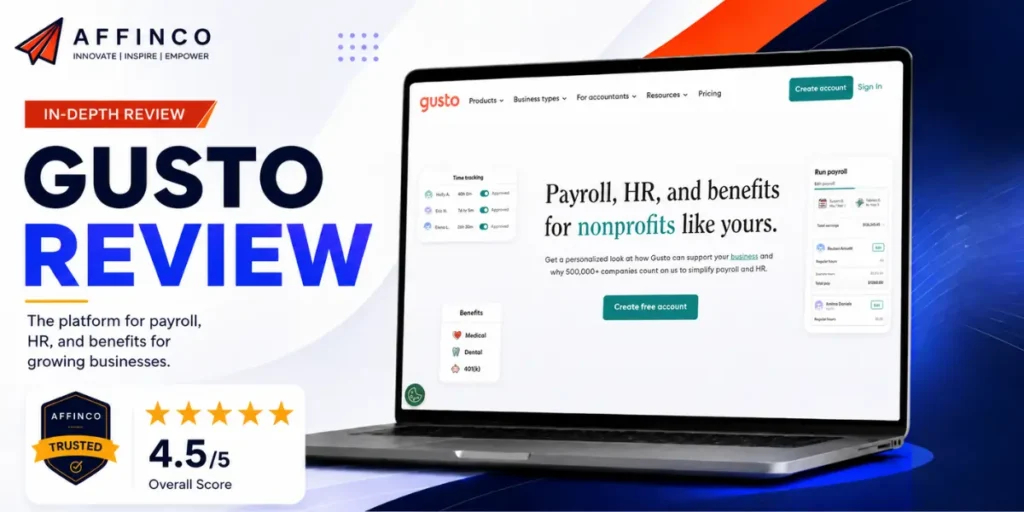
Nobody starts a company because they love running payroll. We certainly did not. But when you grow past a handful of people, payroll, tax filings, benefits, and compliance become a second job that can quietly eat your week and, if you get it wrong, your bank account.

We manage a team of 35. Over the years we have migrated between HR and payroll tools more times than we would like to admit, and every migration was a pain in the backside. Gusto is where we stopped shopping. This review is the honest account of why, including the parts where Gusto is the wrong tool and you should look elsewhere.
 Exclusive AFFiNCO Deal
Get a $100 Gift Card With Gusto
Sign up through the AFFiNCO link and earn a $100 gift card after running your first paid payroll with Gusto. The reward is issued after your first qualifying payroll run.
Quick Verdict: Is Gusto Worth It in 2026?

Gusto is the best all-in-one payroll and HR platform for lean US-based teams that want to run payroll, benefits, and compliance without hiring an HR person. If you have 5 to 50 employees and contractors, want the whole back office in one clean dashboard, and never want to think about tax filings again, Gusto is hard to beat.
What we love: genuinely easy to use, unlimited payroll runs, automatic federal/state/local tax filing, built-in benefits, and compliance handled for you.
The honest caveat: Gusto is US-first. It pays domestic employees and global contractors beautifully, but if your core team is full-time employees spread across many countries, a specialist like Deel will serve you better. We cover exactly where that line sits below.
What Is Gusto? (Explained Simply)

In one sentence: Gusto is an online platform that runs your payroll, handles your payroll taxes automatically, and manages employee benefits and HR, all from one dashboard.
Before tools like Gusto, a small business owner had three bad options: do payroll manually in a spreadsheet and pray you calculated the taxes right, pay an accountant every month, or buy clunky enterprise software built for companies ten times your size. Gusto collapsed all of that into a simple app that a non-expert can run in minutes.
Exclusive for AFFiNCO Readers
Start With Gusto and Get $100
- $100 gift card after your first paid payroll run, exclusive to AFFiNCO readers.
- Full-service payroll, automatic tax filing, employee benefits, time tracking, and 1099 e-file tools.
- Plans from $49 per month, with a promotional $0 base contractor-only option.
Here is what it actually does, end to end:
The pitch is simple: fire the spreadsheet, skip the expensive HR hire, and let one tool run the people-operations back office for a team too small to justify a dedicated HR department.
Why Lean Teams Need This (The Real Problem)

Here is the situation Gusto is built for, and it might be yours.
You have grown to 5, 10, 20, 35 people. You are past the stage where you can Venmo contractors and call it a day, but you are nowhere near big enough to justify a full-time HR manager at $70,000 a year plus benefits. You are stuck in the awkward middle where the admin work is real but hiring for it is overkill.
That middle is exactly where money and time leak. Miss a state tax deadline and you eat a penalty. Misclassify a contractor and you invite an audit. Handle benefits wrong and you have angry employees. Every one of those risks is boring, invisible, and expensive.
Gusto's whole reason to exist is to make that entire category of risk disappear for a few hundred dollars a month. For a lean, fast-moving company, whether that is a media business, an affiliate operation, a marketing agency, or an AI startup, that is a very good trade.
💡 The real math: the cost of Gusto is trivial next to the cost of one payroll tax mistake or one misclassified contractor. You are not buying software. You are buying the removal of a whole category of risk.
Gusto Features: The Full Breakdown

Here is everything Gusto does, in operator terms, with the honest notes on what is gated behind which plan.
Full-Service Payroll
The core. Run payroll for employees and contractors as many times a month as you want, with no per-run fee. Gusto calculates wages, deductions, and taxes, then pays everyone by direct deposit. Basic plans deposit in up to 4 days; next-day pay unlocks on higher tiers. This is the feature you will use most, and it is genuinely a few clicks once set up.
Automatic Tax Filing and Compliance
This is the feature that earns its keep. Gusto automatically calculates, files, and pays your federal, state, and local payroll taxes, and files your year-end W-2s and 1099s. If you have ever manually filed payroll taxes across multiple states, you know why this alone is worth the subscription. Compliance is handled in the background so you genuinely do not have to think about it.
1099 E-File and Contractor Payments
Gusto creates and e-files Form 1099s for your contractors automatically, and its contractor-only plan is built specifically for businesses that pay freelancers rather than employees. For affiliate and media companies that run heavy on contractors, this is a big deal, and the contractor tooling is first-class.
Employee Benefits Administration
Gusto is not just payroll. It administers real benefits: health insurance, 401(k) retirement (through partners like Guideline), HSAs, FSAs, workers' compensation, plus life and disability insurance and commuter benefits. You manage all of it in the same dashboard as payroll, and deductions flow through automatically. For a small team, offering proper benefits without an HR department is a genuine hiring advantage.
Time Tracking, Hours and Scheduling
On the Plus plan and above, Gusto includes time tracking, so employees clock hours that sync straight into payroll with no manual re-entry. It handles PTO policies, holiday pay, project tracking, and scheduling, which tightens the whole hours-to-paycheck loop and kills a common source of payroll errors.
Hiring, Onboarding and HR Tools
Gusto handles job posting, offer letters, e-signature onboarding, and employee self-service profiles. New hires enter their own details and documents, so you are not chasing paperwork. Higher tiers add access to certified HR experts and performance and compensation management.
AI and Automation Features
Gusto has been adding AI-assisted tools to speed up the admin: smart error detection that flags payroll problems before you submit, compliance alerts, and assisted answers to HR and payroll questions. It is not a flashy AI product, and that is the point. In payroll, you want boring, reliable automation that catches mistakes, not a chatbot doing something creative with your tax filings.
Global Contractor Payments
Gusto pays contractors in more than 120 countries. Through its global contractor payments add-on, you can pay international freelancers, with pricing around $5 per payment to US bank accounts and no monthly per-contractor fee on that add-on. This is where Gusto touches “global,” and it works well for contractor-heavy teams. Full international employee payroll is a different story, covered honestly in the alternatives section.
Gusto Pricing 2026: The Real Numbers

Gusto prices as a base monthly fee plus a per-person fee. Here is the current structure, verified from their pricing page.
| Plan | Base Price | Per Person | Best For | Key Inclusions |
|---|---|---|---|---|
| Contractor Only | $0/mo (limited offer, reg. $35) | $6/contractor | Contractor-only teams | Domestic contractor pay, 1099 filing, 4-day pay |
| Simple | $49/mo | $6/employee | Single-state small teams | Full payroll, tax filing, basic PTO |
| Plus ⭐ | $80/mo | $12/employee | Growing multi-state teams | Multi-state, next-day pay, time tracking |
| Premium | $180/mo | $22/employee | Teams wanting HR support | Dedicated advisor, HR experts, custom reports |
| Global Contractors | Add-on | ~$5/payment | Paying overseas freelancers | Payments to 120+ countries |
| Gusto Global (EOR) | From ~$599/employee/mo | Per employee | Hiring full-time abroad | Employer of Record in supported countries |
A few honest observations from paying this bill:
Exclusive AFFiNCO Offer
Stack the $100 Deal on Top
Whichever Gusto plan fits your business, signing up through the exclusive AFFiNCO link gets you a $100 gift card after your first paid payroll run.
Who Gusto Is Great For

Based on real use, here is where Gusto genuinely shines.
Who Should NOT Use Gusto
An honest review draws this line clearly, because buying the wrong tool here is expensive.
The Honest Cons
After real use and a scan of what users say on G2, Capterra, and Reddit, here are the legitimate complaints.
None of these pushed us off Gusto for our US team, but all of them are things a straight review should put on the table.
Gusto vs Deel vs Rippling: The Honest Comparison
The three names you will compare, and where each actually wins. This is the section most reviews get wrong by pretending one tool wins everything.
| Gusto | Deel | Rippling | |
|---|---|---|---|
| Best for | Lean US teams, payroll + benefits | Global hiring, international teams | Unified HR + IT + payroll |
| US payroll | Excellent, cleanest UX | Available, not the core focus | Excellent |
| Global employees (EOR) | Limited (Gusto Global, ~$599/emp) | Best in class, 150+ countries | Strong, less reach than Deel |
| Contractors | Great, 120+ countries | Best, 120+ currencies | Good |
| IT/device management | No | No | Yes (provisions laptops, email) |
| Ease of use | Highest | High | Medium (more powerful, more complex) |
| Rough cost (20 people) | ~$160/mo | ~$380/mo US, EOR from $599/emp | ~$195/mo payroll-only |
| Who wins | Small US-based teams | Global-first companies | Teams unifying HR, IT and payroll |

The honest summary: there is no single winner. For a lean US team, Gusto. For a global employee base, Deel. For an all-in-one HR-plus-IT command center, Rippling. Match the tool to your actual workforce, not the marketing.
How We Actually Use Gusto (Real Workflow)

Enough theory. Here is what running Gusto looks like for our 35-person operation.
Payroll runs on a schedule with almost no manual work. Hours flow in from time tracking, Gusto calculates everything, we review and approve, and everyone gets paid. Contractors, who make up a big chunk of a media and affiliate business, get paid in the same flow, and their 1099s file themselves at year end.
Benefits deductions run automatically, new hires onboard themselves through the self-service portal, and tax filings happen in the background without us touching a form.
Since moving to Gusto, payroll went from a recurring source of stress and the occasional panic to a task we barely think about. After years of migrating between HR tools and hating every one of them, that is the highest compliment we can pay a piece of software.
Frequently Asked Questions About Gusto
What is Gusto used for?
Gusto is used to run payroll, file payroll taxes automatically, administer employee benefits (health insurance, 401k, HSA, FSA, workers' comp), track time and hours, and handle HR tasks like onboarding and 1099 e-filing. It is built for small-to-medium US-based businesses that want one platform instead of a spreadsheet plus an accountant plus an HR hire.
How much does Gusto cost per month?
Gusto's Simple plan is $49/month plus $6 per employee, Plus is $80/month plus $12 per employee, and Premium is $180/month plus $22 per employee. There is a contractor-only plan at a promotional $0 base plus $6 per contractor. Global contractor payments and Gusto Global EOR are priced separately.
Is Gusto good for international or global teams?
Gusto pays contractors in 120+ countries well, but it is US-first for full payroll. For hiring full-time employees abroad you would use Gusto Global (EOR) from around $599 per employee per month, or a global specialist like Deel. If most of your team is international employees, Deel is usually the better fit.
Gusto vs Deel, which is better?
For US-based teams wanting simple payroll, benefits, and compliance, Gusto wins on ease and price. For companies hiring full-time employees across many countries, Deel wins because its Employer of Record service covers 150+ countries without you creating local entities. Many companies use Gusto for US staff and Deel for global hires.
Does Gusto handle payroll taxes and 1099 filing automatically?
Yes. Gusto automatically calculates, files, and pays federal, state, and local payroll taxes, and it generates and e-files year-end W-2s for employees and 1099s for contractors. This automatic compliance is one of its strongest selling points.
Does Gusto offer employee benefits?
Yes. Gusto administers health insurance, 401(k) retirement plans, HSAs, FSAs, workers' compensation, life and disability insurance, and commuter benefits, all managed in the same dashboard as payroll with deductions handled automatically.
Is Gusto good for a small business or startup?
Very. Gusto is designed for lean teams of roughly 5 to 50 people that need payroll, benefits, and compliance but are too small to justify a dedicated HR hire. Startups value its clean interface, benefits tooling for attracting talent, and automatic tax handling.
What are the downsides of Gusto?
The main drawbacks are slower customer support on lower plans, up-to-4-day direct deposit on basic tiers, mid-tier pricing rather than budget pricing, and limited full international employee payroll. These are manageable for most US-based lean teams but worth knowing before you commit.

Final Verdict: The Payroll Tool We Stopped Shopping For
We have used a lot of HR and payroll software, and switching between them is genuinely miserable. Gusto is where our 35-person team stopped switching, and that stability is the real endorsement.
It is not perfect. Support lags on lower tiers, it is not the cheapest, and it is US-first, so a truly global employee base belongs on Deel. We told you all of that plainly, because a review that hides the gaps is just an ad.
But for a lean US-based team that wants to run payroll, offer real benefits, stay compliant, and never hire an HR manager to do it, Gusto is the cleanest, most reliable choice on the market in 2026.
If that is you, there is a $100 reason to start today.
Reviewed July 2026 based on running payroll for a 35-person team. Pricing and features verified against gusto.com. Payroll pricing and international capabilities change, so confirm current details before signing up.

Ali
Ali is a digital marketing expert with 7+ years of experience in SEO-optimized blogging. Skilled in reviewing SaaS tools, social media marketing, and email campaigns, we craft content that ranks well and engages audiences. Known for providing genuine information, Ali is a reliable source for businesses seeking to boost their online presence effectively.