

Need a 3D product model by lunch, without a 3D artist on the payroll?
A few years ago that sounded silly. Now one photo and a short wait gets the job done.
We pushed product shots, prompts and print ideas through both platforms to settle the Hyper3D vs Tripo debate for 2026.
Hyper3D
Tripo
Quick answer: Hyper3D is the stronger AI 3D model generator for marketers, online sellers and agencies chasing sharp, controllable results.
Tripo wins on price, native quad topology and auto rigging, so game developers and bulk makers will love it.
Now for the details that matter.
Hyper3D vs Tripo: Our Quick Verdict
No time for the full test notes? These scores and one-line takeaways sum up where each AI 3D tool shines.
| Quick Check | Hyper3D (Rodin) | Tripo AI |
|---|---|---|
| Flagship models | Rodin Gen-2.5 | Tripo H3.1 and Smart Mesh P2.0 |
| Biggest strength | Shape accuracy and pre-generation control | Native quads, rigging and low cost per model |
| Biggest weakness | No skeleton auto rigging | No avatars, video or scene builder |
| Best for | Online stores, marketers, agencies | Game developers, animators, print sellers |
| Our choice? | Yes, overall winner | Strong second place |
What Is Hyper3D Rodin AI Generator?
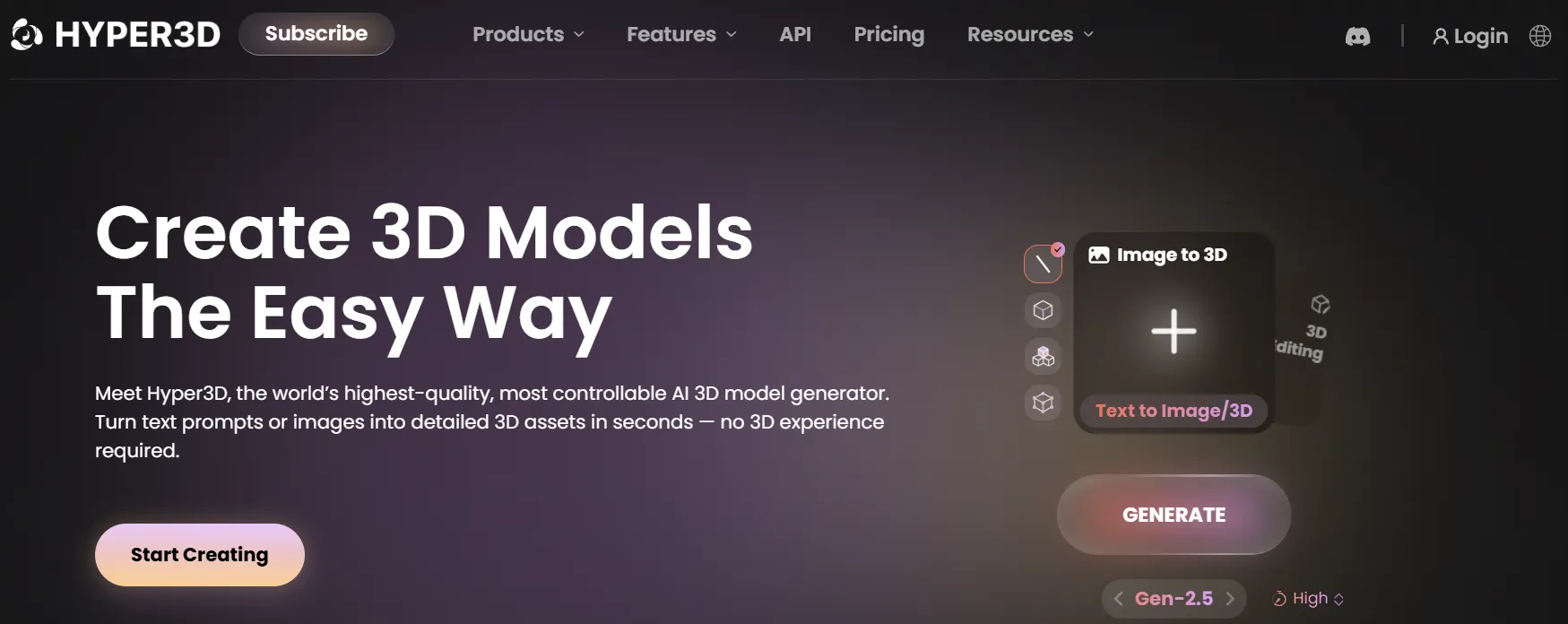
Hyper3D is a creative 3D studio built around Rodin, a research-heavy model that turns images and text into textured meshes.
Hyper3D comes from Deemos, a 3D generative AI company. Its products now serve close to ten million users across the globe.
Rodin is the engine. Give it a photo, a few extra views or a line of text, and it returns a mesh with UVs and PBR materials already in place.
What surprised us on first login was how much sits around Rodin. Avatars, image and video tools, HDRIs and a scene builder all live under one account.
The research pedigree is real too. Rodin builds on CLAY, while the image-to-scene tool uses CAST, a paper that won a Best Paper Award at SIGGRAPH 2025.
| Detail | Hyper3D at a Glance |
|---|---|
| Company | Deemos |
| Current model | Rodin Gen-2.5 with five Thinking Effort levels |
| Generation modes | Image to 3D, multi-image to 3D, text to 3D, Remix Gen, Turbo Gen |
| Other products | ChatAvatar, image-to-scene generator, OmniCraft toolkit, AI image and video generators |
| Exports | STL, FBX, OBJ, GLB, GLTF, USDZ |
| Developer access | REST API, Rodin MCP server, plugins for nine-plus 3D apps |
| Languages | 12 interface languages |
Want a solo deep test of every Rodin feature? Our full Hyper3D review covers the platform on its own.
What Is Tripo AI 3D Studio?
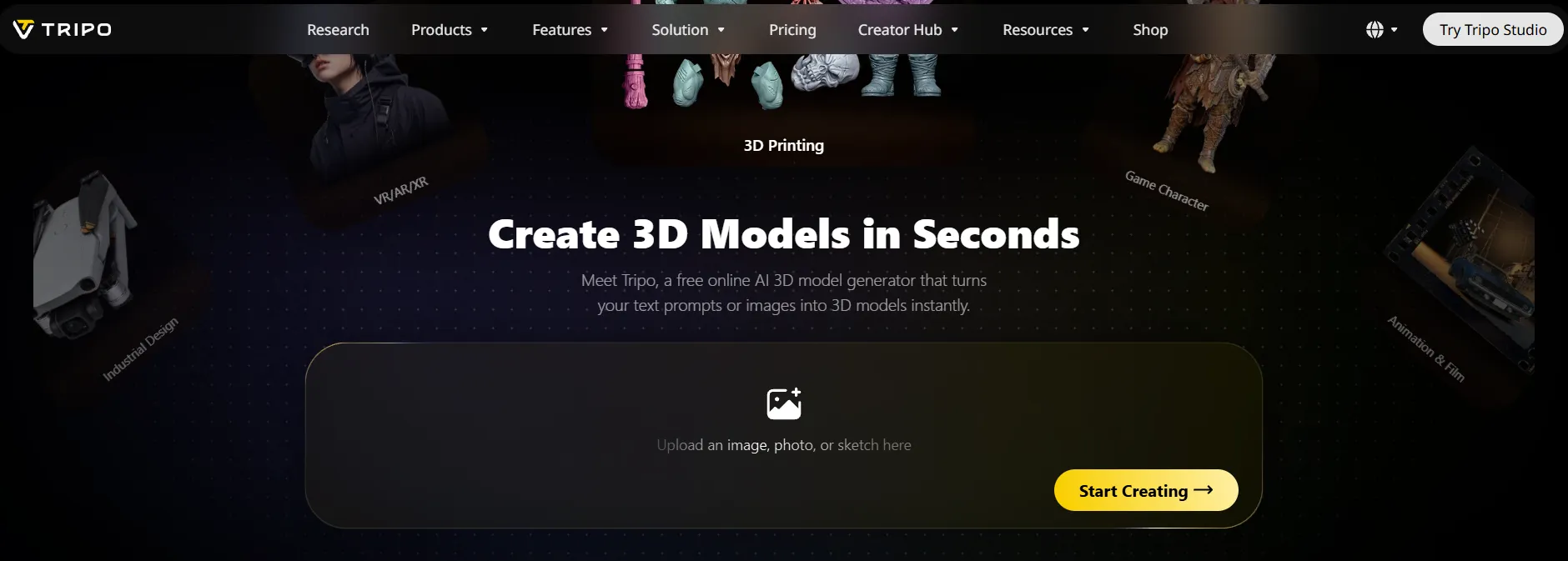
Tripo is a production-focused 3D platform with two flagship models: one for raw detail, one for clean, animation-friendly topology.
Tripo has grown into one of the biggest names in AI 3D. More than 20 million creators use it, and they have made over 200 million models.
The company also raised roughly $446 million across its recent Series B rounds, so serious money now backs its roadmap.
You get two products. Tripo Studio is the browser app for creators, while Tripo API serves developers who want 3D generation inside their own tools.
The studio feels like a mini production line. You generate a concept image, build the mesh, unwrap UVs, texture, rig, animate and send the result to Blender or Unity without leaving the tab.
| Detail | Tripo at a Glance |
|---|---|
| Products | Tripo Studio, Tripo API, Tripo CLI |
| Current models | Tripo H3.1 for high detail, Smart Mesh P2.0 for native quads |
| Inputs | Text, one image, or up to four views (front, left, right, back) |
| Standout tools | Auto Rig, Text-to-Motion, Smart UV, Edit Mesh, AI segmentation, 8K textures |
| Exports | GLB, FBX, OBJ, USD, STL, 3MF (USDZ via API) |
| Security | ISO/IEC 27001:2022 certified |
| Partners | Sony, NetEase Games, Tencent Games, Bambu Lab, Creality, Anycubic and more |
Hyper3D vs Tripo Feature Comparison
| Feature | Hyper3D | Tripo |
|---|---|---|
| Flagship model | Rodin Gen-2.5 | H3.1 (detail) and P2.0 (quads) |
| Speed range | About 4 to 80 seconds by effort level | P2.0: 10 to 40 seconds; H3.1: about 40 seconds untextured, about 120 seconds textured |
| Maximum detail | Custom up to 2M faces; Extreme-High adds a 10M-face mesh | Up to 2M faces on H3.1 |
| Quad output | Quad mode up to 200K faces (custom) | P2.0 native quads, 500 to 25K faces; H3.1 quad FBX up to 150K |
| Shape guidance before generation | Bounding box, voxel and point cloud ControlNet | Polycount targets and multi-view input |
| Region editing | Partial Edit, Refine, Modify, Parts | Edit Mesh with selection box retry |
| Top texture resolution | Up to 12K (API, Extreme-High plus HighPack) | 8K PBR inside Studio |
| UV tools | UVs included with every model | UVs included plus one-click Smart UV |
| Auto rigging | No skeleton rigging; T/A-pose output option | Bipeds, quadrupeds and more, 100+ preset motions |
| 3D avatars | ChatAvatar with ARKit-ready blendshapes | Not offered |
| Image to editable 3D scene | Yes, with physics estimates | Not offered |
| Video generation | Yes | Not offered |
| AI agent access | Native Rodin MCP server | Tripo CLI and official Codex plugin |
| 3D printing extras | STL, SVG to 3D | STL, 3MF, STL Repair, STL Editor, print-ready templates |
| Cheapest paid cost per model | About $0.23 | About $0.09 |
Image to 3D Model Quality Compared
Output quality decides everything else, so we fed both tools the kind of jobs AFFiNCO clients bring us: products, props and characters.
Our test pile looked like a typical week of e-commerce and agency work. Bottles, footwear, a lamp, packaged goods, a few fantasy figurines and some prompt-only props.
Both platforms handled simple shapes well. The real gap only showed up on fine detail, hidden sides and how closely each mesh matched the source photo.
Rodin Gen-2.5 Thinking Effort Levels
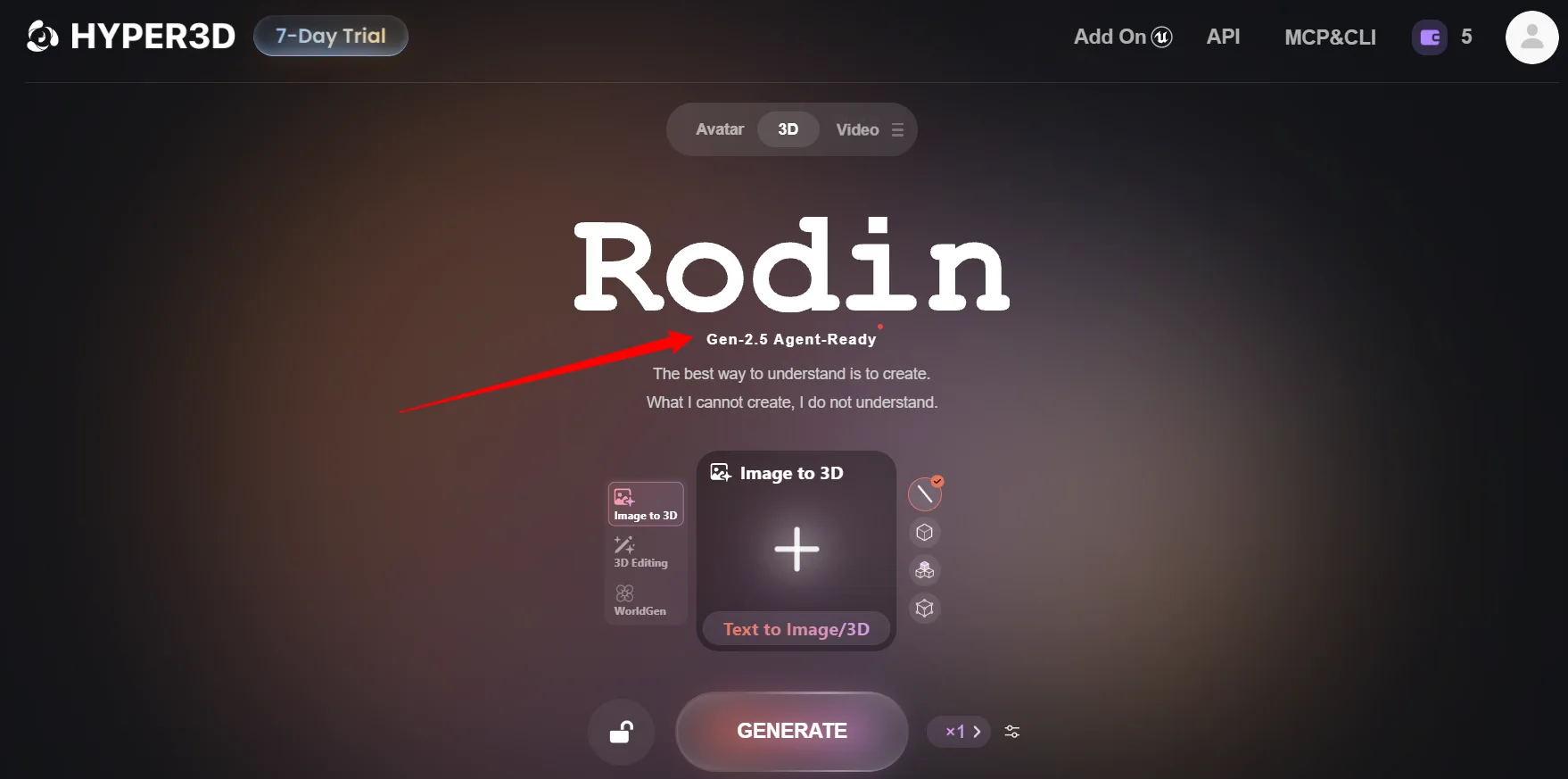
Rodin's effort selector trades speed for detail, and it quietly changed how we spend credits on every project.
| Thinking Effort | Approx. Time | Where We Found It Useful |
|---|---|---|
| Extreme-Low | ~4 seconds | Rough idea checks and scene blocking |
| Low | ~9 seconds | Quick props for mood boards and thumbnails |
| Medium | ~20 seconds | Default for most product models and ad renders |
| High | ~40 seconds | Hero products and printable figurines |
| Extreme-High | ~80 seconds | Final assets with fine surface detail |
Rodin kept silhouettes and proportions impressively close to our photos. Products looked like the product, not a cousin of it.
Back sides felt believable from a single image. Adding a second or third view tightened things further, especially on asymmetric items.
A few hidden settings help a lot. A symmetry switch keeps mirrored products even, and a T/A-pose option prepares human figures for later rigging.
Our favourite habit? Draft on Low, then regenerate only the keepers on High. Free previews before you confirm a result also stop wasted spend.
Tripo H3.1 and P2.0 Output Quality
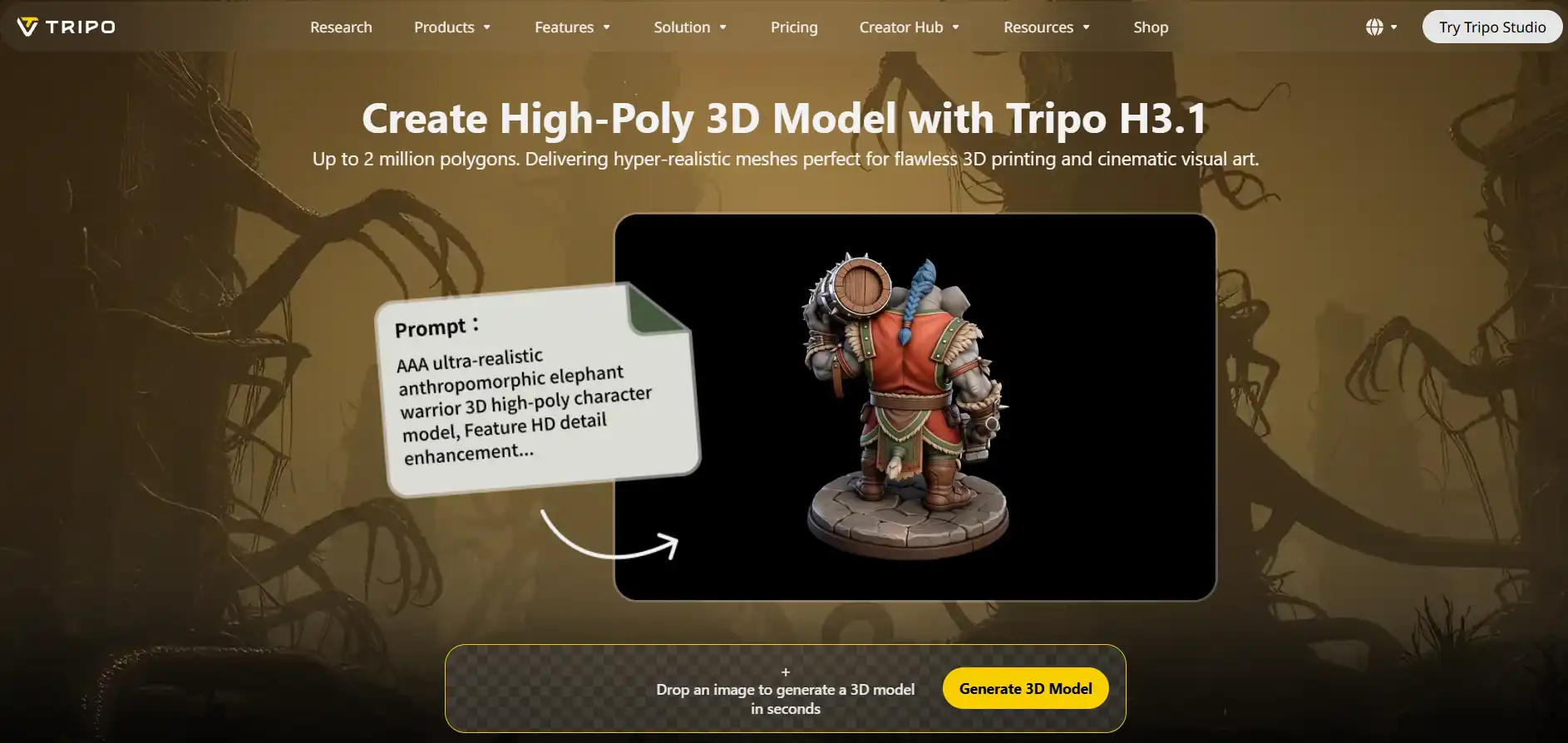
Tripo splits quality into two jobs: H3.1 chases maximum detail, while P2.0 chases clean, lightweight topology.
Tripo H3.1 is the default high-fidelity model. It reaches 1.5 million faces by default, or 2 million with detailed geometry switched on.
On creatures, armour and organic sculpts, H3.1 produced crisp surface detail that looked superb in close-up renders.
On packaged products from one photo, small proportions drifted a little more than Rodin's. Labels and logo placement needed a second pass more often.
Multi-view input closes much of that gap. Feed front, left, right and back shots, and Tripo builds hidden surfaces from real reference data instead of guesses.
Tripo also lets you prep references before 3D. GPT-Image-2.5 Sunburst sits inside Studio for clean concept images, edits and multi-view sheets.
🏆 Winner: Hyper3D. Rodin Gen-2.5 matched reference photos more faithfully, and Thinking Effort gives finer control over speed and cost. Tripo H3.1 stays brilliant for creatures and hard-surface sculpts.
3D Shape Control and Mesh Editing
Generation is only half the job. How well you can steer and fix a model decides how much cleanup lands on your desk later.
Hyper3D ControlNet and Partial Edit Tools
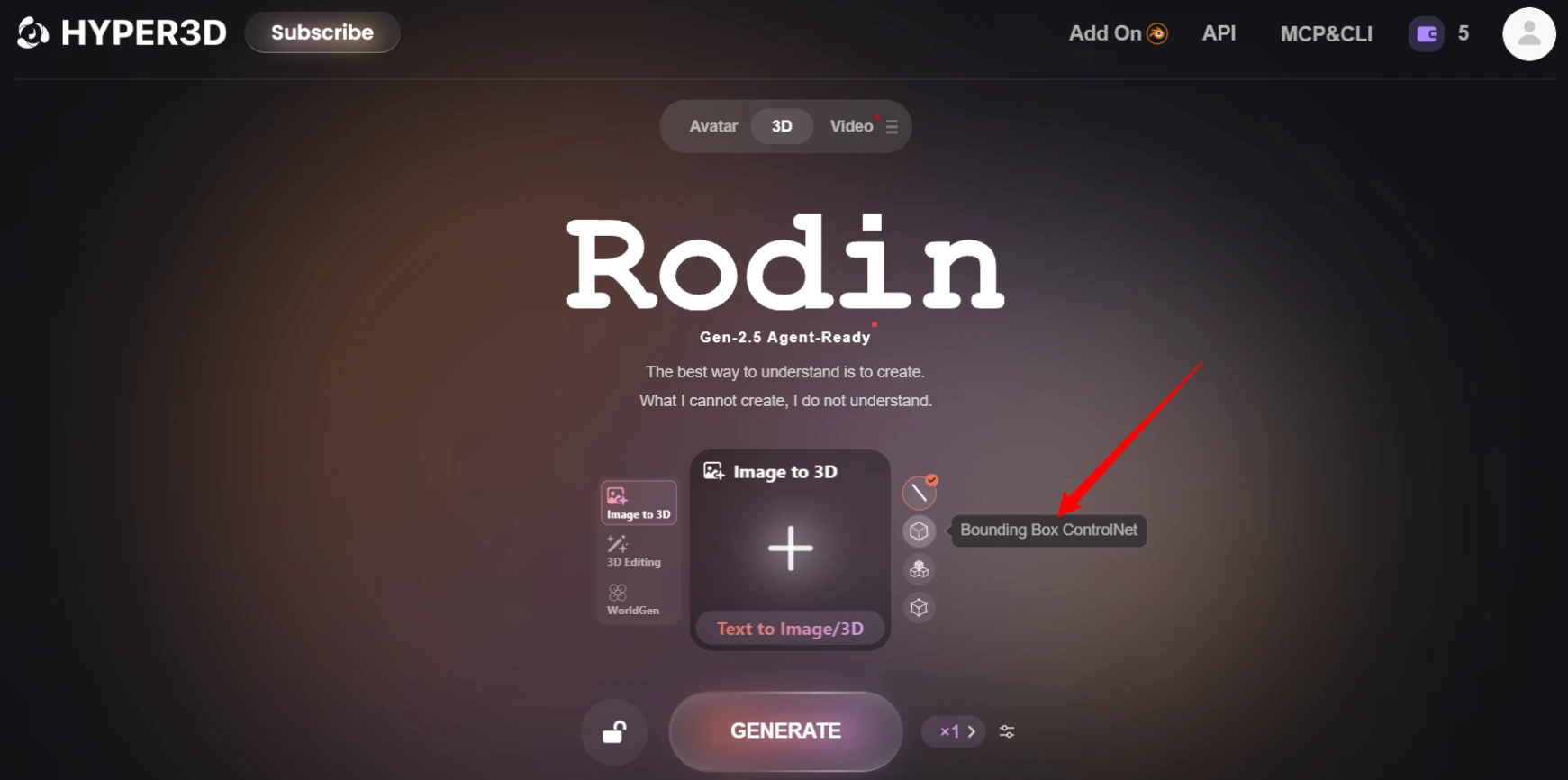
Hyper3D lets you guide shape before generation starts, which neither Tripo nor most rivals offer in the same way.
| Control Type | What It Does | Real Use Case |
|---|---|---|
| Bounding Box | Locks width, height and length ratio | Keeping a tall bottle slim, not squat |
| Voxel | Uses a rough block shape as a guide | Blocking out furniture and game props |
| Point Cloud | Follows scattered 3D points, such as a scan | Matching an existing product outline |
Parts proved handy for ad work. Splitting a jar from its lid meant we could animate an opening shot without touching sculpting tools.
Tripo Edit Mesh and AI Segmentation
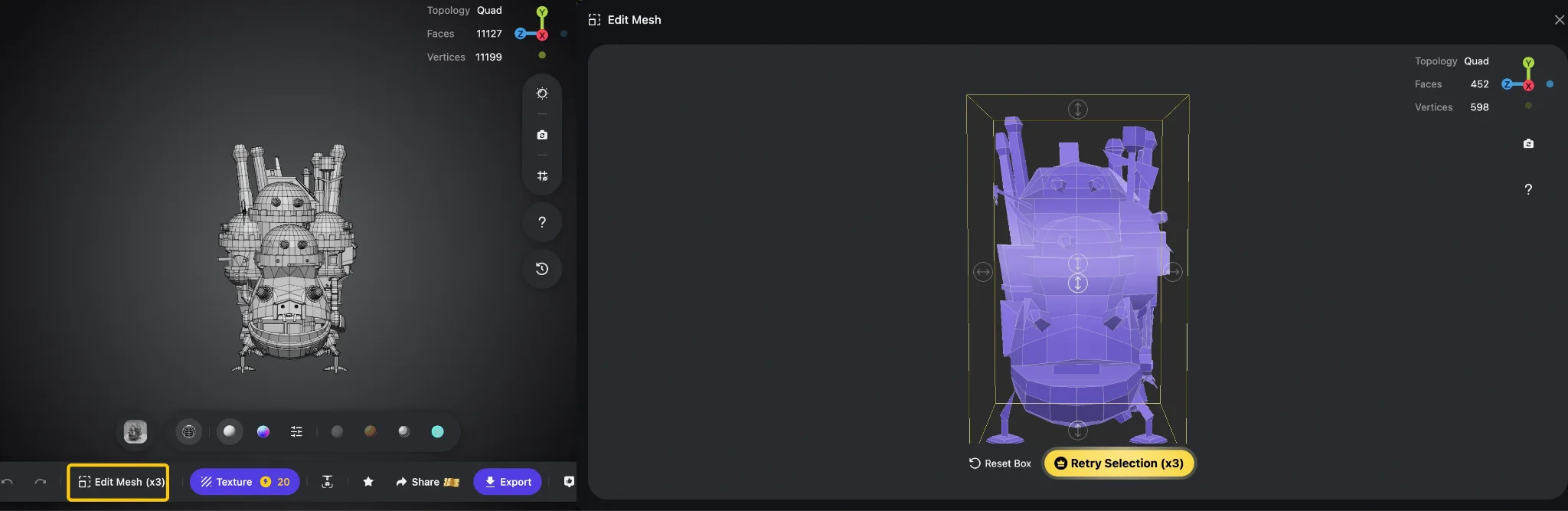
Tripo focuses on fixing and organising a mesh after generation, and its part tools are genuinely strong for characters.
Edit Mesh felt very close to Partial Edit in daily use. Segmentation, though, handled layered clothing on characters a touch more cleanly.
What Tripo lacks is a way to guide spatial shape before generation. Polycount targets and multi-view uploads help, yet nothing matches a bounding box or point cloud guide.
🏆 Winner: Hyper3D. 3D ControlNet guides plus Partial Edit give more say over the final shape before you spend credits. Tripo's segmentation is a very close second for characters.
Quad Topology, UV Maps and Textures
Clean topology and proper UVs separate a pretty preview from an asset a game artist can ship without groaning.
Tripo Smart Mesh P2.0 Quad Topology
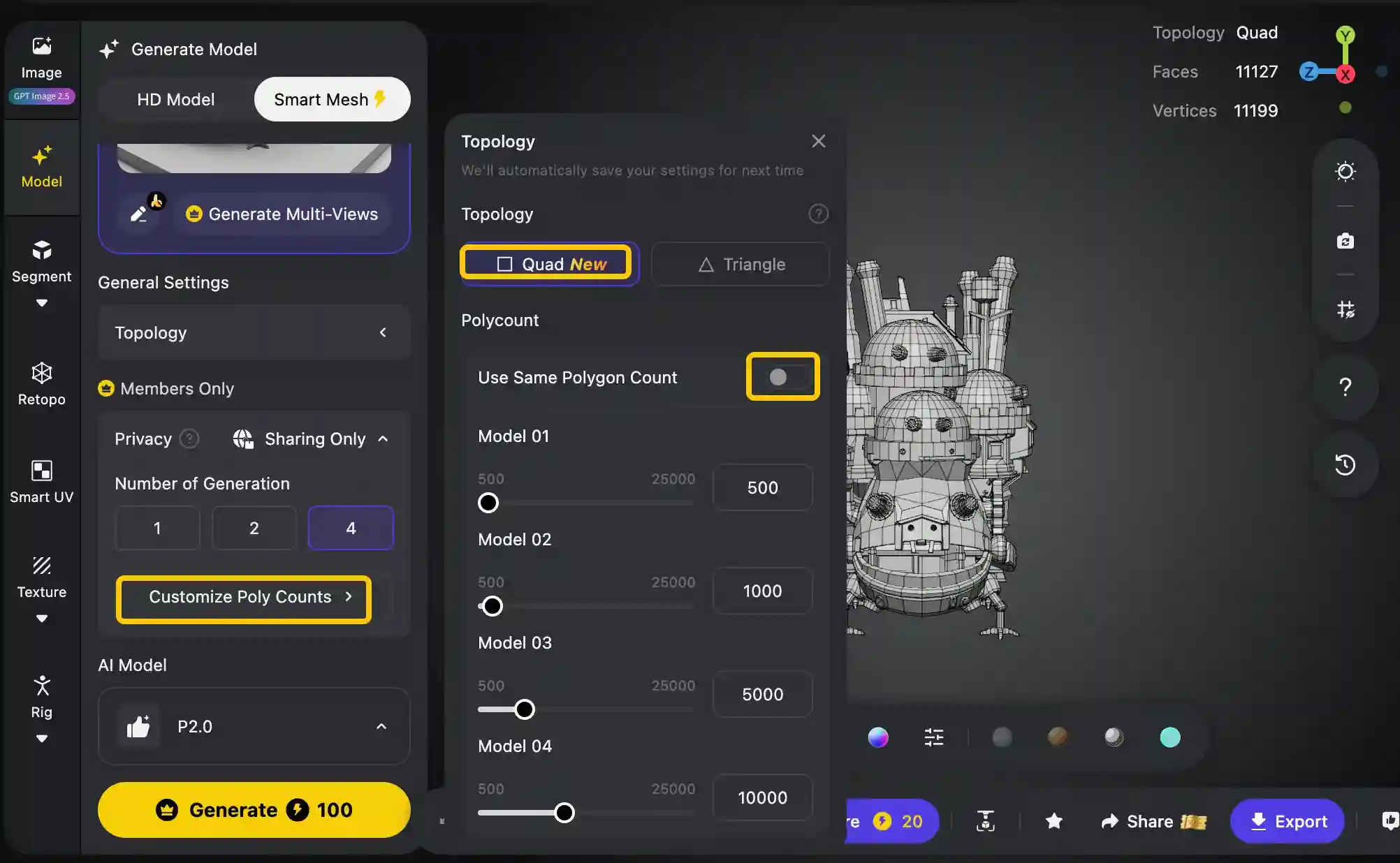
P2.0 is Tripo's answer to the retopology headache, and anyone shipping game props will feel the difference.
| Spec | Smart Mesh P2.0 |
|---|---|
| Quad meshes | 500 to 25,000 faces, generated natively |
| Tri meshes | 500 to 50,000 faces |
| Variants per pass | Up to four face counts for the same credit cost |
| Part handling | Body, clothing and accessories split automatically |
| Typical speed | 10 to 40 seconds, depending on polycount |
| Where to find it | Tripo Studio, under Smart Topology Mesh |
Flat panels on our P2.0 props stayed clean, with density gathering around detailed areas. Loop flow followed the shape sensibly on most items.
Generating a 2,000-face mobile version beside a 15,000-face hero version in one pass is a lovely shortcut for LOD (level of detail) planning.
One honest warning: shoulders, elbows and knees still deserve a check before animation. Native quads cut cleanup, but they do not remove it.
Hyper3D Quads, Low-Poly and Textures
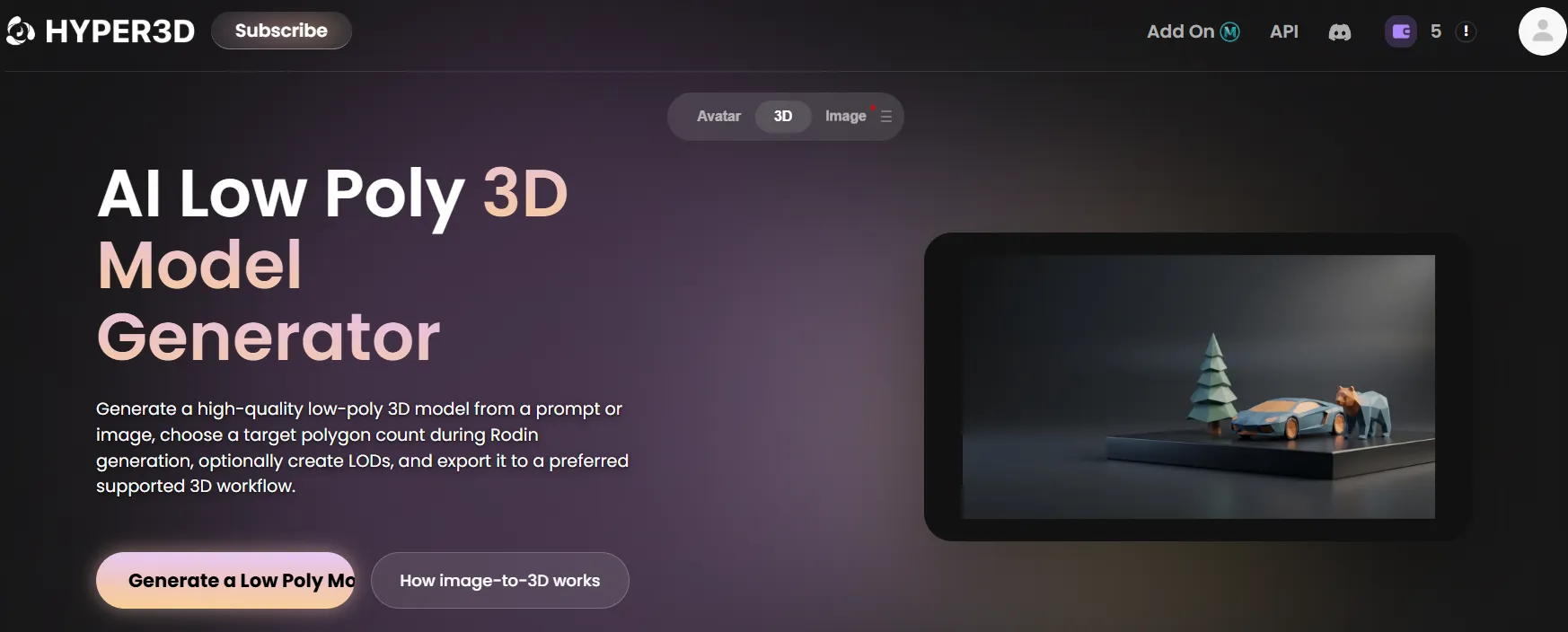
Hyper3D handles game-friendly output well, though its real strength lies in surface quality rather than topology tricks.
Tripo, meanwhile, offers 8K PBR texture maps inside Studio. A PBR button creates normal, roughness and metalness maps from the base colour.
Then comes Smart UV unwrapping. One click places seams, packs islands and shows a live utilisation score, with free retries for alternative layouts.
Seams can still show on heads and hands in close-ups, so plan a small manual tweak there. Even so, Smart UV saved us a dull chunk of unwrapping on every asset.
🏆 Winner: Tripo. Native quads, four polycount variants per pass, studio-level 8K textures and Smart UV make Tripo the better source of game-ready 3D assets. Hyper3D's baked normals and 12K API textures still impressed us.
Auto Rigging and 3D Character Animation
A static character is only half useful. Here we checked which platform gets a model walking with the least effort.
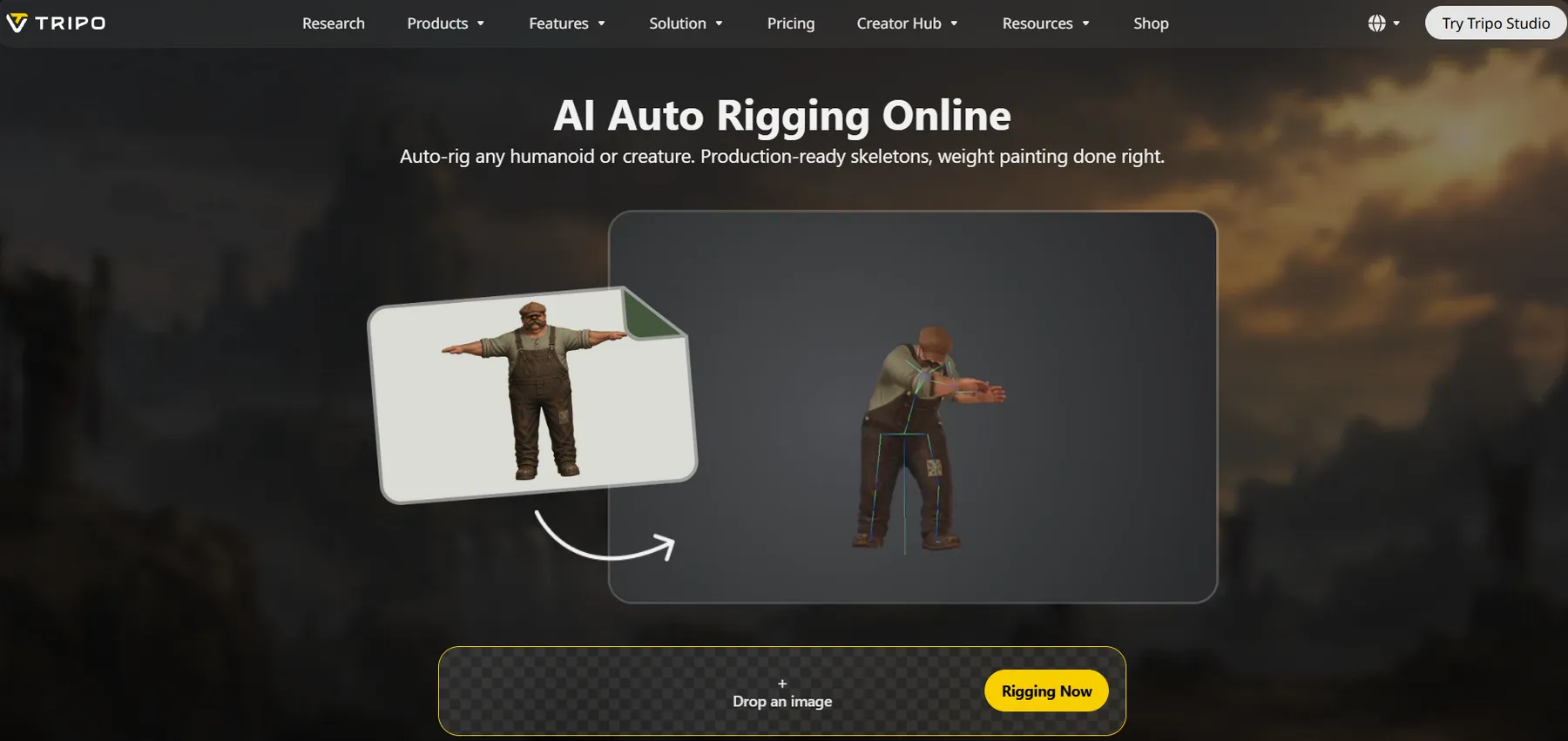
Tripo rigs characters inside Studio. Choose Humanoid, select a preset skeleton such as UE5 Mannequin, and press Auto Rig.
Rig support covers bipeds, quadrupeds and more. The animation library holds 100+ preset motions, with 90-plus made just for bipeds.
Because P2.0 already separates clothing from bodies, rigged characters deformed more cleanly. Weight painting on complex outfits may still need manual work, so keep Blender handy.
Hyper3D takes a different route. Rodin objects arrive without a skeleton, so characters still need Mixamo, Blender or a rigging artist.
Two things soften that gap. The T/A-pose option outputs humans in a rest pose, which rigging tools love, and ChatAvatar covers faces properly.
ChatAvatar builds a detailed head, a matching body mesh and PBR materials. It adds blendshapes, ARKit-compatible expressions, visemes and lip-sync presets for talking characters.
🏆 Winner: Tripo. One-click auto rigging and animation with Text-to-Motion is a clear Tripo advantage. ChatAvatar handles talking heads, not general character rigs.
AI Avatars, 3D Scenes and Video Tools
For marketers and agencies, the tools around a 3D generator often matter as much as the generator itself.
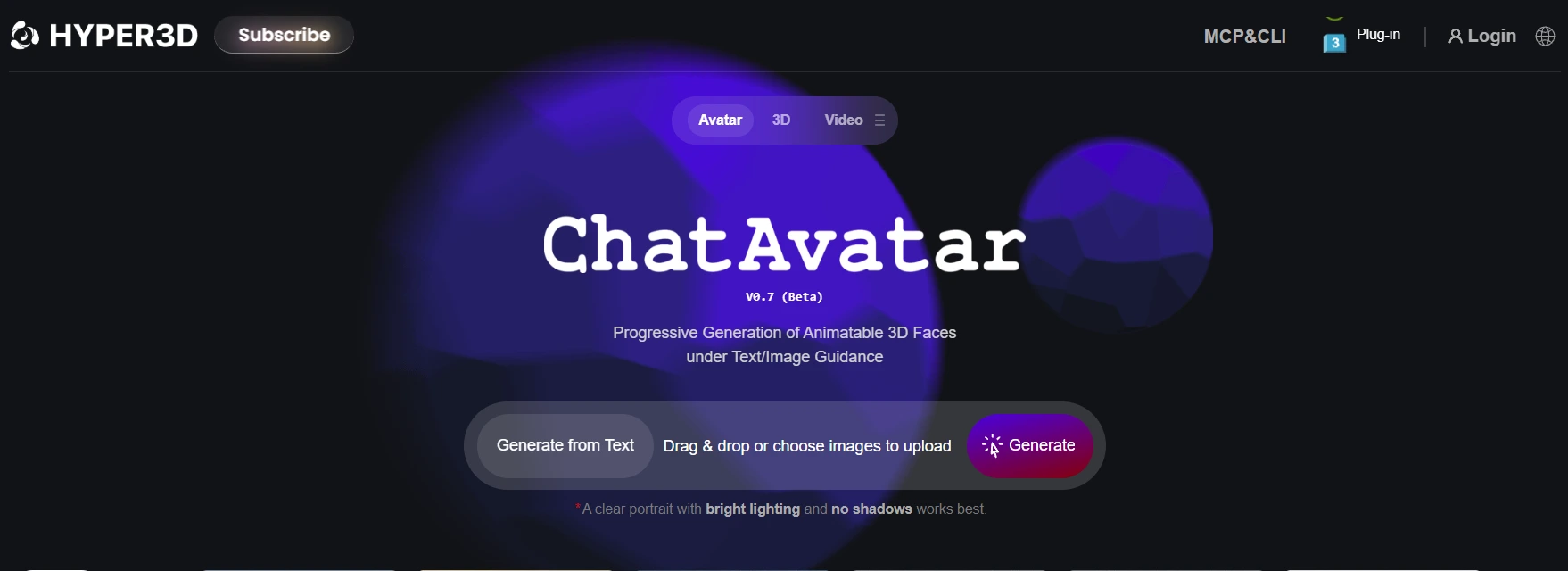
Hyper3D bundles a surprising amount of extra kit. For ad production, that bundle replaced several separate creative subscriptions on our side.
| Hyper3D Extra | What It Does | Where It Helped |
|---|---|---|
| ChatAvatar | Full 3D avatar packages from text or a portrait | Faceless YouTube hosts and brand mascots |
| Image-to-scene generator | One image becomes separate, editable 3D objects with estimated mass, friction and collisions | Desk setups, room previews and camera previs |
| AI Video Generator | Short image-to-video clips, with premium models on higher tiers | Motion ads for Meta and TikTok |
| AI HDRI Generator | Lighting environments from text or 360° descriptions | Product renders in many backdrops |
| SVG to 3D Converter | Extrudes a vector logo into a 3D object | Logo keychains and shop signs |
| Image Remix and Enhancer | Clean up or upscale reference images | Sharper inputs before 3D generation |
| 3D Model Search, Mesh Editor, Viewer, Converter | Find, fix, check and convert 3D files | Final checks before upload |
The scene tool deserves a special mention. Hidden objects get full geometry, and backgrounds use Gaussian splatting, so scenes feel complete from new views.
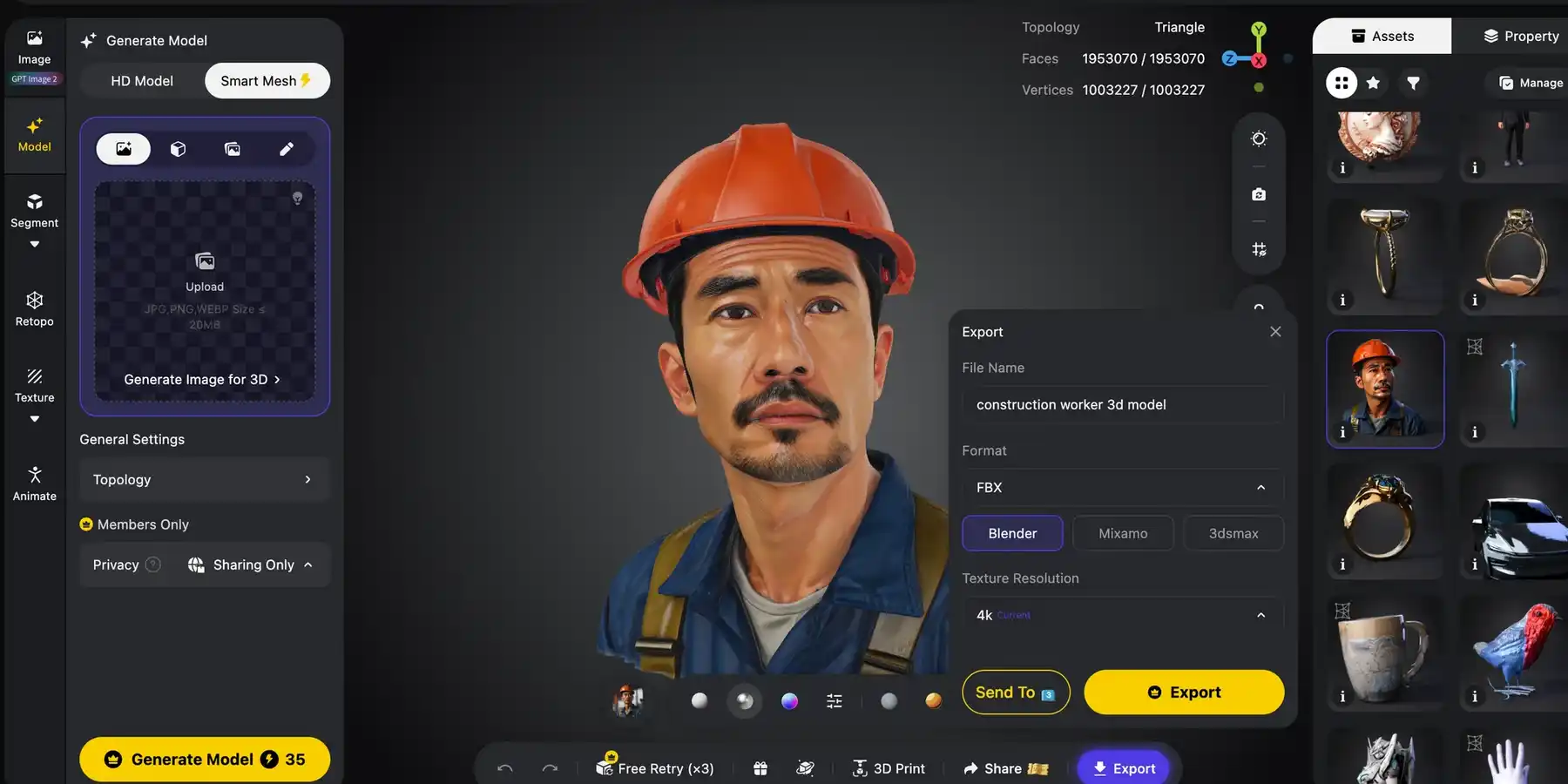
Tripo keeps its extras closer to pure 3D production. Image generation inside Studio includes Nano Banana models, GPT Image 2, Midjourney and GPT-Image-2.5 Sunburst.
Smart image templates are a nice touch. T Pose, Head Extraction, 3D Print-Ready and Photo to Figure prepare references for better meshes.
Tripo also hands out free web utilities: a 3D converter, online viewer, desktop viewer, STL Repair, STL Editor and a file compressor.
What Tripo does not offer is video generation, 3D avatars or image-to-scene building. For ad creatives, that gap is real.
🏆 Winner: Hyper3D. Avatars, scenes, video, HDRIs and SVG to 3D turn Hyper3D into a full creative suite. For e-commerce and ad teams, that bundle carries serious value.
3D Export Formats, AR and Printing
The right file decides if a model lands on Shopify, an iPhone screen or a print bed without drama.
| Format | Hyper3D | Tripo | Best Use |
|---|---|---|---|
| GLB / GLTF | Both | GLB | Shopify 3D media, web viewers, Android AR |
| USDZ / USD | USDZ | USD in Studio, USDZ via API | Apple AR Quick Look on iPhone and iPad |
| FBX | Yes | Yes | Unity, Unreal and rigged characters |
| OBJ | Yes | Yes | General editing in Blender or Maya |
| STL | Yes | Yes | Slicers and 3D printing |
| 3MF | No | Yes | Modern slicers that keep colour and settings |
For print-ready 3D models, Tripo goes further. Segmentation splits big models into printable parts, and STL Repair fixes broken meshes for free.
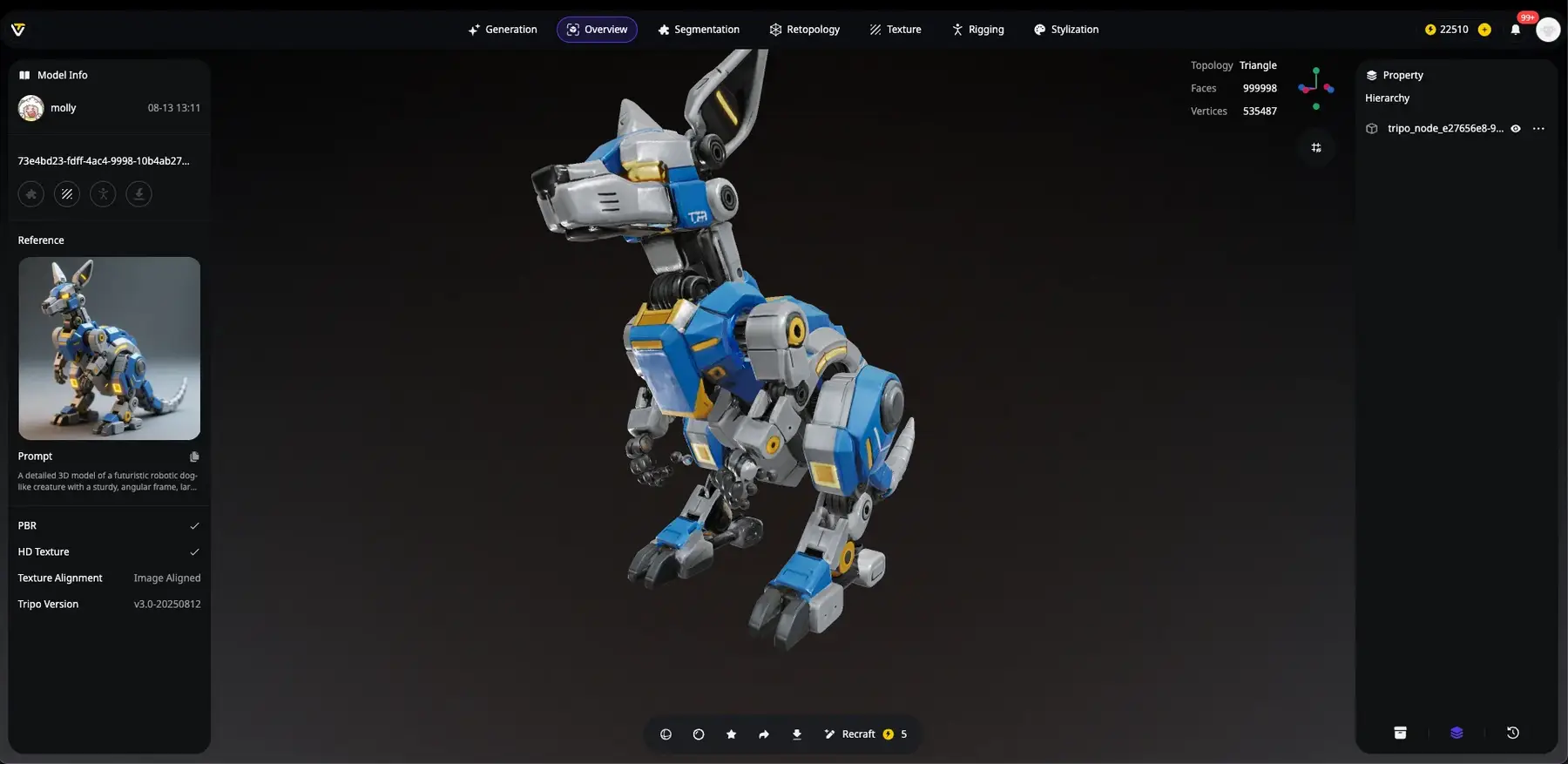
Tripo's partnerships with Bambu Lab, Creality and Anycubic also show in its print focus, from slicer-friendly exports to print-ready image templates.
Hyper3D still served print-on-demand ideas well. Chunky STL files sliced cleanly, and SVG to 3D turned logos into sellable keychains within minutes.
For AR product pages, Hyper3D's direct GLB plus USDZ pair covers Android and iPhone shoppers with no extra conversion step.
Pro tip: keep Tripo quad models in FBX. GLB exports can triangulate meshes, which throws away the clean quads you paid for.
Our take: print sellers lean towards Tripo, while store owners adding 3D and AR product views will feel more at home with Hyper3D.
Studio Interface and Learning Curve
Power means little if your team cannot find the buttons. We judged both studios on first-day comfort and long-term speed.
| Usability Check | Hyper3D | Tripo |
|---|---|---|
| First model | Upload, choose effort, preview, confirm | Upload, choose model, generate |
| Menu feel | Busy, because many products share one hub | Tidier, laid out like a step-by-step production line |
| Cost visibility | Free previews before paying for results | Credit cost shown before each task |
| Guidance | Docs, Discord, 12 interface languages | Large tutorial blog, masterclasses, creator community |
| Batch jobs | Via API and MCP | Batch to 3D inside Studio (up to 10 images) |
Tripo felt friendlier on day one. Each stage, from concept image to rig, sits in a logical order, so beginners rarely get lost.
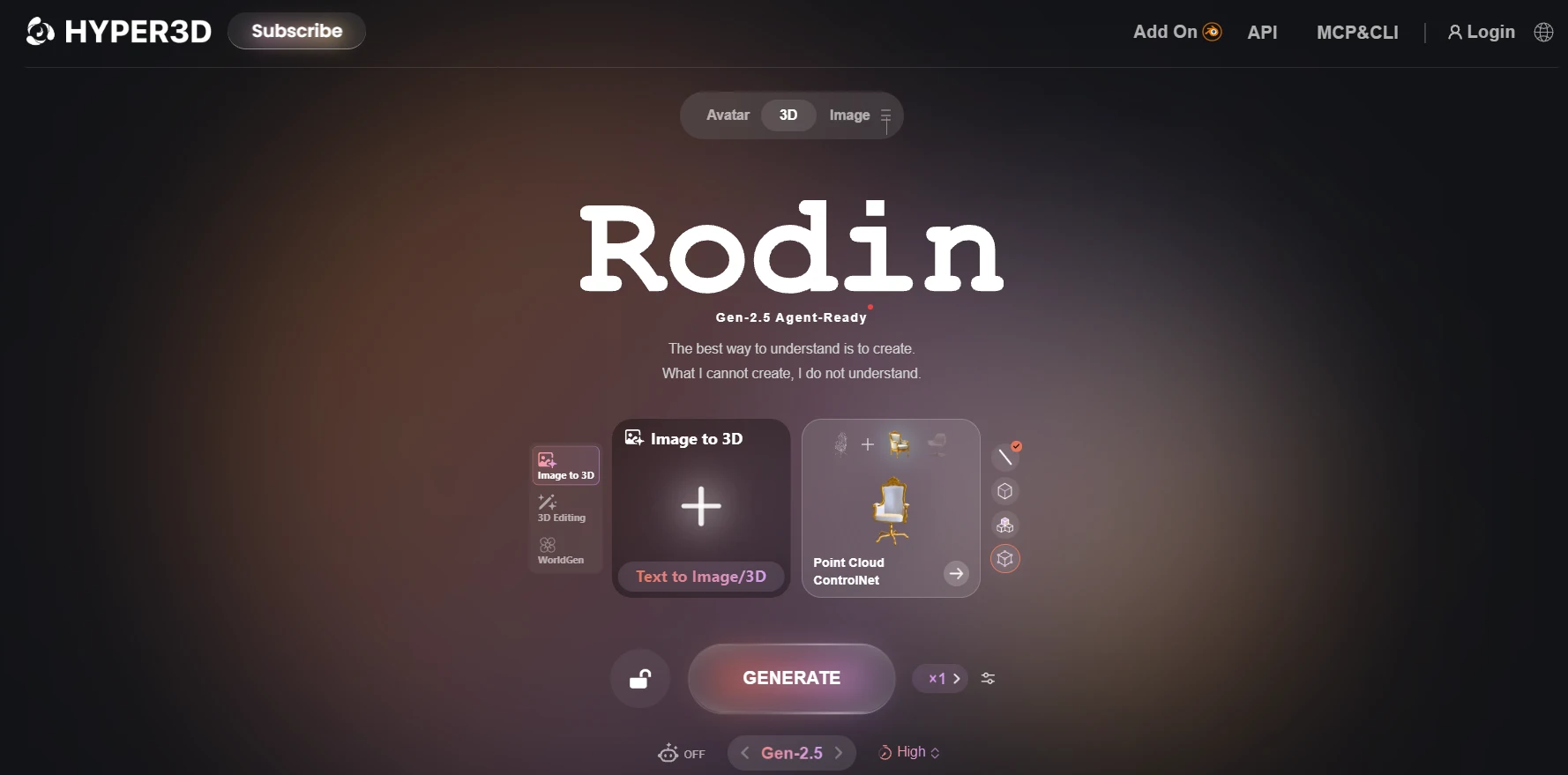
Hyper3D asks for a little more patience. Once the effort levels and ControlNet guides click, though, results arrive with fewer retries.
So beginners settle in faster with Tripo, while teams chasing exact results soon appreciate Hyper3D's extra dials.
API, MCP Server and Plugin Integrations
Agencies and SaaS teams live on automation, so we wired both platforms into real client pipelines and AI agents.
Hyper3D REST API and Rodin MCP
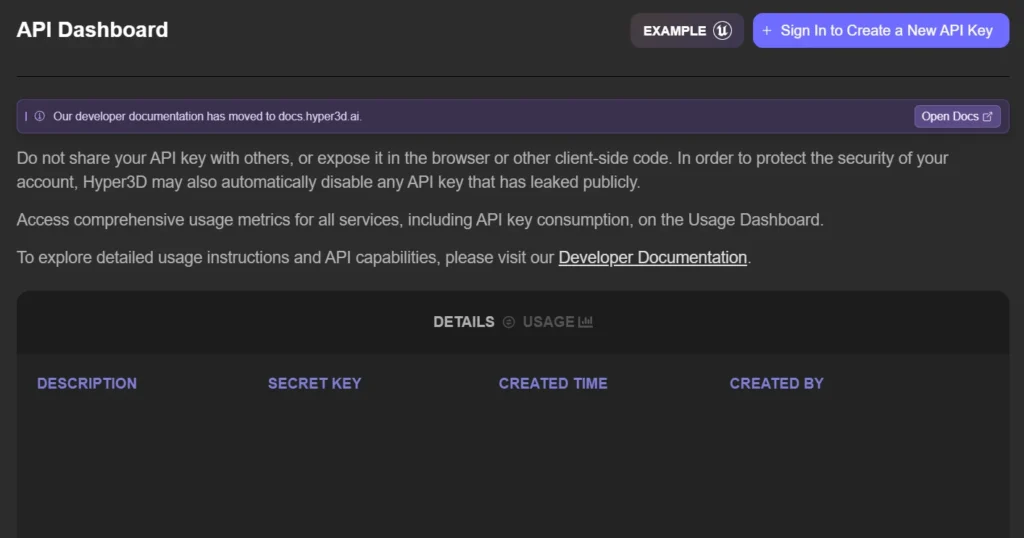
Hyper3D's developer side is built for heavy automation, with a native MCP server for AI coding agents.
The Rodin MCP server stole the show. We added https://api.hyper3d.com/api/mcp to Claude Code, approved access in a browser and asked for models in plain English.
The MCP works with Claude Code, Codex and Kimi Code CLI. It supports Gen-2.5-Medium and Gen-2.5-Extreme-Low, checks progress and returns download links in chat.
Billing follows the workspace chosen during browser approval, which keeps client costs separate. That matters a lot for agencies.
One catch: API output is kept for only 7 days. Build an instant download step into every automation.
Tripo API, CLI and DCC Bridge
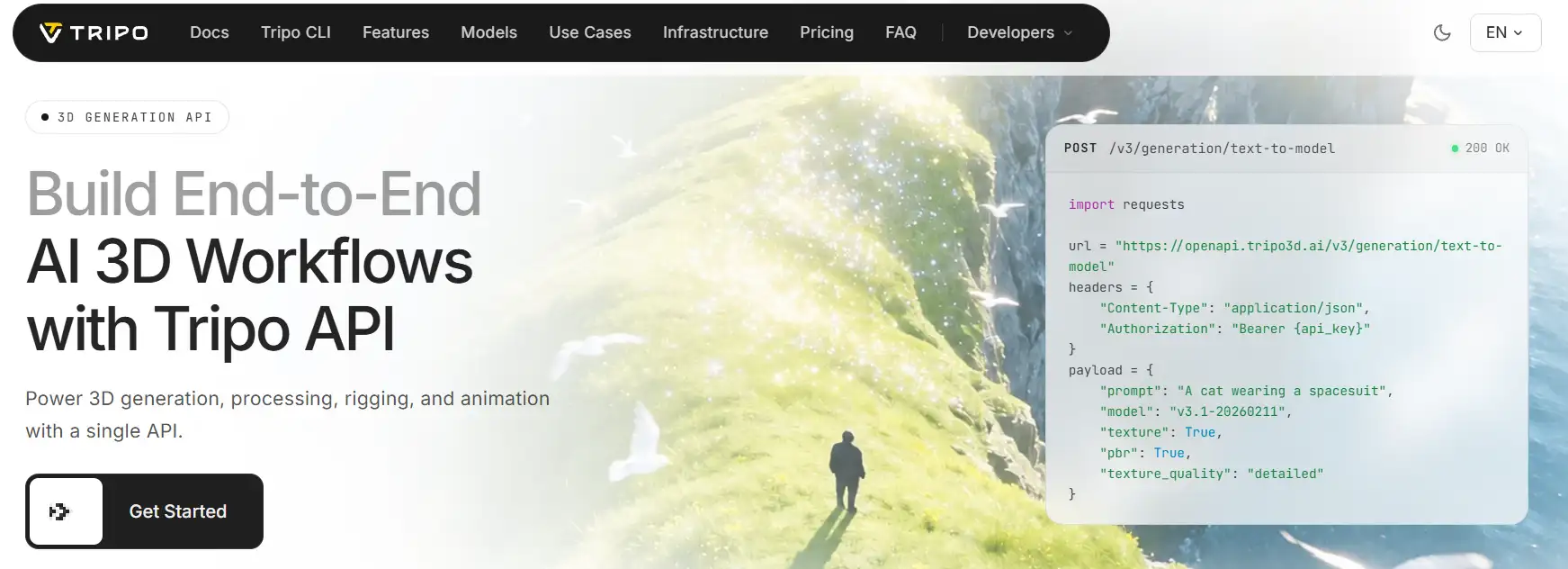
Tripo's developer tools are easier to start with and cheaper at volume, with the widest set of 3D app bridges we tested.
The new SketchUp bridge is great news for interior and furniture brands. Models under 50,000 polygons jump straight from the browser into SketchUp 2025 or newer.
Team Security and Enterprise Controls
Bigger teams need proper access control, so we checked what each platform hands to IT and procurement.
| Control | Hyper3D | Tripo |
|---|---|---|
| Certification | Encrypted storage, audit logs, privacy controls | ISO/IEC 27001:2022 certified |
| Single sign-on | SAML 2.0 SSO with identity-provider support | Not stated |
| Access rules | Domain-based access, multi-team roles | Member and billing management |
| Shared assets | Shared asset workspace | Shared workspace and assets |
| Deployment | Private on-premise option, custom LoRA fine-tuning | Custom enterprise API deals |
🏆 Winner: Hyper3D. A native MCP server, finer API controls and stronger enterprise access tools give Hyper3D the lead for agencies. Tripo's pay-as-you-go API and wider DCC Bridge remain the easier door for solo developers.
Hyper3D vs Tripo Pricing in 2026
Both platforms use credits, but the real cost per finished model changes a lot once you scale past a handful of assets.
Hyper3D Pricing Plans and Credits
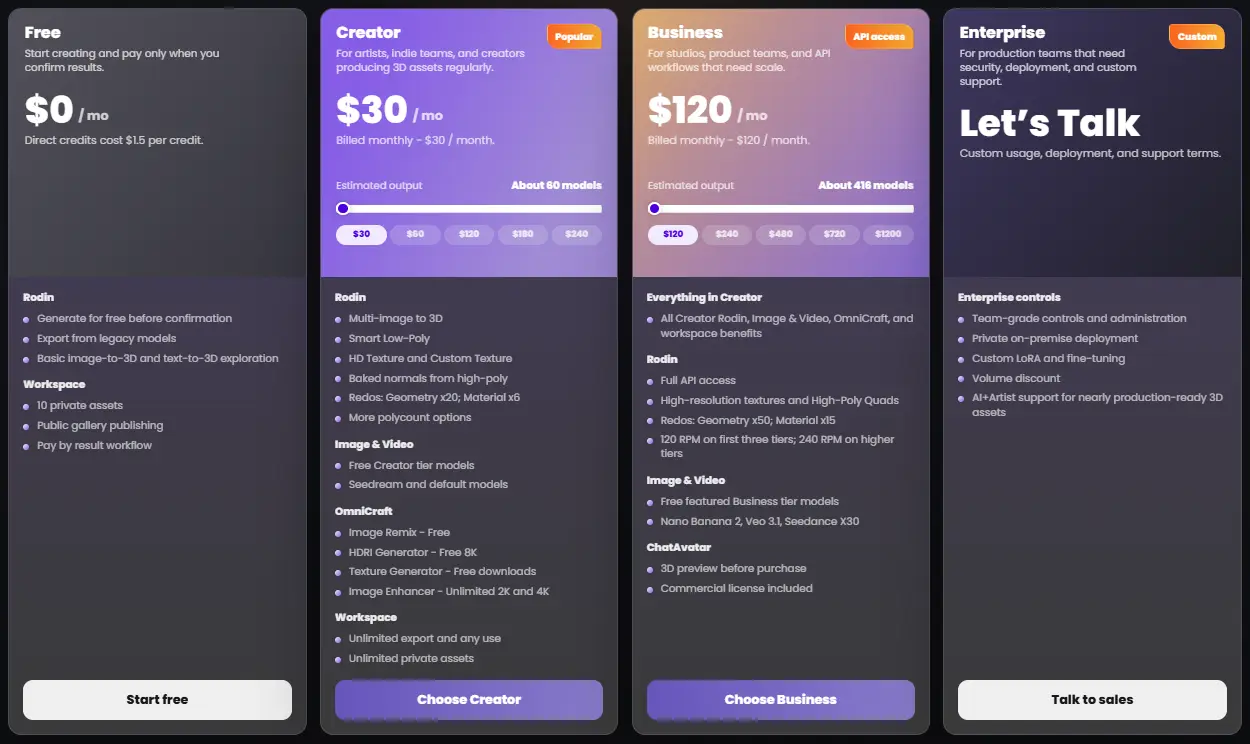
Hyper3D bills monthly or yearly, saving 20% on yearly billing, with a 7-day free trial on paid plans.
| Plan | Monthly | Yearly | Est. Output | Key Inclusions |
|---|---|---|---|---|
| Free | $0 | $0 | Pay by result | Image and text to 3D exploration, direct credits at $1.50 each, export from legacy models, 10 private assets, public gallery, no commercial licence |
| Creator | $30 | 24/mo(288 billed yearly) | About 60 models | Multi-image to 3D, Smart Low-Poly, HD and Custom Texture, baked normals, more polycount options, 20 geometry and 6 material redos, Seedream images, free image remix, 8K HDRI, free texture downloads, unlimited 2K/4K enhancer, unlimited export, any use, unlimited private assets |
| Business | $120 | 96/mo(1,152 billed yearly) | About 416 models | Everything in Creator, full API access (120 or 240 RPM), high-resolution textures, high-poly quads, 50 geometry and 15 material redos, ChatAvatar 3D preview and commercial licence, Nano Banana 2, Veo 3.1 and Seedance |
| Enterprise | Custom | Custom | Custom | Team controls, private on-premise deployment, custom LoRA and fine-tuning, volume discounts, AI plus artist support, custom API limits |
| Education | Discounted | Discounted | Varies | Education pricing after verification |
Through the API, a base Gen-2.5 generation costs 0.5 credit. Extreme-High tier adds 0.5, and extreme-high textures add 2.0, so heavy settings stack up quickly.
Tripo Pricing Plans and Credits
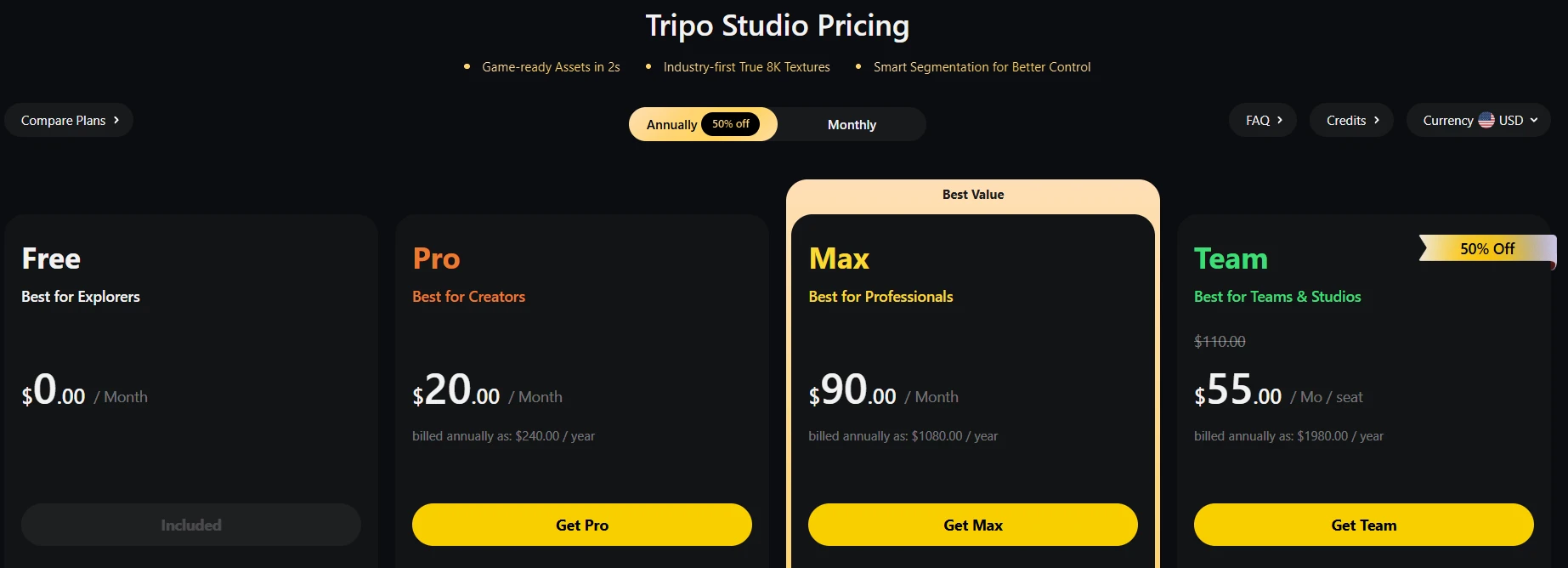
| Plan | Price | Monthly Credits | Key Inclusions |
|---|---|---|---|
| Free | $0 | 200 (about 13 models) | 1 concurrent task, standard queue, public models, non-commercial use, textures up to 4K, Nano Banana images only, 15 exports (H2.5 only) |
| Pro | 20/mobilledannually(240/yr) | 3,000 (about 200 models) | 10 concurrent tasks, high queue priority, private models, commercial use, batch generation, 7-day history, unlimited storage and batch exports, DCC Bridge, Smart Mesh, multi-view to 3D, Smart Segmentation, 3 free Mesh Edits per model |
| Max | 90/mobilledannually(1,080/yr) | 25,000 (about 1,660 models) | 100 concurrent tasks, dedicated queue, permanent edit history, unlimited free retries, unlimited 8K textures, unlimited Mesh Edits, discounted image generation, early beta access |
| Team | $55 per seat/mo billed annually, or $110 per seat monthly | 90,000 (about 6,000 models) | Everything in Max, 200 concurrent tasks, free image generation, shared workspace and assets, centralised billing and admin |
Team's $1,980 yearly total matches three seats, so budget for a small group rather than a single user.
Every account also gets two free single-image P2.0 generations. Extra Mesh Edits beyond your quota cost 50 credits each.
| Tripo Credit Pack | Credits You Get |
|---|---|
| $10 | 1,000 |
| $100 | 10,000 + 2,000 bonus |
| $500 | 50,000 + 12,000 bonus |
| $1,000 | 100,000 + 30,000 bonus |
Real Cost per 3D Model Compared
Sticker prices hide the real story, so we divided each plan price by its own estimated model output.
| Option | Est. Cost per Model | Commercial Use |
|---|---|---|
| Hyper3D Creator (monthly / yearly) | About $0.50 / $0.40 | Yes |
| Hyper3D Business (monthly / yearly) | About $0.29 / $0.23 | Yes |
| Tripo Free | $0 for about 13 models | No |
| Tripo Pro (annual) | About $0.16 | Yes |
| Tripo Max (annual) | About $0.09 | Yes |
Heavy settings shrink these figures on both sides. Extreme-High effort, 12K textures, 8K texture passes and repeat edits all eat extra credits.
🏆 Winner: Tripo. Lower cost per model, commercial rights from its cheapest paid plan and a no-subscription API make Tripo the value champion. Hyper3D costs more, but it bundles avatars, video, HDRIs and scenes into that price.
Hyper3D and Tripo Pros and Cons
The honest highs and lows we noted after weeks of daily use on both platforms.
| Hyper3D Pros | Hyper3D Cons |
|---|---|
| Most faithful shapes from a single photo | No skeleton auto rigging for Rodin objects |
| Bounding box, voxel and point cloud guides | Higher cost per model at every paid level |
| Avatars, scenes, video and HDRIs in one hub | API output deleted after 7 days |
| Native MCP server for AI agents | MCP limited to two Gen-2.5 modes |
| Free previews before paying for results | Busy menus slow first-time users |
| Up to 12K textures and 10M-face meshes | API and avatar commercial licence need a higher tier |
| Tripo Pros | Tripo Cons |
|---|---|
| Native quads with up to four polycount variants | Unpaid models are public and non-commercial |
| Auto Rig, Text-to-Motion and 100+ preset motions | No avatars, video or image-to-scene tools |
| 8K PBR textures and one-click Smart UV | Unlimited 8K and Mesh Edits sit on pricier tiers |
| Lowest cost per model we found | No spatial shape guides before generation |
| 3MF export, STL Repair and print templates | Product proportions drift more from one photo |
| Widest DCC Bridge, now including SketchUp | Quads can be lost in GLB exports |
Which AI 3D Generator Fits Your Business?
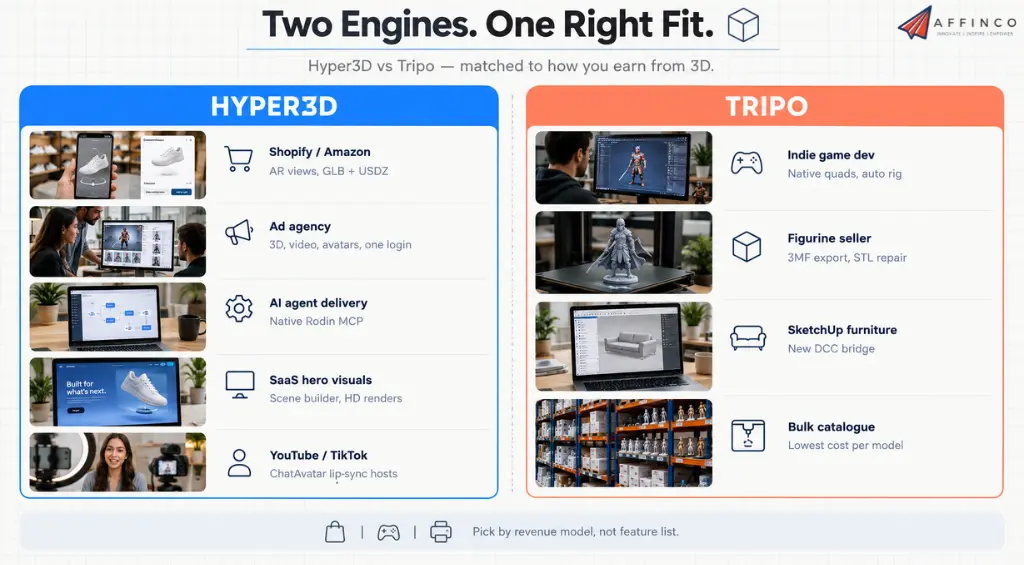
The best tool depends on how you earn money from 3D, so we matched each platform to real business models.
| Your Situation | Better Fit | Why |
|---|---|---|
| Shopify or Amazon store adding 3D and AR views | Hyper3D | Accurate product shapes, direct GLB plus USDZ, HDRI renders |
| Agency producing client ad creatives | Hyper3D | 3D, images, video and avatars under one login |
| Agency automating delivery with AI agents | Hyper3D | Native Rodin MCP and per-workspace billing |
| SaaS brand needing 3D hero visuals | Hyper3D | Scene builder and high-detail renders for landing pages |
| Indie game developer making characters | Tripo | Native quads, Auto Rig and engine bridges |
| Print-on-demand figurine seller | Tripo | 3MF export, STL Repair and print-ready templates |
| Furniture or interior brand on SketchUp | Tripo | New SketchUp DCC Bridge |
| Faceless YouTube or TikTok channel | Hyper3D | ChatAvatar hosts with lip-sync and expressions |
| Bulk catalogue on a tight budget | Tripo | Lowest cost per model and high concurrency |
FAQs About Hyper3D and Tripo
Is Tripo AI free for commercial use?
Models made without a paid Tripo subscription are public and licensed for non-commercial use only. Private models with commercial rights come with every paid subscription.
Can Hyper3D Rodin generate rigged 3D characters?
Rodin does not add a body skeleton. It can output human-like subjects in a T-pose or A-pose through the TAPose option, which makes rigging in Blender or Mixamo much easier. ChatAvatar avatars ship with facial blendshapes, ARKit-compatible expressions and visemes.
Which AI 3D generator makes better STL files for 3D printing?
Tripo has more printing tools, including STL and 3MF export, part segmentation, a free STL repair tool and a 3D Print-Ready image template. Hyper3D exports clean STL files too and adds SVG to 3D for logo prints.
Does Tripo P2.0 quad topology survive a GLB export?
Not always. GLB files can triangulate a mesh, so quads may be lost. Export FBX when you want to keep quad topology, skeleton data and PBR texture references together.
What file format works for Shopify 3D models and iPhone AR Quick Look?
GLB covers Shopify 3D media and most web viewers, while USDZ is the format for Apple AR Quick Look. Hyper3D exports both directly. Tripo Studio exports GLB and USD, and its API also outputs USDZ.
Will the Hyper3D Rodin MCP server work inside Claude Code?
Add the server URL https://api.hyper3d.com/api/mcp in Claude Code, Codex or Kimi Code CLI, then approve access in the browser and choose a billing workspace. The MCP supports Gen-2.5-Medium and Gen-2.5-Extreme-Low generation.
Where does Hyper3D store API-generated models, and for how long?
API output stays in Hyper3D's active storage for a fixed period of 7 days and is then deleted from active storage, so automations should download files straight away.
Which API is cheaper for bulk 3D asset generation, Hyper3D or Tripo?
Tripo is usually cheaper for bulk jobs. Its API is pay as you go at 1 credit = $0.01, with image to 3D from 20 to 50 credits per task. Hyper3D's API needs a higher-tier subscription, though a base Gen-2.5 call starts at just 0.5 credit.
AFFiNCO’s Verdict: Best AI 3D Generator 2026
After testing both platforms on store products, ad renders, prints and client automations, one tool came out slightly ahead.
Our Choice: Hyper3D Rodin (4.7/5)
For most AFFiNCO followers, Hyper3D gives better product accuracy and far more creative range per login.
Why choose Hyper3D over a cheaper rival? Because a wrong-shaped product model costs more in lost trust and returns than any credit saving.
Strong Second Place: Tripo AI (4.5/5)
If games, characters or bulk printing pay your bills, Tripo is honestly the smarter buy.
Native quads, Auto Rig, Text-to-Motion, Smart UV and a tiny cost per model make Tripo a production powerhouse.
Our advice: sell products, ads or client services? Start with Hyper3D's free previews. Ship games or print catalogues? Start with Tripo's free credits.
Both offer a free way in, so testing your own use case costs nothing but an afternoon.


Aliakbar Fakhri
Ali is a digital marketing expert with 7+ years of experience in SEO-optimized blogging. Skilled in reviewing SaaS tools, social media marketing, and email campaigns, we craft content that ranks well and engages audiences. Known for providing genuine information, Ali is a reliable source for businesses seeking to boost their online presence effectively.
Affiliate Disclosure: This post may contain some affiliate links, which means we may receive a commission if you purchase something that we recommend at no additional cost for you (none whatsoever!)