

Sending cold email for your own brand is easy.
Sending cold email for twelve clients at once? Different sport.
Every client brings new domains, new inboxes, new prospects and a new boss checking replies at 11pm. One sloppy setup and a client's sender reputation tanks. Then you're on a call explaining why meetings dried up.
So we kept the question simple. Which cold email software for agencies keeps clients separate, keeps inboxes healthy and keeps your margins alive?
Quick Answer
Our top pick is Instantly. Client workspaces, a white-label portal, a huge warm-up pool and an AI agent that answers hot leads in minutes. Hard to beat for agencies scaling outbound.
Reselling under your own brand? Smartlead and PlusVibe come next to nothing behind. Watching every penny? Saleshandy packs real white-labelling into one flat plan. Need data before you send? Apollo and Hunter do the prospect research heavy lifting.
At AFFiNCO, outreach is part of the day job. We started in 2018 with two people. Since then, we've worked with 500+ brands, and email outreach sits right inside our agency services.
We connected real Google and Microsoft inboxes to all eight platforms. We built a separate workspace for each client, set up client logins, poked at the deliverability settings and pushed replies through every unified inbox. No copy-paste reviews. No made-up benchmarks.
Why Multi-Client Cold Outreach Breaks Ordinary Email Tools
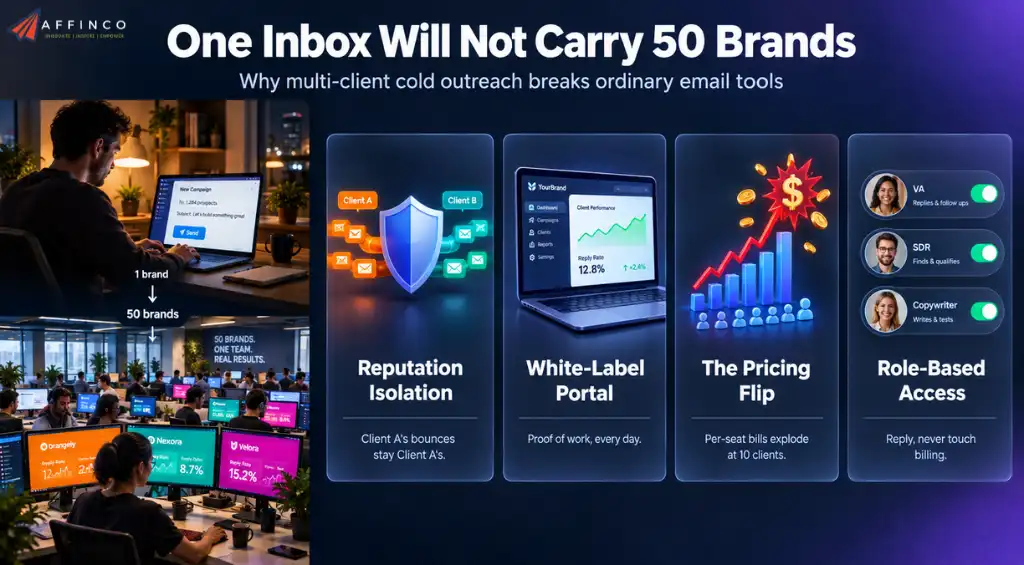
A solo founder sends for one brand. An agency sends for ten, twenty, sometimes fifty. That changes everything.
What Changed in Cold Outreach Tools This Year
The tools moved fast in 2026. Three shifts changed how our team works day to day.
Gmail, Yahoo and Microsoft Bulk Sender Requirements in 2026 📬
Here's the bit many agencies still get wrong.
Since 2024, Google and Yahoo have enforced strict rules for anyone sending close to 5,000 messages a day to their users. Microsoft followed in 2025 for high-volume senders hitting Outlook.com, Hotmail and Live addresses.
Google counts every message from the same primary domain toward that 5,000 mark. Ten clients on one shared domain can trip it in a single morning.
| Mailbox Provider | Who Gets Checked | What You Need in Place |
|---|---|---|
| Gmail | Senders close to 5,000+ daily messages to personal Gmail accounts | SPF, DKIM and DMARC, spam rate below 0.3% in Postmaster Tools, one-click unsubscribe on marketing mail |
| Yahoo | Bulk senders to Yahoo and AOL inboxes | SPF, DKIM and DMARC, low complaint rates, quick unsubscribe handling |
| Outlook.com | Domains sending 5,000+ emails a day to consumer Microsoft inboxes | SPF, DKIM and DMARC aligned, or mail can be rejected outright |
What does that mean for agency work?
Simple. SPF, DKIM and DMARC are now the entry ticket, not a bonus. Sender reputation is judged domain by domain. Every client needs separate sending domains. And spam complaints need watching weekly, because Google treats anything near 0.3% as a red flag.
One more thing. Cold email to a fresh prospect isn't subscribed marketing mail, yet the providers judge it by the same signals. Low engagement and a few spam clicks looks identical to a spammer from their side. Clean data and relevant copy are your best defence.
Good tools automate the boring DNS parts. Great tools warn you before a client crosses the line.
How AFFiNCO Tested Every Cold Email Platform
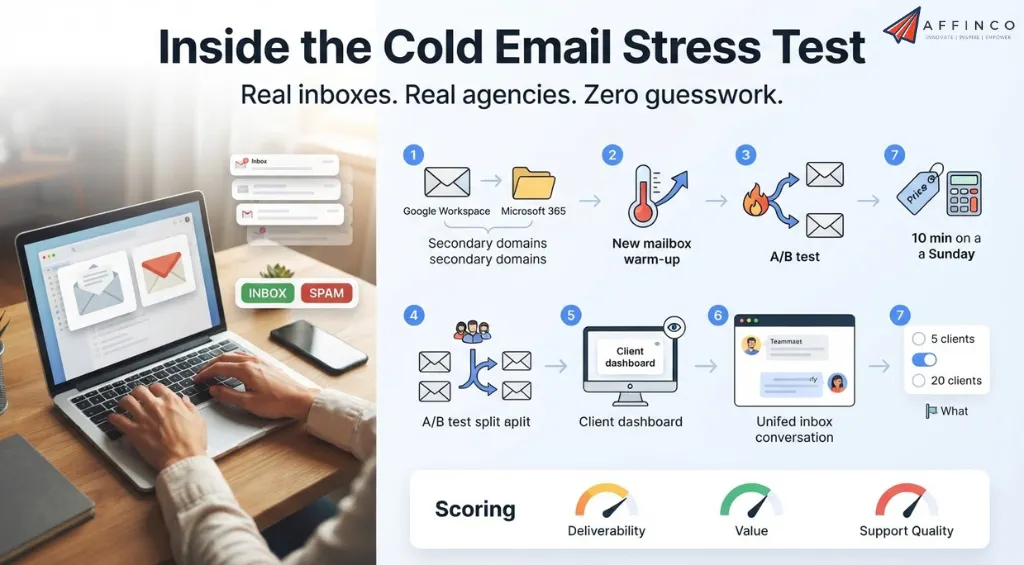
We don't trust feature pages. We trust inboxes.
Each platform went through the same agency obstacle course:
We also raised real support tickets at awkward hours. A tool that replies in ten minutes on a Sunday is worth more to an agency than a dozen shiny features. Support quality quietly shaped the Deliverability and Value scores.
Finally, we checked every price, plan limit and 2026 update against each vendor's own pricing pages and help docs. No guesswork, no recycled numbers from old reviews.
The 8 Best Cold Email Tools for Agencies: Tested Hands-On
Short on time? Scan this first. Every cold email outreach platform below went through the same agency setup, so the numbers compare fairly.
| Cold Email Tool | Entry Price | Email Accounts | Free Trial or Plan | Built-in B2B Data |
|---|---|---|---|---|
| Instantly ⭐ Top Pick | $47/mo (Growth, outreach only) | Unlimited | 14 days, no card | 450M+ verified records |
| Lemlist | $69/mo (Email plan, 50k emails) | Unlimited senders on Email plan | 14 days, no card | 650M+ contacts |
| PlusVibe | $37/mo (Personal) | No cap published; 3 on trial | 14 days, no card | Enrichment only, database size not published |
| Smartlead | $39/mo (Base) | Unlimited | Free trial, no card | 300M+ profiles |
| Apollo.io | $49/user/mo billed yearly (Basic) | 1 per user on Basic | Free plan, 14-day paid trial | 240M+ contacts, 30M+ companies |
| Salesforge | $40/mo (Pro) | Unlimited | 14 days, no card | 500M+ contacts (Leadsforge, sold separately) |
| Saleshandy | $41/mo (Starter) | Unlimited | 7 days, no card | 852M+ contacts (Lead Finder) |
| Hunter | $49/mo (Starter) | 1 free, 3 on Starter | Free plan, 50 credits a month | Size not published |
1. Instantly: The Agency Workhorse for Scaling Cold Email Campaigns
AFFiNCO Score
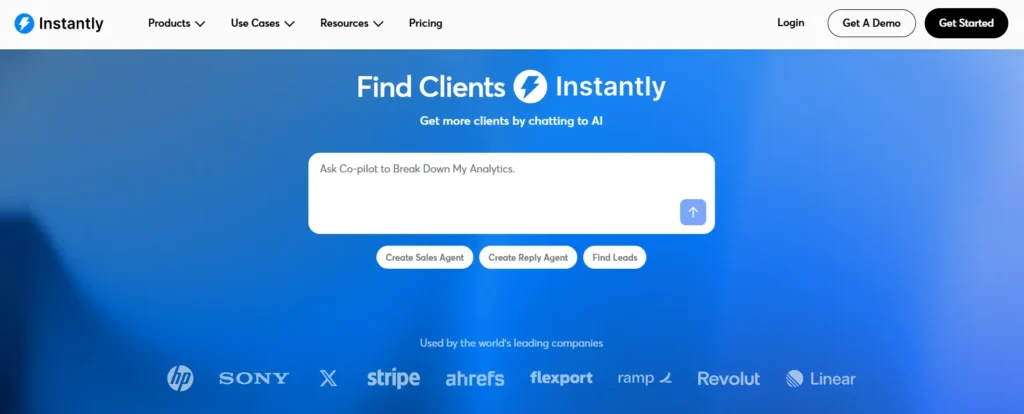
Instantly is the first tab we open on a Monday morning.
Not because it is flashy. Because it is boring in the best way. Campaigns go out, replies come back and nothing breaks at 2 a.m.
The big change in 2026 is the redesigned app. Agencies finally get combined reporting across workspaces. Checking ten clients used to mean ten rounds of clicking. Now one screen shows how every client is pacing.
Then there is AirMail. Instantly now sells its own inboxes at $4 each, built on its own servers rather than resold Google or Microsoft seats. Domains, DNS and authentication get set up for you, and a fresh inbox goes live in about 30 seconds.
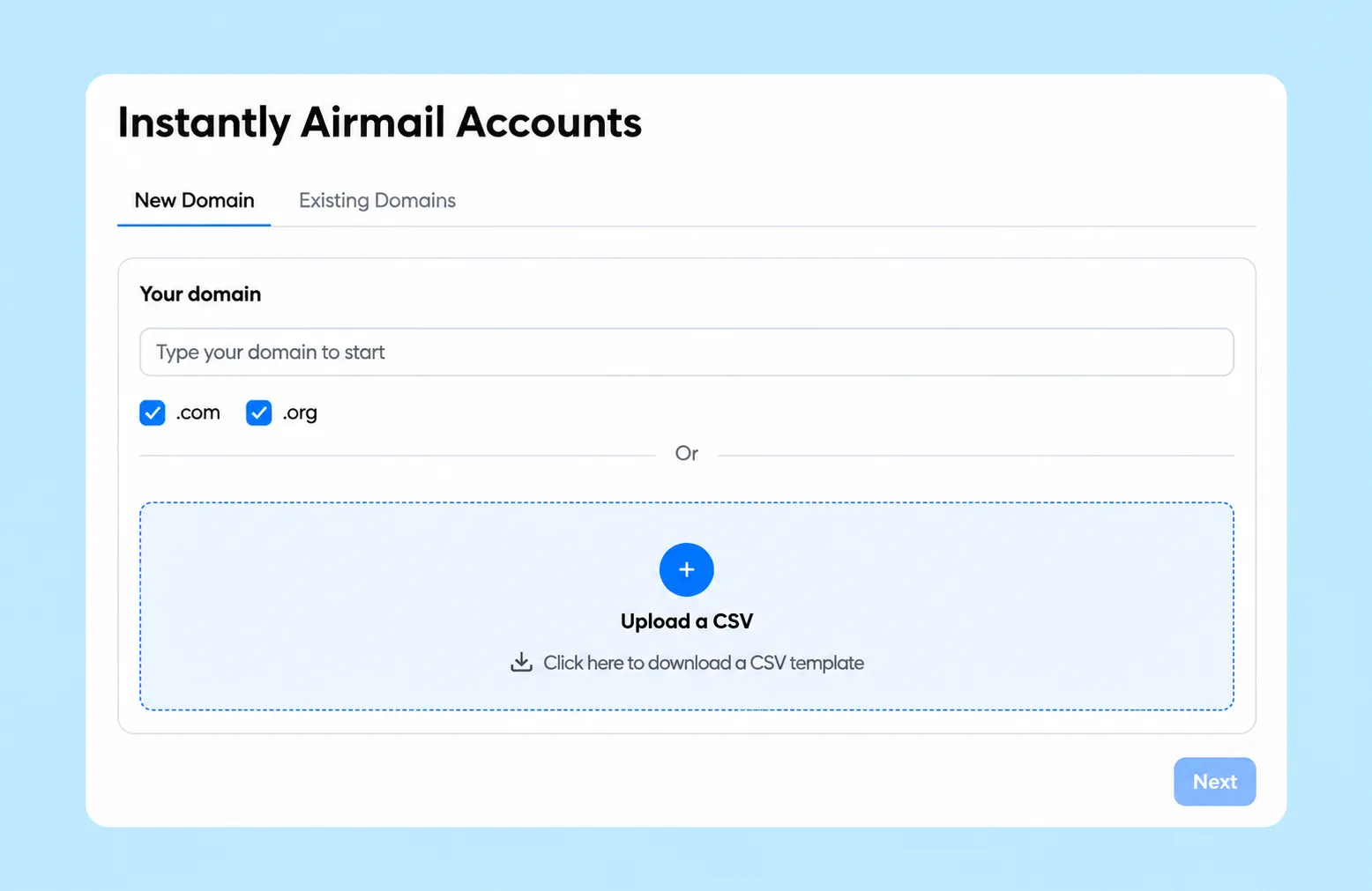
For an agency onboarding a client on a Friday afternoon, that speed is gold.
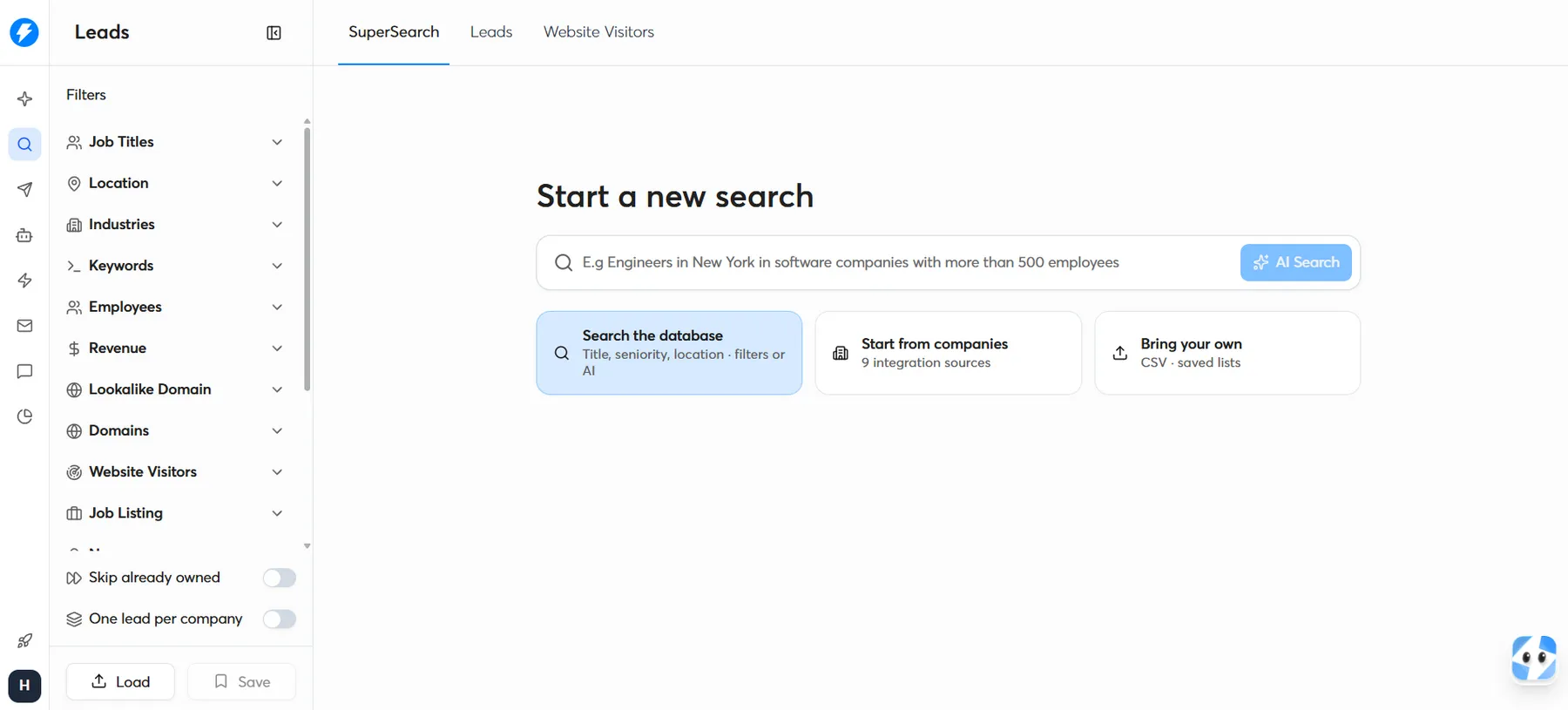
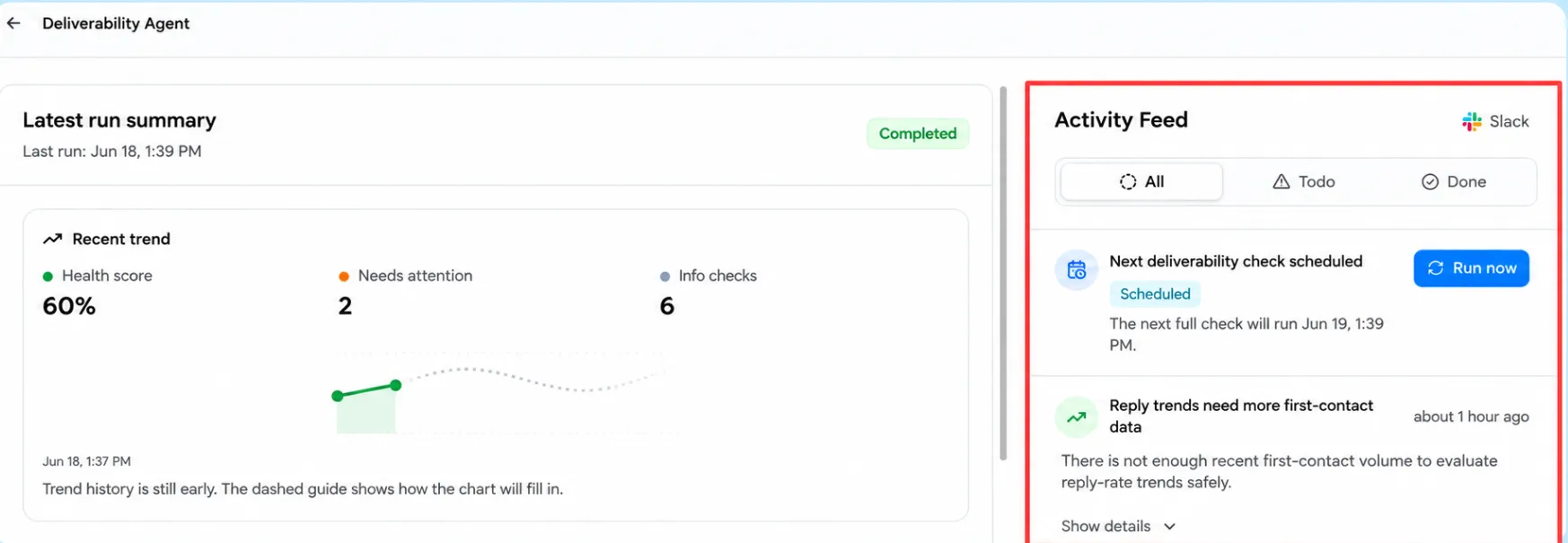
The AI side grew fast too. The AI Deliverability Agent watches DNS records, blocklists, warm-up and bounces, and it can pause a campaign before damage spreads. The AI Sales Agent builds prospect pools and writes first-touch emails from a single website URL. A Voice Agent now places phone calls as well.
Copilot is the sleeper hit. Describe an automation in plain words, like “tag every interested reply and alert the account lead in Slack”, and it builds the flow. Power users can even bring their own LLM key.
After plenty of client launches on it, Instantly feels built by people who actually send cold email for a living.
Instantly Agency Snapshot
| Client separation | One workspace per client, each on its own subscription |
| White-label portal | Agency View with custom subdomain and your logo (Hypergrowth and above) |
| Warm-up network | 1M+ real email accounts, with read emulation and slow ramp-up |
| Dedicated sending | SISR server and IP sharding on Light Speed and above |
| Team access | Free teammates on Hypergrowth and above, with Owner, Admin, Editor and VA roles |
What clicked for us
What bugged us
AFFiNCO Verdict: Our top pick and our daily driver. Nothing else in our tests balanced client control, inbox placement and cost this well.
2. Lemlist: Multichannel Outreach Automation That Goes Beyond the Inbox
AFFiNCO Score
Some prospects ignore email. They live on LinkedIn. Or they still pick up the phone.
That is where Lemlist earns a seat in our stack.
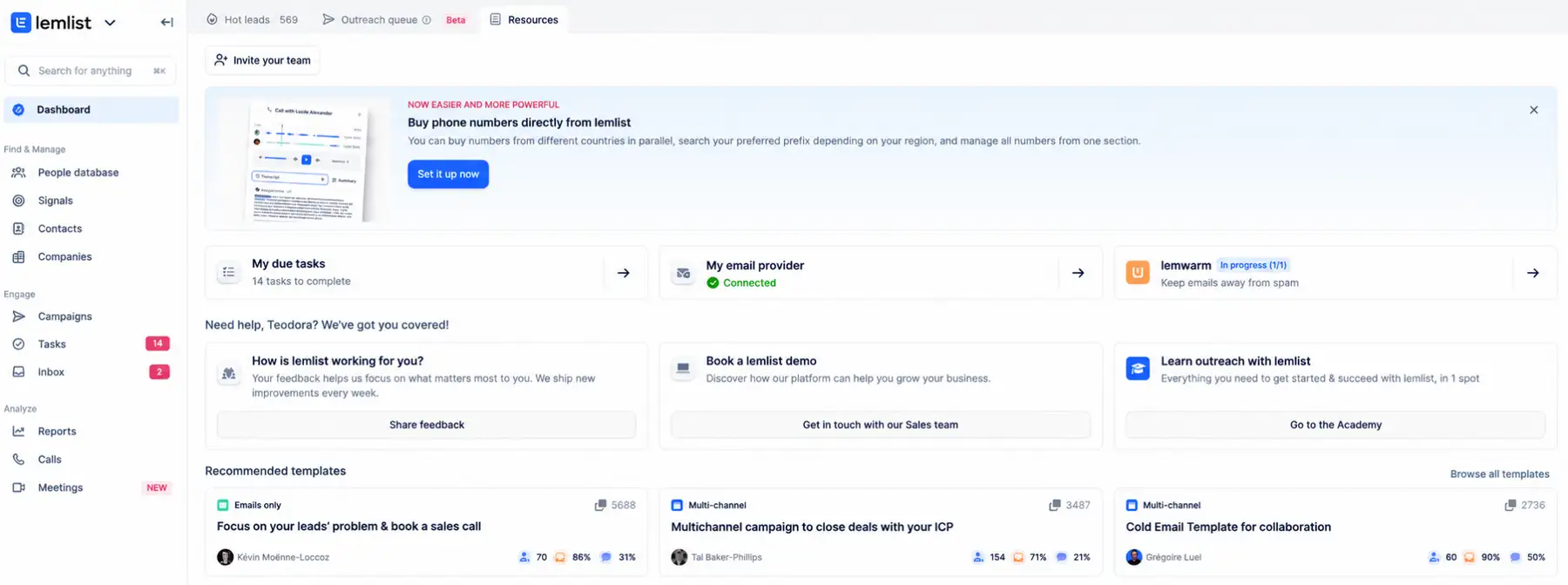
With LinkedIn outreach automation on the Multichannel plan, one sequence can view a LinkedIn profile, send an invite, drop an email, fire an SMS and schedule a call. WhatsApp joins as a paid add-on, though only personal WhatsApp accounts connect, not WhatsApp Business.
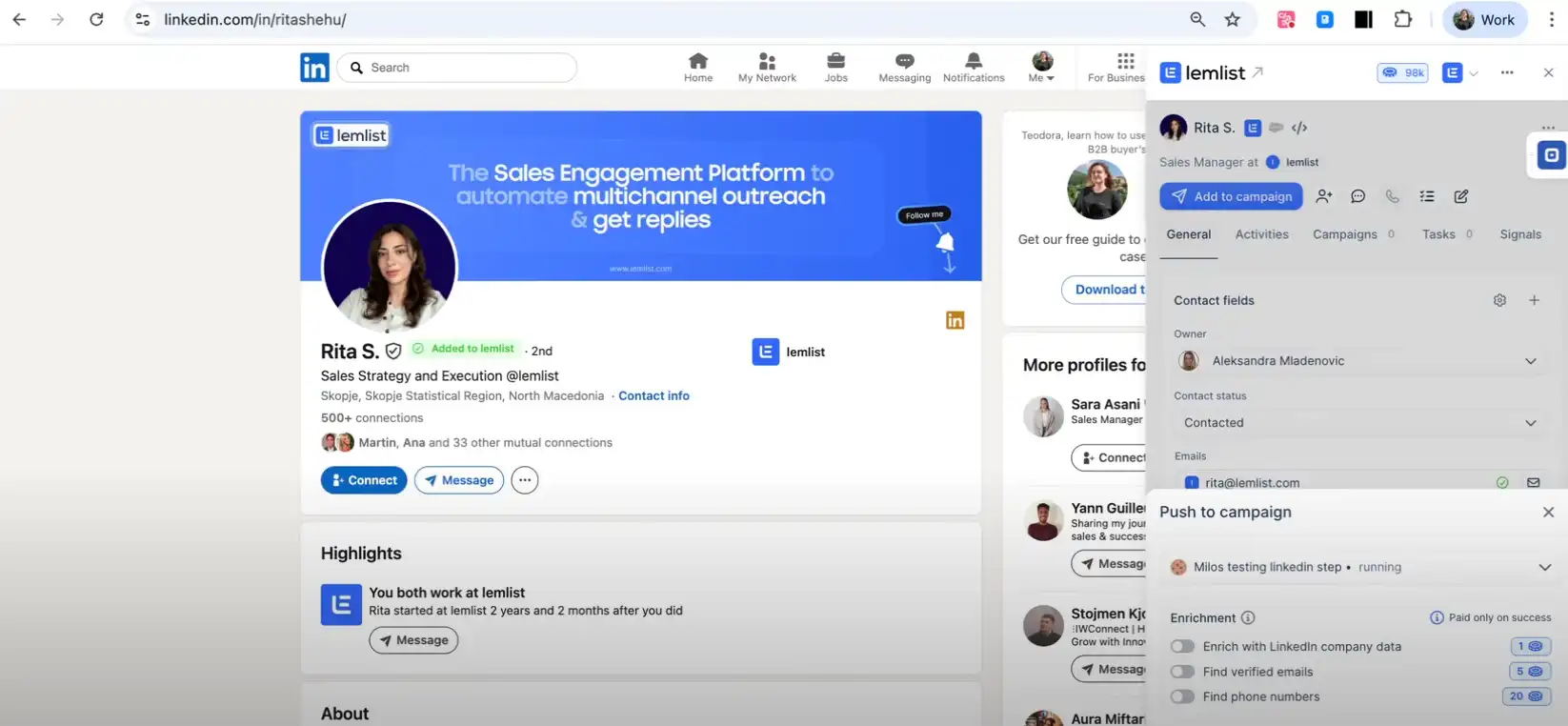
The agency piece is called Agency Cockpit. Every client gets a separate team with its own campaigns, leads and unsubscribes.
The clever part is billing. Each client team gets a separate monthly invoice. So software costs pass straight to clients without awkward spreadsheets or markup debates.
Data is strong too. The email finder chains providers like Prospeo, Dropcontact, Cognism and Findymail in a waterfall, and charges $5 per 100 verified emails found.
LinkedIn safety got smarter as well. New accounts ramp up invites gradually, and a condition checks if a prospect already sits in your LinkedIn network before sending a cold invite.
Then there is lemAgent. Type a brief, and it builds the lead pool, sequence and copy. Most campaigns come out ready in under 15 minutes. We still rewrite every opener before launch, but the first draft saves a solid chunk of time.
Lemlist Agency Snapshot
| Client separation | Agency Cockpit teams with Admin and Member roles |
| White-label portal | Not offered |
| Warm-up | lemwarm, included on every plan |
| Deliverability checks | Deliverability Hub with alerts; each inbox placement test costs 100 credits |
| Multichannel cost | $109 per user a month, or $87 billed yearly |
What clicked for us
What bugged us
AFFiNCO Verdict: The strongest multichannel engine on this page. Budget carefully once LinkedIn and calls enter the mix, because seats add up quickly.
3. PlusVibe: White-Label Client Apps for Growing Cold Email Agencies
AFFiNCO Score
PlusVibe used to go by pipl.ai. Same team, fresh name.
PlusVibe surprised us. We expected a budget clone of the bigger players. We found a few genuinely new ideas for agencies.
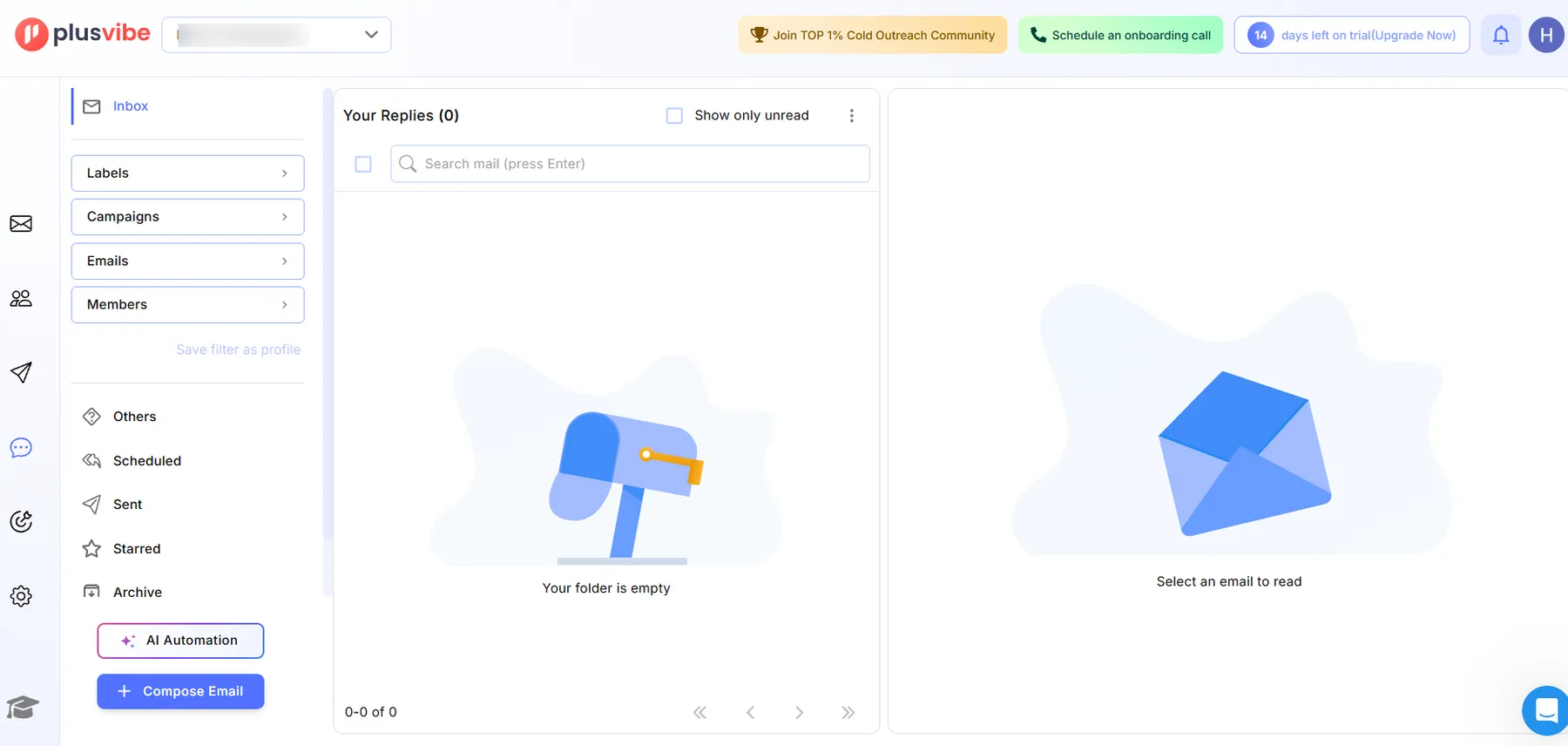
The standout is the White Label Client App for iOS and Android. Your agency name, logo, colours and app name go on it. Clients log in, see only their own campaigns and get push alerts when a lead replies.
Zero PlusVibe branding. No extra charge per client. It comes with the Business and Agency plans.
Clients love checking replies on their phone over coffee. It quietly cuts down those “any news yet” chasers every account lead dreads.
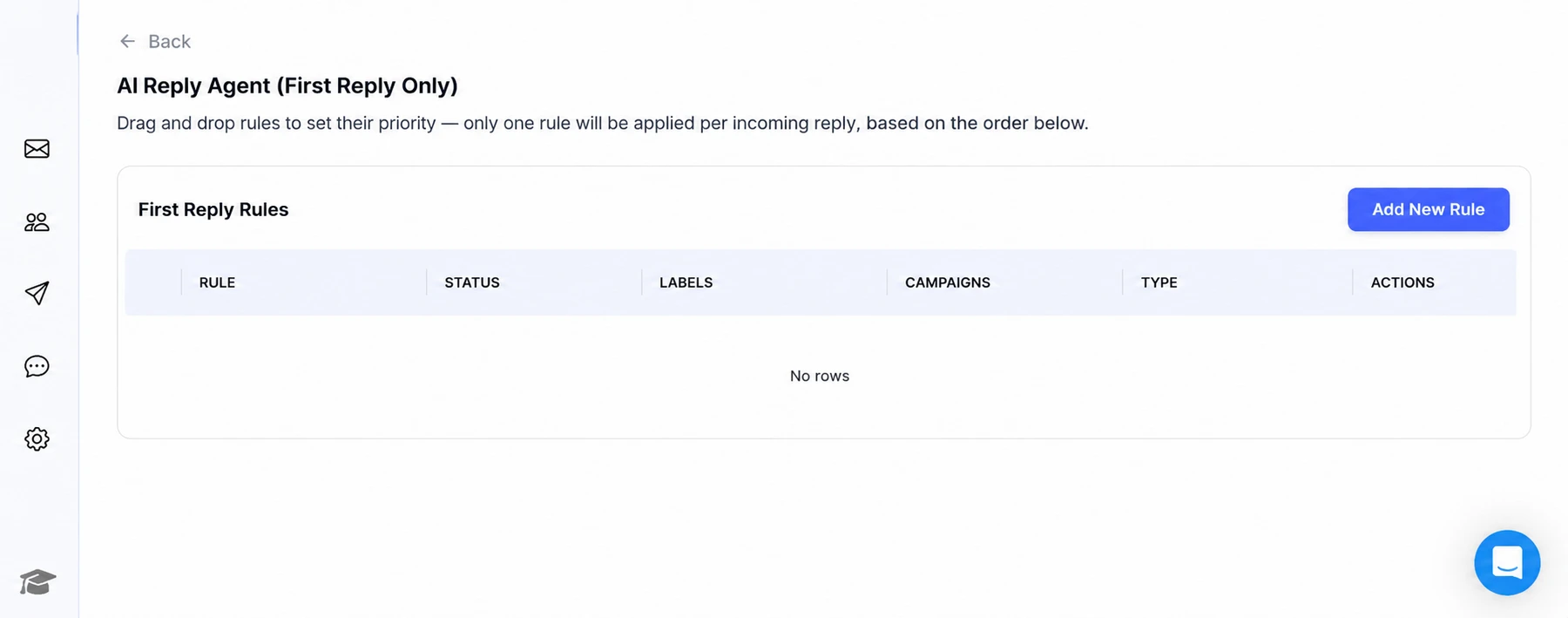
The AI Reply Agent felt the safest we tested. A confidence filter saves shaky answers as drafts instead of sending them. It also stops on clear rejections, so nobody gets an awkward robot reply after saying no.
Agencies can also apply for the Certified Partner programme and earn an Agency Partner badge. For a young agency, that badge is handy social proof on sales calls.
Two quieter features protect deliverability. SEG detection skips prospects sitting behind secure email gateways. And Email Recovery Automation pauses sending and lowers warm-up volume the moment inbox rates slip below your threshold.

PlusVibe Agency Snapshot
| Client separation | One workspace per client; extra workspaces from $29/mo |
| White-label portal | Full per-client white-labeling on the Agency plan, from $497/mo |
| Warm-up | Private warm-up pool that auto-heals weak mailboxes |
| Sending setup | Each account on its own dedicated IP and isolated infrastructure |
| Reply desk | Unibox with thread assignment and AI round-robin |
What clicked for us
What bugged us
AFFiNCO Verdict: The most client-friendly experience we tested. Small agencies get big-agency polish without big-agency overheads.
4. Smartlead: A White-Label Cold Email Platform Built for Reselling
AFFiNCO Score
For agencies selling cold email as their own product, Smartlead is the closest thing to a ready-made SaaS.
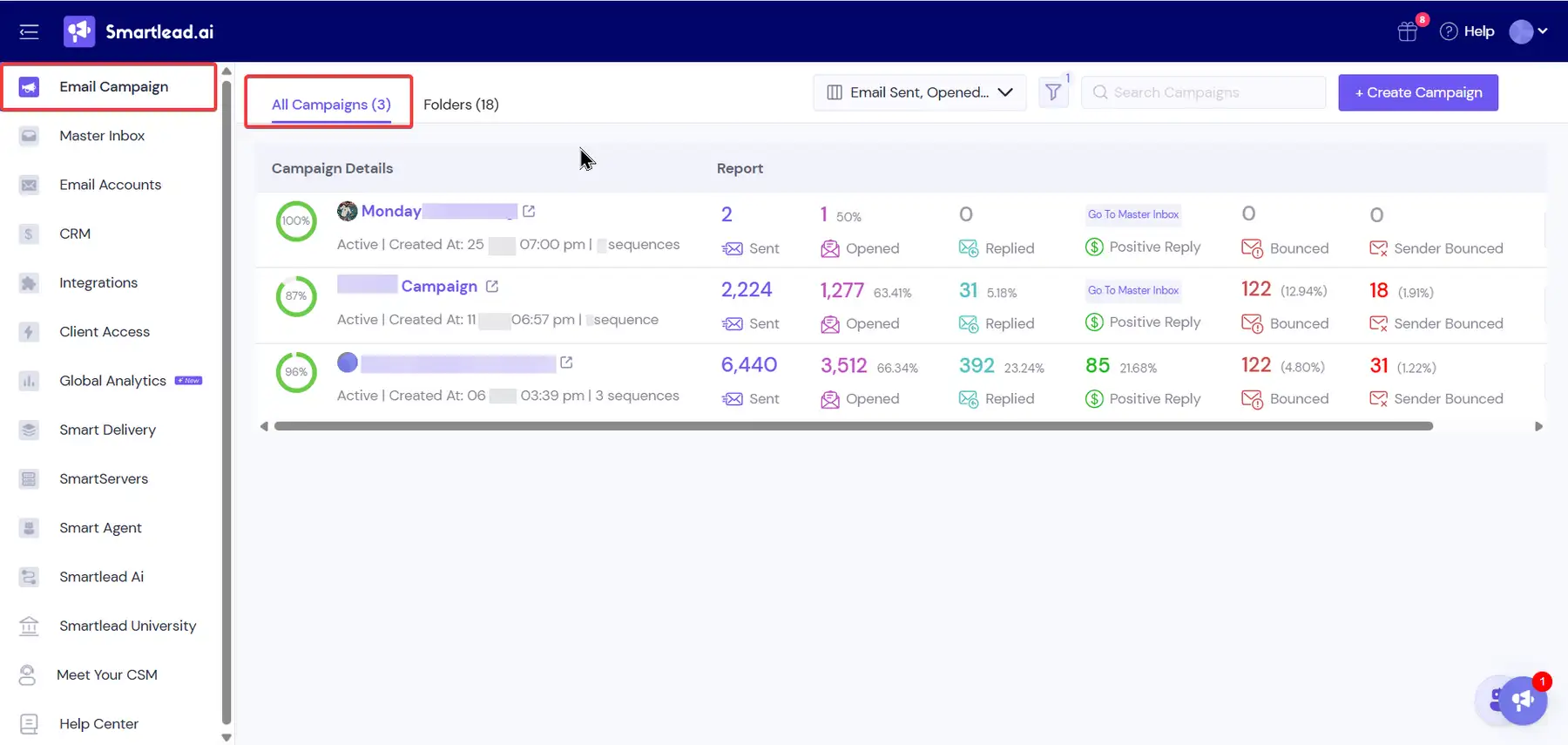
The white-label sits on your own domain, something like app.youragency.com. Clients log in to your brand, not Smartlead's.
The control here is wild, in a good way. A client can get full access or replies only. You can even limit someone to “Interested” replies, which keeps rough feedback away from nervous founders.
Each client also gets a set allowance of email and lead credits. You bill them on your own cycle and keep the margin.
This year Smartlead fixed one of the most painful agency chores. Auto-Replace now swaps out burning or expiring mailboxes on its own. Pair that with the Insights dashboard and its one-click fixes, and deliverability firefighting drops sharply.
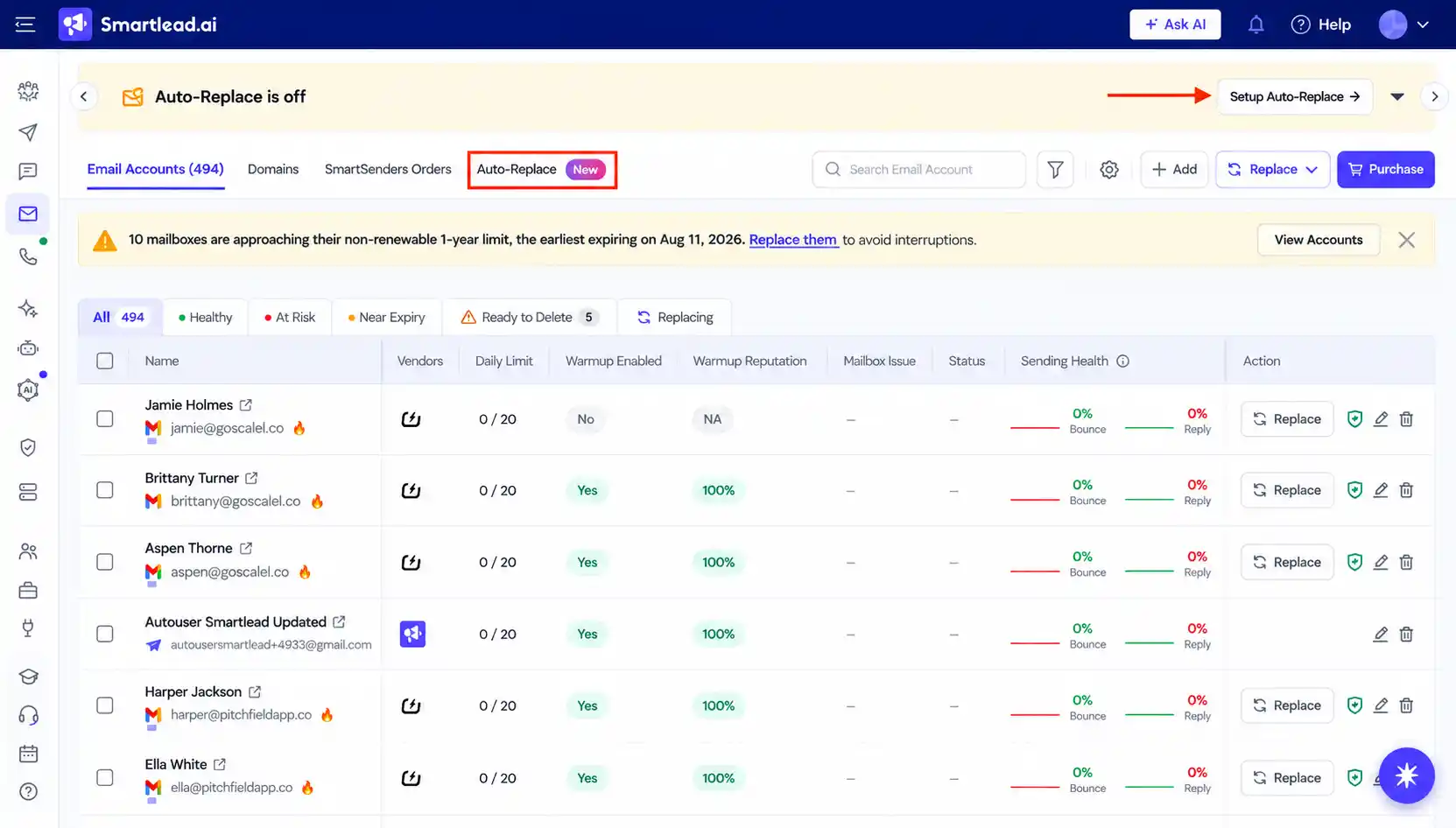
Calls arrived too. SmartDialer places calls inside sequences, and LinkedIn steps work through HeyReach and Aimfox.
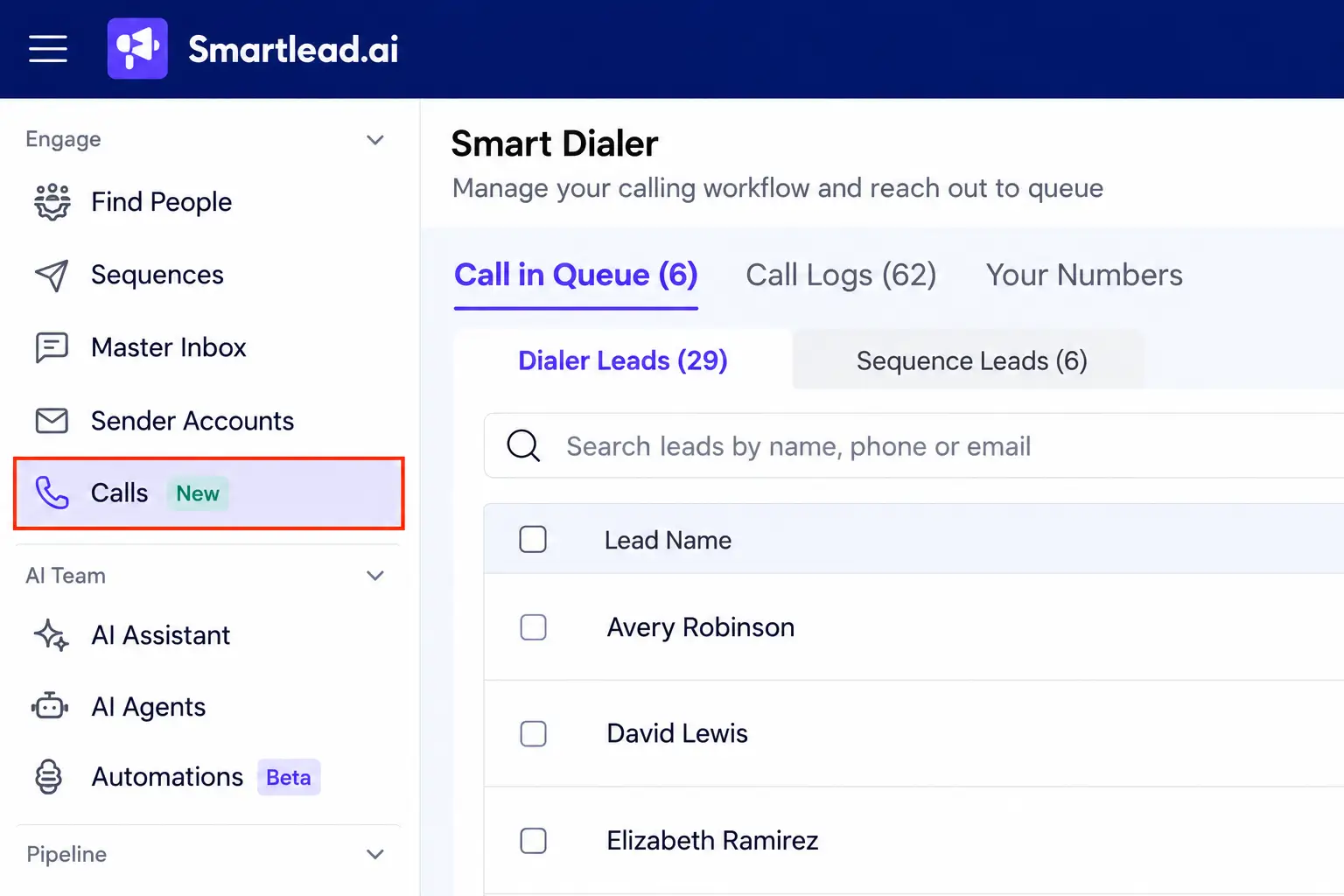
More than 100,000 businesses use the platform. That maturity shows in the small details, from reply tagging to how cleanly client credits are tracked.
Smartlead Agency Snapshot
| Client separation | Client accounts from the Pro plan upward |
| White-label portal | $29/mo per client workspace; 3 included on Unlimited Prime |
| Warm-up | Invite-only network of aged mailboxes, with Ultra Premium pools |
| Dedicated sending | SmartServers with dedicated IPs at $39 per server |
| Placement testing | SmartDelivery add-on from $49/mo, checking 400+ blocklists |
What clicked for us
What bugged us
AFFiNCO Verdict: The deepest white-label control we tested. Add-ons stack up, but the margin it unlocks usually covers them comfortably.
5. Apollo.io: Prospect Data First, Cold Email Sending Second
AFFiNCO Score
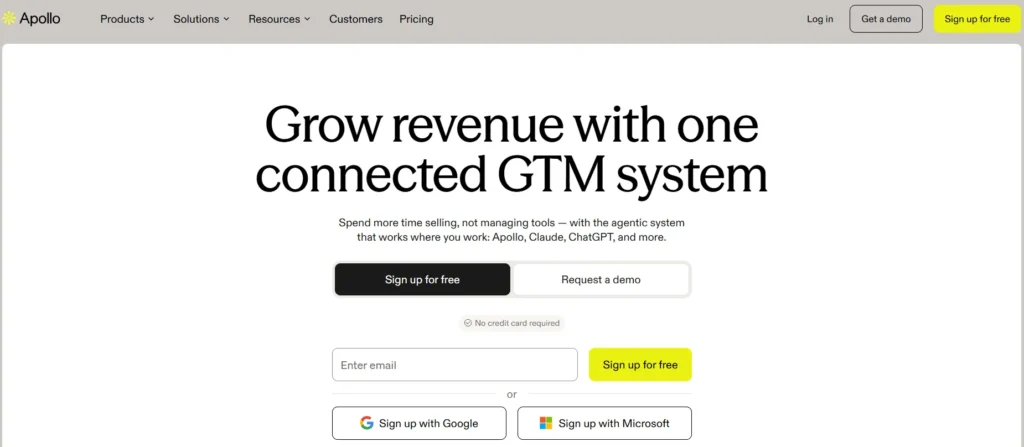
Apollo is where most agencies start. A huge B2B lead database, a slick Chrome extension and zero friction. At heart, it is a sales engagement platform with email bolted on.
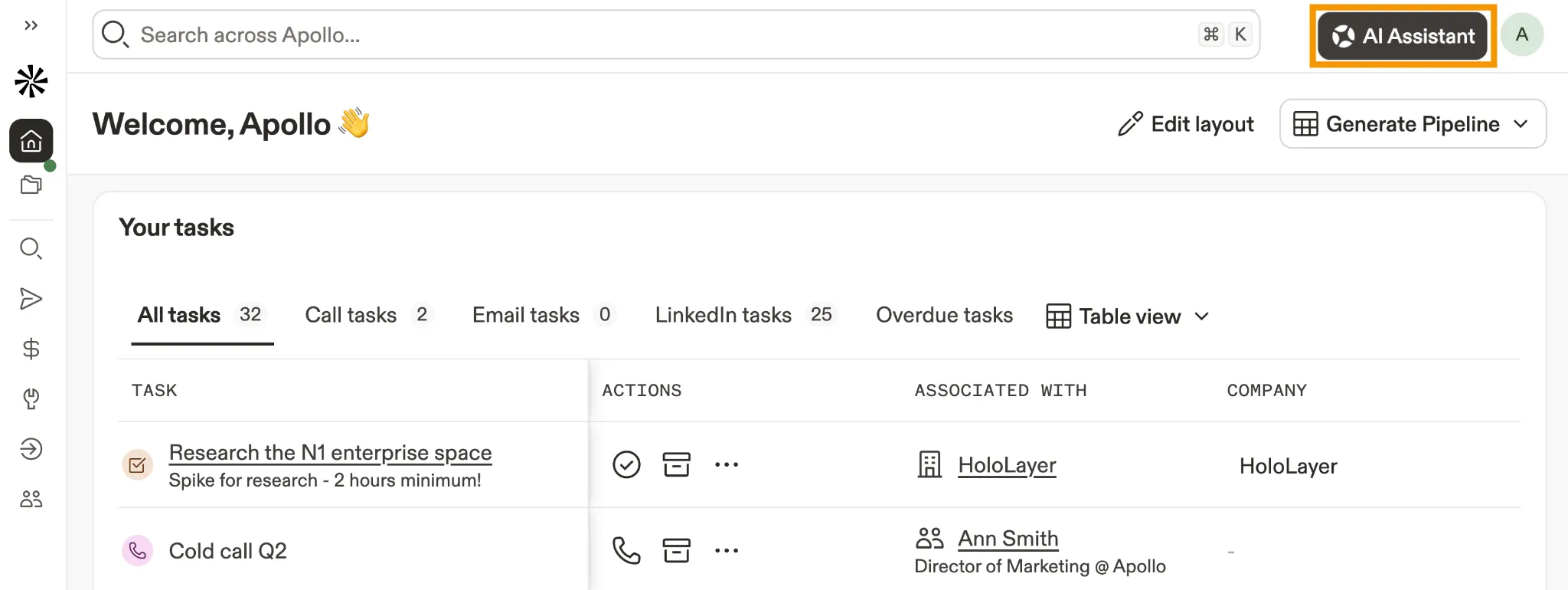
But one detail rarely makes it into reviews.
Apollo plans are for internal business use. Sharing Apollo data with clients, or reselling it, needs a separate custom agreement. For an agency building prospect pools for paying clients, that clause matters a lot. Read it before you build a service on top.
For client access, Apollo offers a Partner Seat through its Solutions Partner Program, from the Driver tier upward. You switch between client accounts after each client signs a consent form. The seat gets full feature access but no billing or user controls, and it costs nothing extra.
The AI Assistant is the fun part. Describe a workflow in plain English, and it builds the search, sequence and steps for you. Scheduled agents now hunt for leads and tune sequences on autopilot.
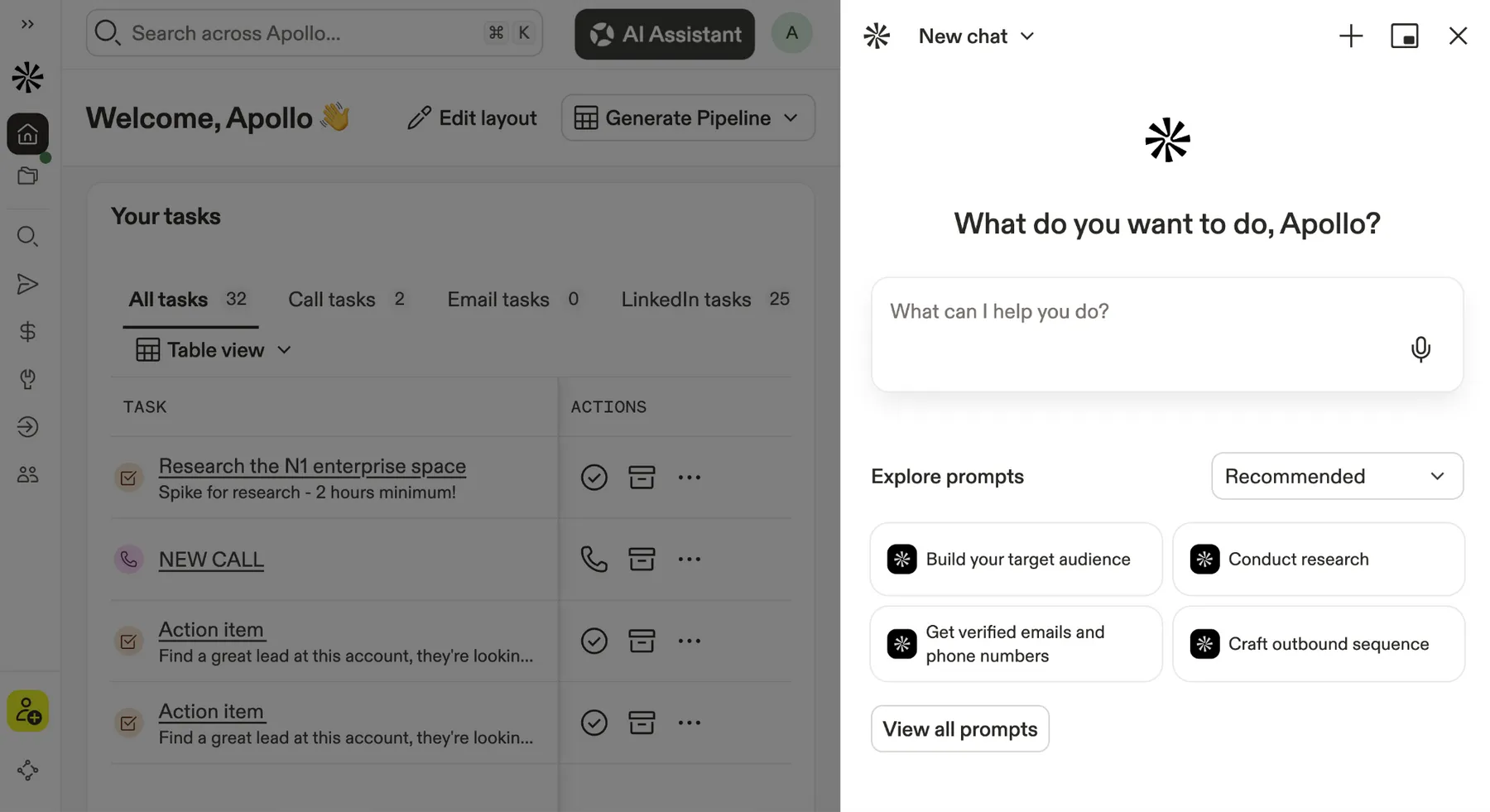
Calling got a boost too. An Advanced dialer add-on brings parallel dialing and international calls, billed in 30-second blocks. Handy when a client wants phone follow-ups straight after an email reply.
Our honest view: Apollo is a brilliant research desk. As a sending engine for multi-client agencies, it trails the specialists on this page.
Apollo.io Agency Snapshot
| Client separation | Partner Seat via the Solutions Partner Program |
| White-label portal | None inside the product |
| Warm-up | Through Warmbox; 1 mailbox per seat included, extras cost 200 credits every 30 days |
| Mailbox rules | Professional allows unlimited Google and Microsoft mailboxes; mailboxes bought from Apollo cap at 200 sends a day |
| Bounce guard | Sequences auto-pause on bounce spikes; catch-all protection on by default |
What clicked for us
What bugged us
AFFiNCO Verdict: Keep Apollo for research and enrichment, then hand client sending to a dedicated agency tool.
6. Salesforge: A Modular Cold Email Stack With Reseller Rights Built In
AFFiNCO Score
Salesforge launched in 2023, and it isn't one tool. It's a whole family. Mailforge, Primeforge and Infraforge handle inboxes. Warmforge handles warm-up. Leadsforge handles data.
For agencies, the big story is unlimited workspaces on both plans. Split every client cleanly without paying per client. That's rare at this price.
Replies land in Primebox, a unified inbox for email and LinkedIn. A “Primebox Only” role lets an appointment setter work replies without touching a single campaign setting.
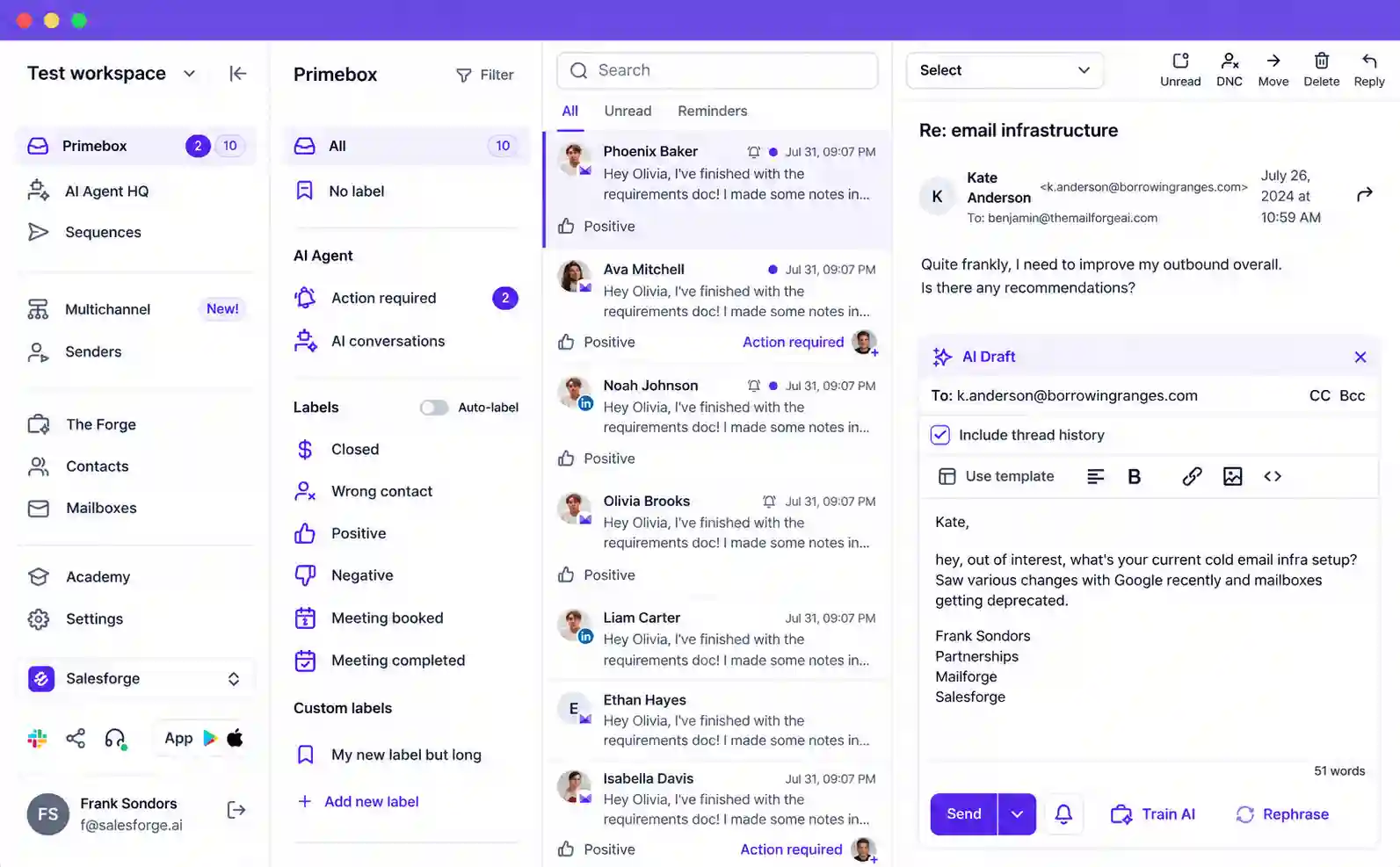
Then there's Agent Frank, the AI SDR. Auto-Pilot or Co-Pilot mode, 20+ languages, prospecting through to replies. Frank starts at $499 a month, billed quarterly, after a demo. Mailboxes aren't included. We'd test Frank on one patient client before rolling him out wider.
Frank keeps getting smarter, too. A newer intelligence layer researches each contact before writing. Human Review lets you approve replies before they go out. Signals now act as a prospecting source, so Frank can chase companies showing fresh buying intent.
LinkedIn safety got attention as well. When a LinkedIn action limit hits, Salesforge pauses just that action instead of freezing the whole sequence.
Salesforge Agency Snapshot
| Client separation | Unlimited workspaces on both plans |
| Reseller terms | Stripe billing only, agreements up to 3 years |
| Mailbox health | Heat Score per mailbox and a spam score for every email |
| Paid infrastructure | Infraforge dedicated IP at $99/mo; Primeforge Google and Microsoft mailboxes at $4.50 each |
| Bounce safety | Bounce Shield verifies before sending and auto-pauses on bounce spikes |
What clicked for us
What bugged us
AFFiNCO Verdict: A brilliant pick for agencies that want to own every layer of the stack and shape it piece by piece.
7. Saleshandy: Multi-Client Cold Email Without Per-Seat Pain
AFFiNCO Score
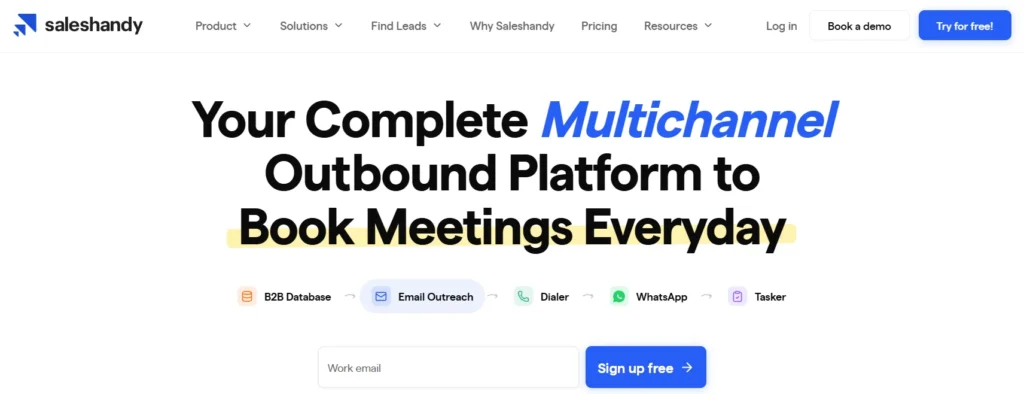
Saleshandy speaks agency language. Clients and teams come at no extra cost, and per-seat pricing never eats into your margin.
The agency client tab is where the real work happens. Each client gets Full, Limited or View Only access. Client filters then follow you across email accounts, the inbox and sender rotation.
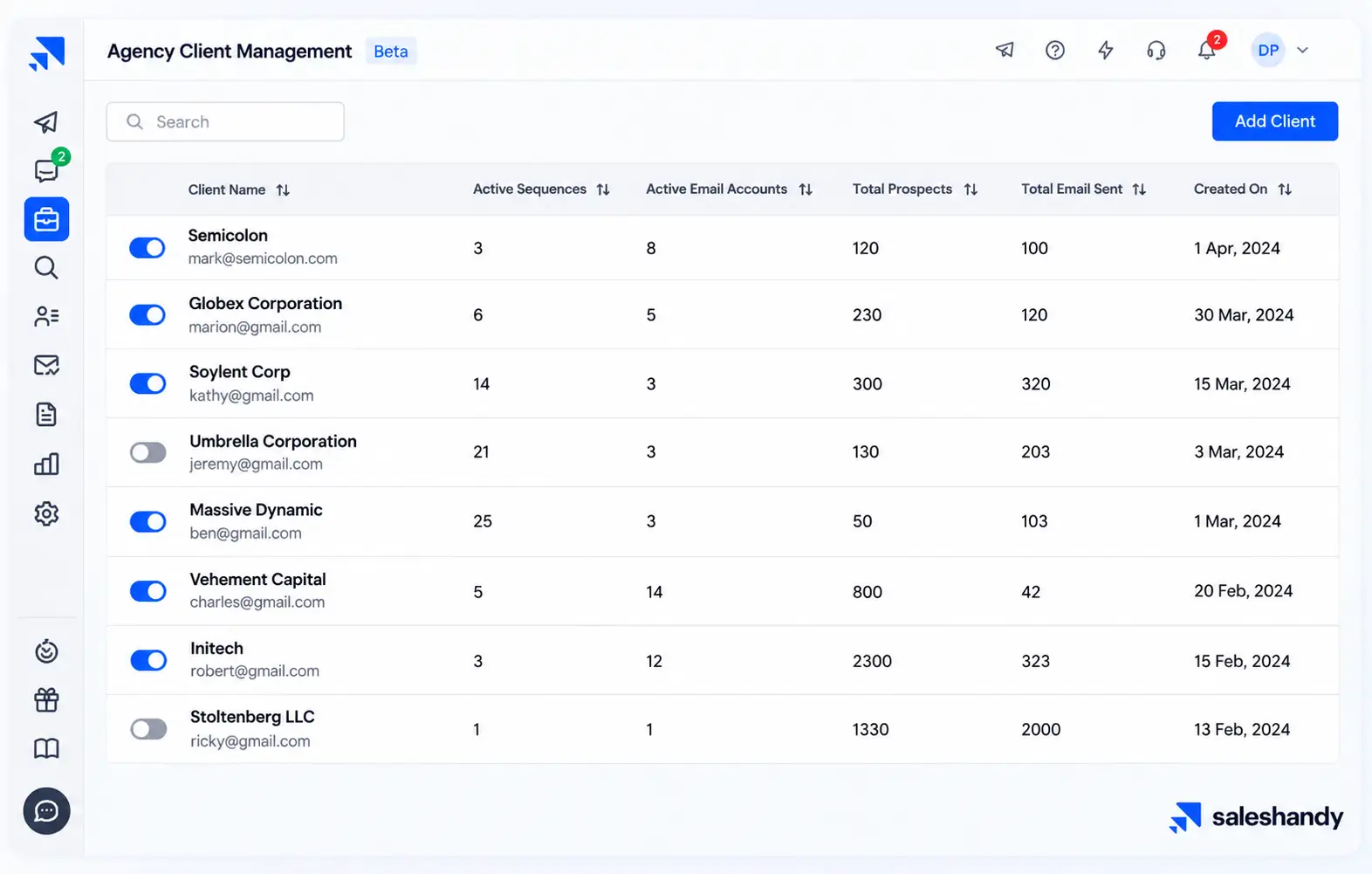
From the agency portal, one click drops you straight into any client account. No password juggling.
White-label goes properly deep on Scale and above. Custom domain through CNAME with SSL handled, your logo and favicon, and client notifications that never mention Saleshandy.
2026 has been busy. The Lead Finder was rebuilt with a waterfall across 9 data providers, and unverified results cost nothing. LinkedIn steps arrived through Aimfox and HeyReach. An MCP server now connects Claude, ChatGPT and n8n.
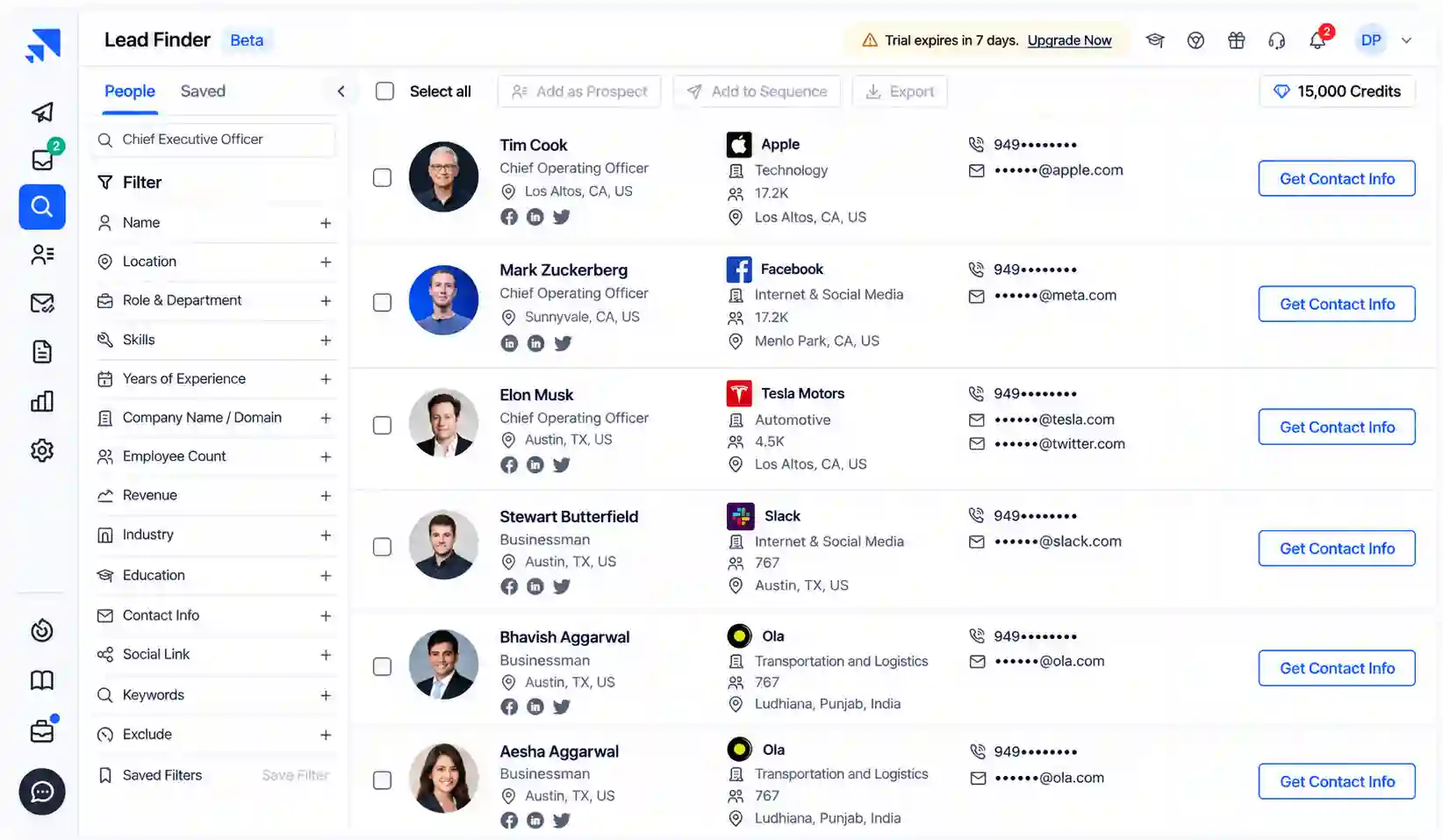
Developers on the team will smile too. A Lead Finder API pulls up to 100 records per request, and a CLI lets you script campaign tasks without touching the dashboard.
Saleshandy Agency Snapshot
| Client separation | Agency client tab, included on every plan |
| Warm-up | Free through TrulyInbox |
| Done-for-you mailboxes | Google, Microsoft and Azure, from $2.99 per mailbox |
| Placement testing | 2 free tests a month, paid packs above that |
| Reply desk | Unified Inbox sorting replies into interested, not interested, meeting booked and out of office |
What clicked for us
What bugged us
AFFiNCO Verdict: The best value per client we found. Few tools let a small agency look this professional on a modest budget.
8. Hunter: Email Finder and Verifier With Lightweight Sequences
AFFiNCO Score
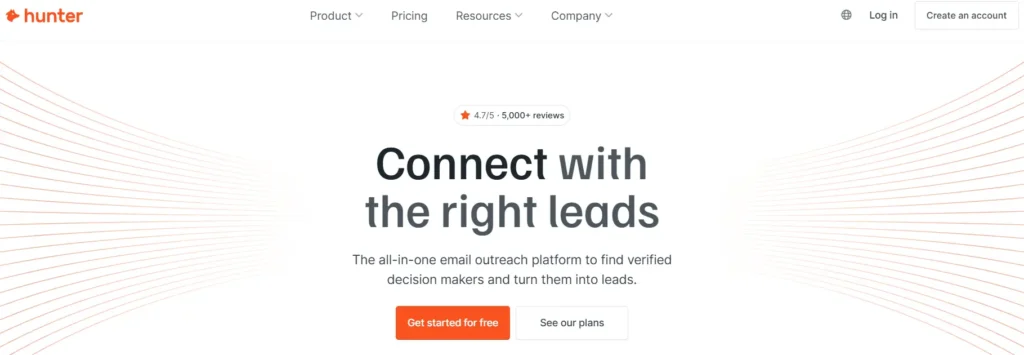
Hunter is the tool every marketer has used at least once. Paste a domain, get emails. Done.
Over the years, Hunter added Sequences (formerly Campaigns). So you can now find, verify and send from one tab. For a small agency doing tight, research-heavy outreach, that combo feels lovely.
Credits are fair. One credit per email found, half a credit per verification and nothing charged when nothing turns up. The whole team shares one credit pool, and unlimited users join at no extra cost.
2026 filled the missing deliverability gaps. Inbox Protection warms accounts over 30 days before handing them back to sequences. Google Workspace mailboxes can now be bought inside Hunter, with SPF, DKIM and DMARC configured in about an hour. A 100-point Sender Health score flags weak accounts early.
Progressive Sending is another quiet win. New accounts start slow and climb toward their daily limit automatically, so nobody on the team forgets to raise volume by hand. Every found email also shows its public sources, which helps when a client questions data quality.
Hunter also landed inside ChatGPT, on every plan including Free.
For a multi-client agency, though, the snapshot below tells the real story. Juggling five clients here gets messy fast.
Hunter Agency Snapshot
| Client separation | No client workspaces; a user can join only one team |
| White-label portal | None |
| Warm-up cost | Inbox Protection at $7.50 per account a month |
| Daily sending caps | Gmail 400, Outlook and SMTP 250, default 15 |
| Rotation | Paid plans only, with recipients split evenly |
What clicked for us
What bugged us
AFFiNCO Verdict: A superb finder and verifier. Pair it with a proper agency sender once you pass two or three clients.
Cold Email Infrastructure Blueprint for Multi-Client Agencies
The software is only half the job. The other half is plumbing.
Here is the setup we use for every new client at AFFiNCO. It has saved us from more than one burned domain.
Pre-warmed inboxes save a few weeks when a client needs speed. Still start them gently, because a sudden jump in volume looks suspicious to any provider.
Mix Google and Microsoft mailboxes too. Prospects on Outlook often respond better to Outlook senders, and spreading providers lowers risk.
Here's quick capacity maths for a client wanting 500 cold emails a day:
| Daily Send Target | Mailboxes at ~40/day | Domains at 3 Mailboxes Each |
|---|---|---|
| 200 emails | 5 | 2 |
| 500 emails | 13 | 5 |
| 1,000 emails | 25 | 9 |
| 2,500 emails | 63 | 21 |
Set up a custom tracking domain per client as well. Shared tracking links tie every client's reputation together, which is exactly what you want to avoid.
Finally, document every client's domains, mailboxes and DNS records in one shared sheet. When a teammate leaves or a client churns, nothing gets lost.
Always build in a spare domain or two per client. When something burns, you swap and keep sending while the old one rests.
AI SDRs and Reply Agents: Where Agencies Should Draw the Line 🤖
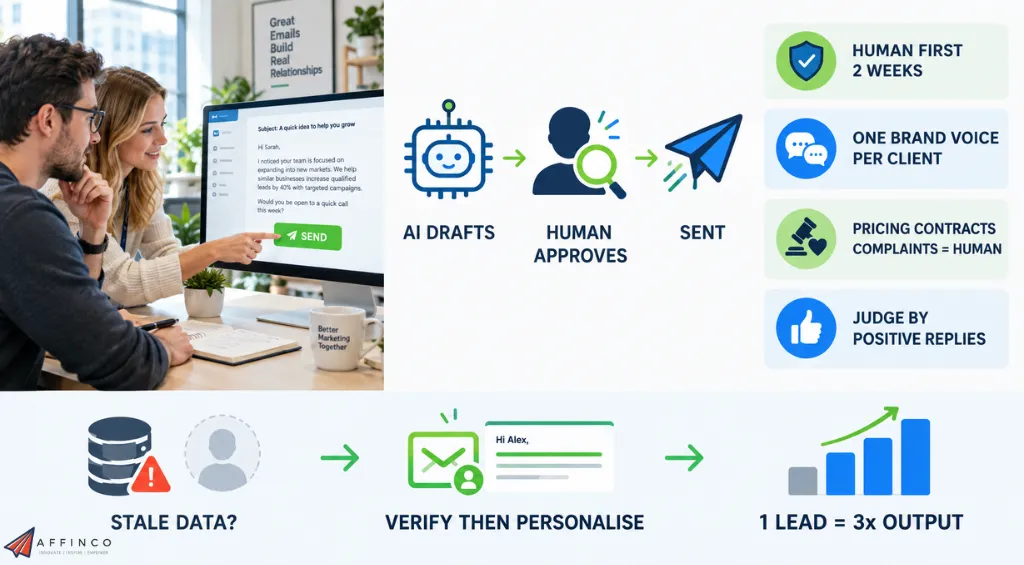
Every vendor on this page now sells some kind of AI agent. Some write. Some reply. Some do the whole job.
They are genuinely useful. They are also a fast way to embarrass a client.
Our house rules after plenty of trial and error:
Also, check where each agent gets its data. An AI SDR prospecting from a stale database will happily write beautiful emails to people who left the company last year. Verify first, then write personalised cold emails.
Used this way, AI turns one account lead into the output of three. Used carelessly, it burns trust you spent a year building.
Cold Email Reply Rate Benchmarks for 2026 Client Reporting
Clients always ask one question first. “Is this a good result?”
Now you can answer with real data. Instantly's Cold Email Benchmark Report 2026 analysed billions of interactions from thousands of active workspaces. Here's what came out:
| Metric | Figure |
|---|---|
| Average reply rate | 3.43% |
| Top quartile | 5.5%+ |
| Top 10% of senders | 10.7%+ |
| Replies from step one | 58% |
| Replies from follow-ups | 42% |
| Peak reply day | Wednesday |
Use these numbers as reply rate benchmarks, not promises. Niche, offer and data quality move results far more than software does.
Two lessons jump out.
We'd also urge you to report positive reply rate and booked meetings, not raw replies. “Please remove me” counts as a reply too. Clients care about calendars, not inbox noise.
FAQs About Cold Email Software for Agencies
Is free cold email software enough to start an agency?
Free tiers help you test copy and targeting. None we tested on a free tier separates clients properly, so expect to upgrade as soon as the second client signs.
Do open rates still matter in cold email reports?
Not much. Apple Mail Privacy Protection auto-loads tracking pixels, which inflates opens. Many agencies also switch tracking off to protect deliverability. Replies and meetings tell the real story.
How many clients can one cold email tool handle?
Plenty, as long as each client lives in an isolated workspace or team. We have seen single platforms carry dozens of clients comfortably. The limit is usually your team's reply speed, not the software.
Can Google Workspace and Microsoft 365 mailboxes be mixed for one client?
Yes, and we recommend it. Every platform here connects both. A mix spreads risk across providers and lets ESP matching send from the same provider a prospect uses.
Do agencies still need a separate email verification tool?
Usually not. Most platforms here verify before sending. A second check helps for older data or catch-all domains, where one bad batch can push bounces past safe levels.
Our Final Verdict on the Best Cold Email Software for Agencies
After years of outreach for our own partnerships and for client campaigns, our answer is clear. Start with Instantly.
It handles volume without fuss, gives clients a branded window into their results, and lets AI handle the reply grind. When you need finer client permissions, Smartlead is right behind it.
Pick the tool that fits your client mix, set up infrastructure properly, and respect the inbox rules. Do that, and cold email stays the most reliable growth channel your agency owns.


Ali
Ali is a digital marketing expert with 7+ years of experience in SEO-optimized blogging. Skilled in reviewing SaaS tools, social media marketing, and email campaigns, we craft content that ranks well and engages audiences. Known for providing genuine information, Ali is a reliable source for businesses seeking to boost their online presence effectively.