
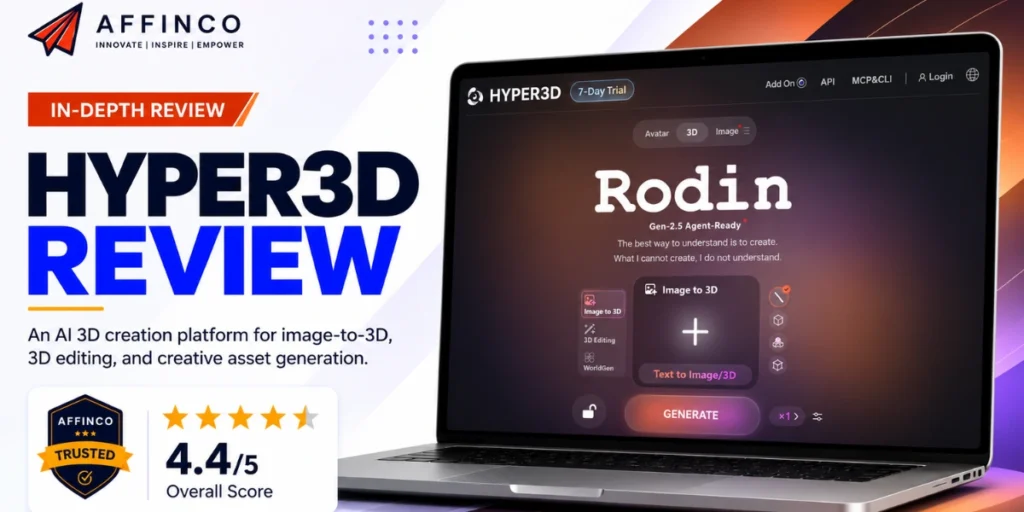
We needed 3D product models for a Shopify store. We also needed printable figurines for our POD shop and fresh visuals for paid ads.
Hiring a 3D artist for every single item? Too slow and way too pricey.
So we put Hyper3D to work across our affiliate sites, e-commerce stores, POD products, ad creatives and our YouTube channel.
AFFiNCO rating
Short story. Hyper3D is one of the strongest AI 3D model generators we have used so far. One photo or one line of text becomes a textured 3D model in seconds.
Not perfect though. Billing needs care, and some models still want a quick cleanup before they go live.
Hyper3D AI at a Glance
| Detail | What We Found |
|---|---|
| Company | Deemos Corporation, Los Angeles |
| Core model | Rodin Gen-2.5 with five Thinking Effort levels |
| Inputs | One image, optional extra views, or a text prompt |
| Speed | About 4 seconds (Extreme-Low) up to 80 seconds (Extreme-High) |
| Export formats | STL, FBX, OBJ, GLB, GLTF, USDZ |
| Other products | ChatAvatar, AI Image and Video Generator, OmniCraft, WorldGen |
| Free plan | $0, pay by result, 10 private assets, direct credits at $1.50 each |
| Paid plans | Creator $30/mo, Business $120/mo, Enterprise custom |
| Developer access | REST API, Rodin MCP server, plugins for Blender, Unity, Unreal and more |
| Security | ISO and GDPR badges, SAML 2.0 SSO for teams |
| Best for | Sellers, affiliates, creators and small studios who need 3D asset generation without hiring a 3D artist |
| Where Hyper3D wins | Control. ControlNet guides, Partial Edit, quad meshes, custom polycount and free previews give more say over the final file than most rivals |
| Where Hyper3D hurts | Credit math takes time to learn, the free tier only exports from older models, and API and avatar licensing live on the $120 plan |
What Is Hyper3D? The Rodin AI 3D Model Generator Explained
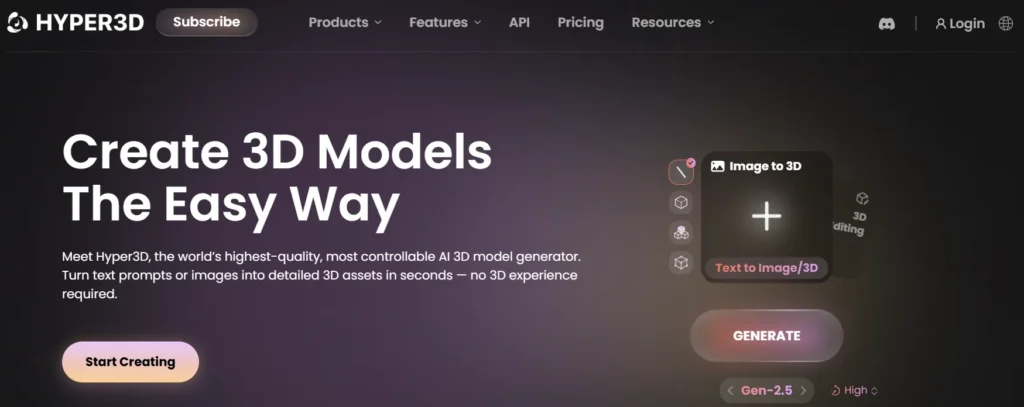
Hyper3D is the creative platform built by Deemos, a 3D generative AI company.
The heart of Hyper3D is Rodin. Rodin reads a photo or a prompt, figures out the hidden sides of an object, and builds a mesh with UVs and materials already in place.
Rodin isn't a weekend hobby model either. The team behind Hyper3D published research like CLAY and CAST, and CAST won a Best Paper Award at SIGGRAPH 2025, the biggest computer graphics conference around.
For us, the simple version goes like this.
Think of Hyper3D as an online 3D modeling studio where the AI does the sculpting and you act as the art director.
Who Should Care About Hyper3D AI in 2026
We see seven groups getting real value from Hyper3D AI. Each one leans on a different corner of the platform.
| Who | What they make | Main tools |
|---|---|---|
| Affiliate marketers | 3D product spins, comparison visuals, review thumbnails | Rodin, AI Image Generator |
| E-commerce sellers | 360° product views, AR previews, product configurators | Rodin, Model Viewer, USDZ export |
| POD and 3D printing sellers | Figurines, keychains, planters, tabletop minis | Rodin with STL export, Vector to 3D |
| Content creators and YouTubers | Virtual hosts, faceless channel presenters, B-roll clips | ChatAvatar, AI Video Generator |
| Agencies | Bulk client assets delivered on autopilot | API, Rodin MCP server, n8n |
| Indie game devs | Props, NPCs, level layouts | Rodin, Unity, Unreal and Godot plugins, WorldGen |
| NFT, AR and VR creators | Collectibles, AR filters, spatial scenes | USDZ and GLB exports, WorldGen |
Rodin Gen-2.5 and the Five Thinking Effort Levels
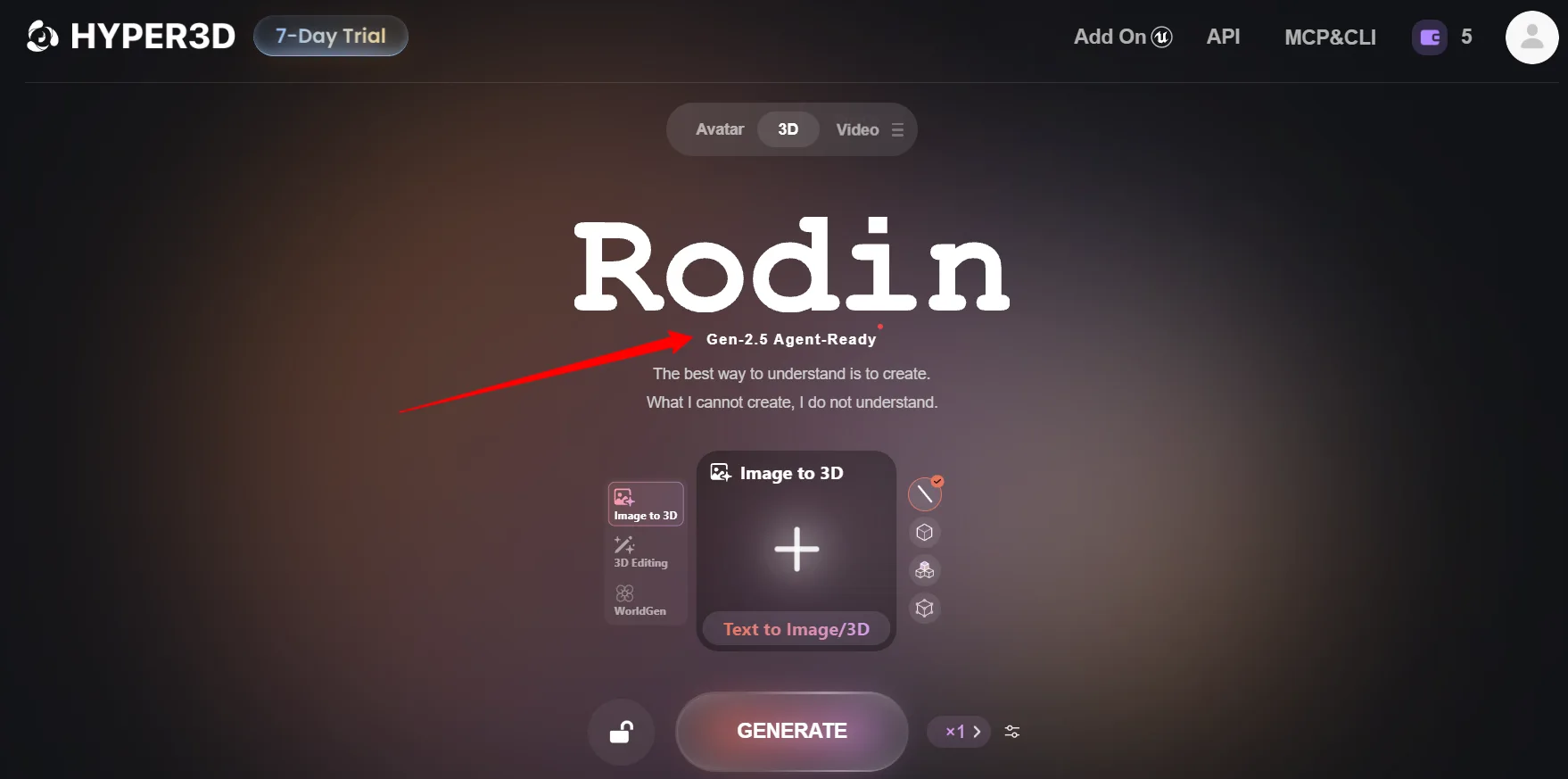
Rodin Gen-2.5 is the current flagship model. Our favorite part is a simple selector called Thinking Effort.
Picture the graphics setting in a video game. Low settings run fast and rough. High settings take longer and reward you with sharper detail and more faithful geometry.
| Thinking Effort | Approx. Time | How We Use Each Level |
|---|---|---|
| Extreme-Low | ~4 seconds | Quick idea checks and blocking out a scene |
| Low | ~9 seconds | Rough props for thumbnails and mood boards |
| Medium | ~20 seconds | Our default for most product models and ad visuals |
| High | ~40 seconds | Hero products, printable figurines and close up renders |
| Extreme-High | ~80 seconds | Final assets with fine surface detail and sharp textures |
AFFiNCO Take: Start every new idea on Extreme-Low or Low. Once the shape looks right, rerun on High. We wasted far fewer credits once we stopped jumping straight to Extreme-High.
Through the API, Gen-2.5 can push models up to 10 million polygons and textures up to 12K when Extreme-High is paired with the HighPack add-on. Overkill for a Shopify page, yet handy for print and film work.
Why Hyper3D Is More Than a 3D Model Maker
Most tools in this space do one job. Hyper3D has quietly grown into a full creative suite with five main products under one login.
| Product | What It Does | Where It Fits for Us |
|---|---|---|
| Rodin | Image to 3D and text to 3D generation with editing and control tools | Product models, figurines, game props |
| ChatAvatar | Full body 3D avatars with facial controls, blendshapes and lip sync | Virtual hosts and brand mascots |
| AI Image and Video Generator | Text or image to image and video, running top third party models | Ad creatives and short UGC style clips |
| OmniCraft | A toolbag of nine helpers for textures, HDRIs, SVG to 3D, mesh edits and file conversion | Cleanup and polish before export |
| WorldGen | One image to an editable 3D scene with separate objects | Scene mockups, previs and XR experiments |
Having all of that in one place matters more than it sounds. We used to bounce between four or five paid tools to go from a product photo to a finished ad. Now most of the job happens inside a single tab.
Our Hands On Experience With Hyper3D Rodin AI
We did not judge Hyper3D from a demo video. We pushed real jobs from our own business through it and watched what broke.
How we put Hyper3D through its paces
Product Models for Our E-commerce Store
Our first job was a skincare dropper bottle and a ceramic mug, each from a single phone photo.
STL Figurines for Our Print on Demand Shop
We typed a prompt for a chibi dragon planter in the Cartoon style and ran it on High.
3D Renders for Meta and Google Ads
For ad creatives we generated the product in Rodin, lit it with an 8K HDRI from OmniCraft and rendered stills in Blender.
Those stills then went into the AI Video Generator for short UGC style motion clips. Clean studio renders are easy to swap between colorways, which made split runs much cheaper for our paid search team.
Automated 3D Delivery for Agency Clients
This part won us over. With the Rodin MCP server connected to Claude Code, we asked for models in plain English, checked progress in chat and grabbed download links.
For bulk jobs we wired the Hyper3D API into n8n. A simple chain submits a job, polls the status endpoint, downloads the file and drops it into the client's shared drive.
Hyper3D Key Features We Use Most
Hyper3D packs a lot in. Below we cover every feature that actually changed how we work, in the order we reach for them.
Image to 3D and Text to 3D Generation
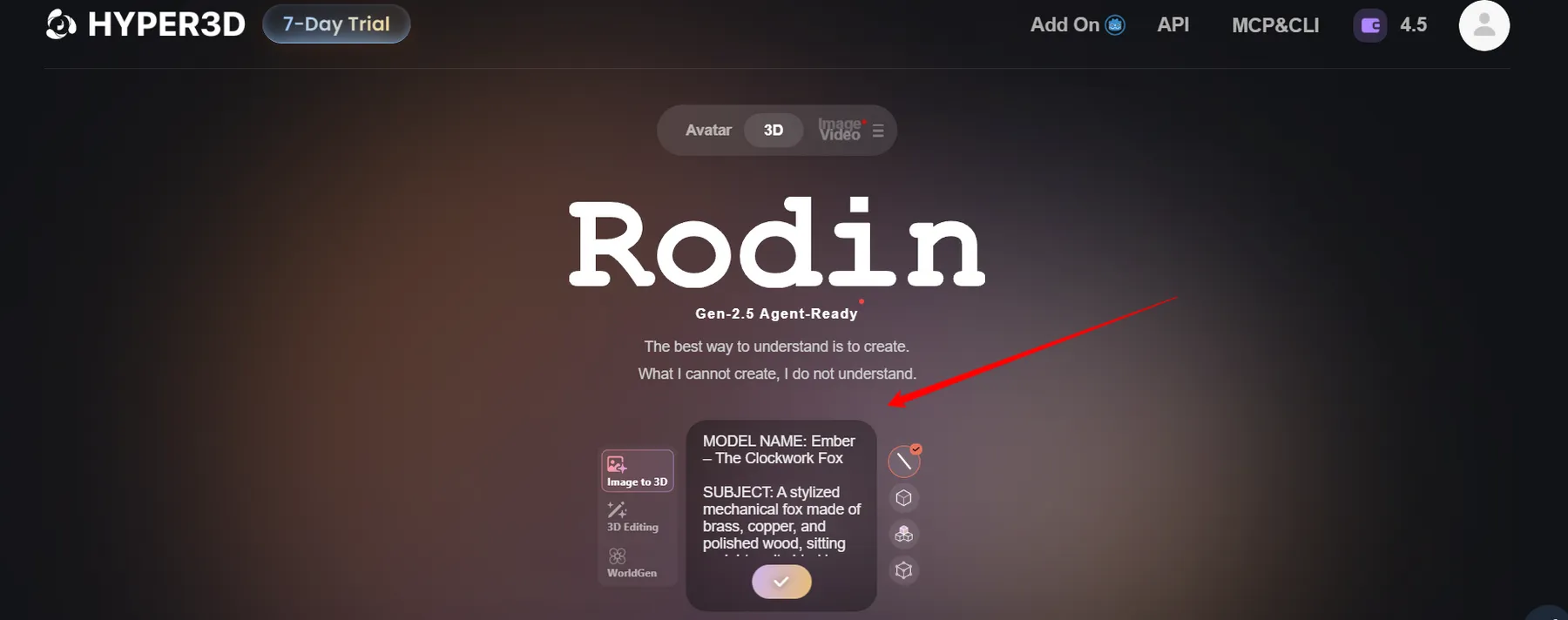
The image to 3D model tool needs just one picture. No fixed pose, no required camera position.
For AI generated 3D models from image, our best results came from a plain background, soft light and the product filling most of the frame. None of that is required. It just helps.
3D ControlNet With Bounding Box, Voxel and Point Cloud
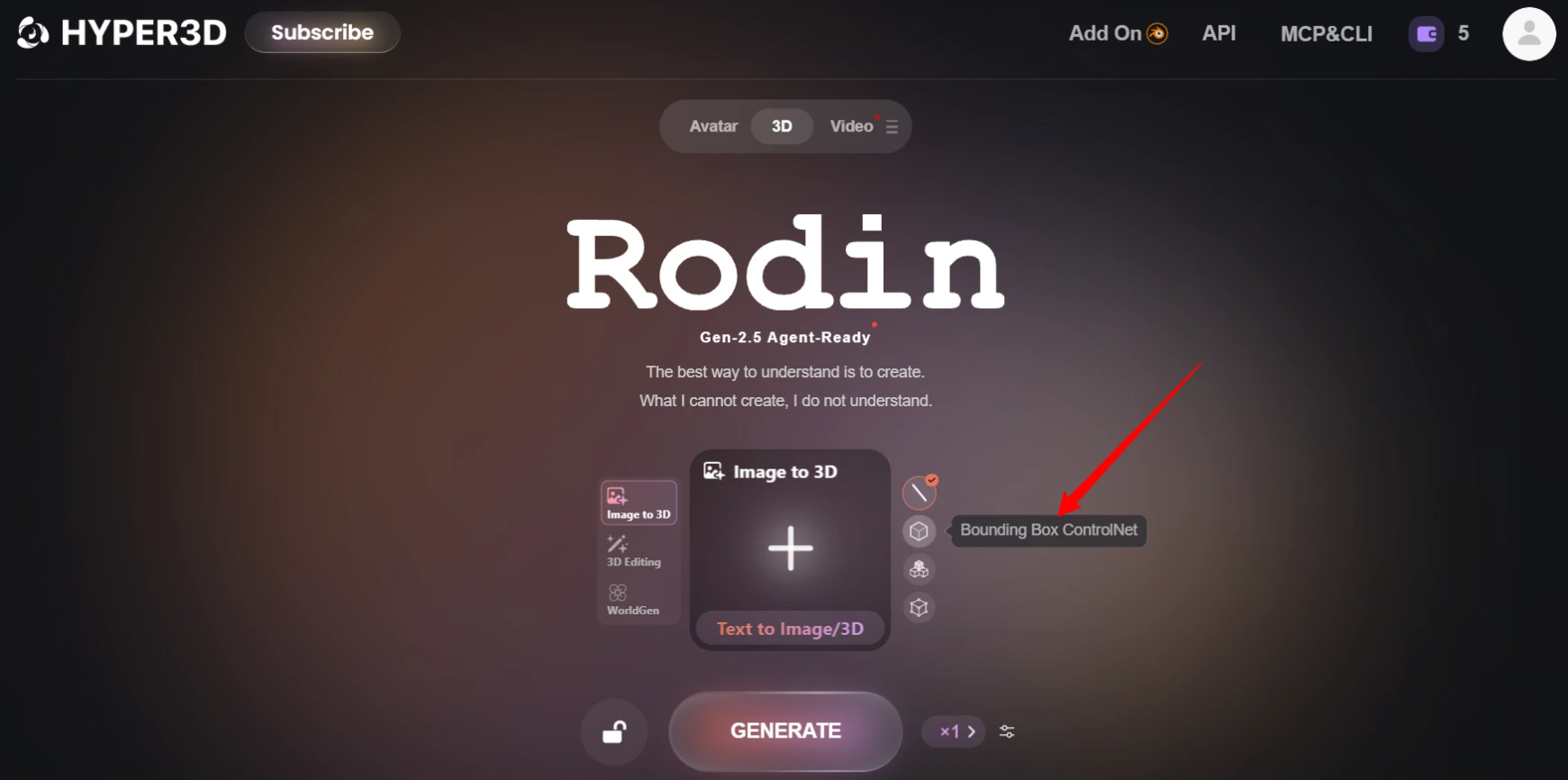
This is where Hyper3D pulls ahead of most rivals. 3D ControlNet lets you guide the shape instead of hoping for the best.
| Control Type | What It Means | Our Use Case |
|---|---|---|
| Bounding Box | Draw a box to fix the width, height and depth ratio | Keeping a bottle tall and slim, not squat |
| Voxel | Give a rough block shape, like Minecraft cubes | Blocking out furniture and game props |
| Point Cloud | Feed scattered 3D points from a scan or another model | Matching a real object's exact outline |
Partial Edit, Smart Low Poly and Texture Controls
Once a model exists, these tools shape the final file.
Free Retry and Redos for Geometry and Material
Not happy with a result? Free Retry spins up another version, with up to 50 variations shown in the studio.
Redos are separate. You can rebuild just the shape or just the materials. Creator gives 20 geometry and 6 material redos, while Business raises that to 50 and 15.
3D Editing With Parts, Refine and Modify
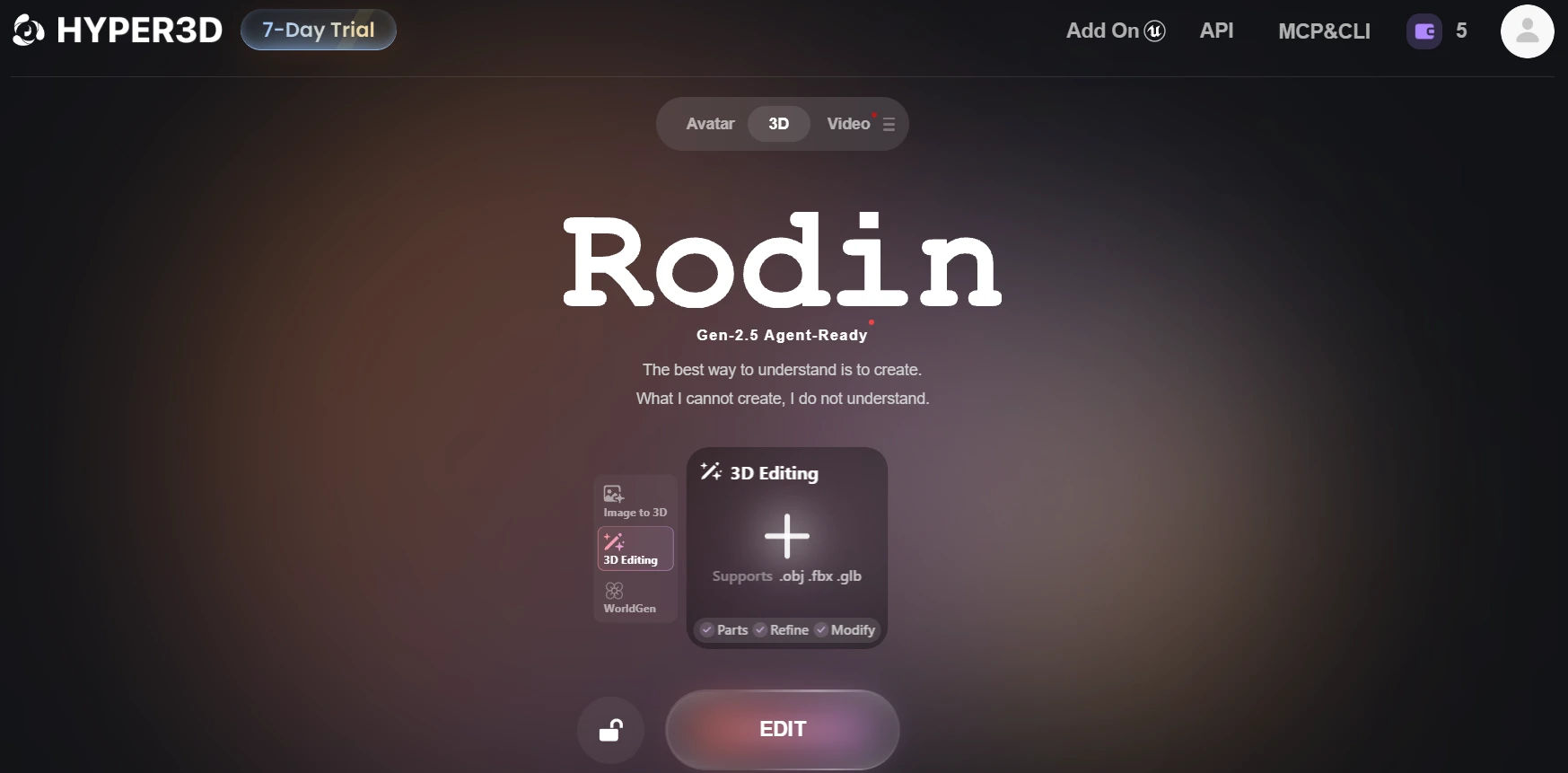
You can upload your own .obj, .fbx or .glb file and edit it with AI.
We used Parts to pull a lid off a jar model so we could animate it opening for a product ad.
21 Style Presets for Instant Looks
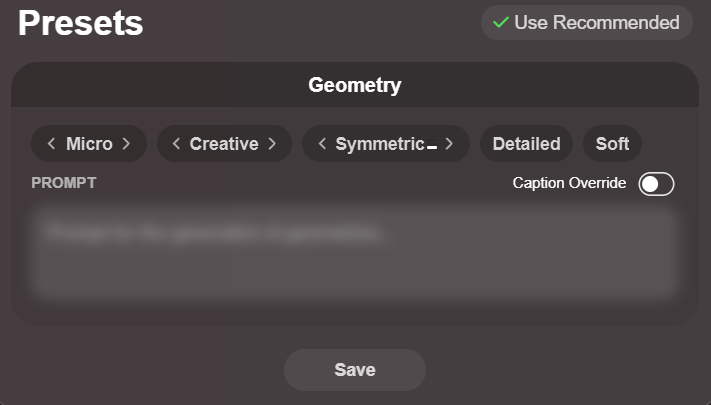
Style presets change the whole feel of a model with one click.
Photorealistic and Realistic suit product listings. Cartoon, Anime and Voxel are gold for POD figurines and kids' merch.
Export Formats With PBR Materials and Clean Topology
Every model ships with PBR materials and ready to use UVs, so the UV mapping is already done and textures wrap properly in any engine.
| Format | Best For |
|---|---|
| STL | 3D printing and slicers like Bambu Studio or Cura |
| GLB / GLTF | Web viewers, Shopify 3D media and Android AR |
| USDZ | Apple AR Quick Look on iPhone and iPad |
| FBX | Game engines like Unity and Unreal |
| OBJ | General editing in Blender, Maya or 3ds Max |
ChatAvatar AI 3D Avatar Generator With ARKit Blendshapes
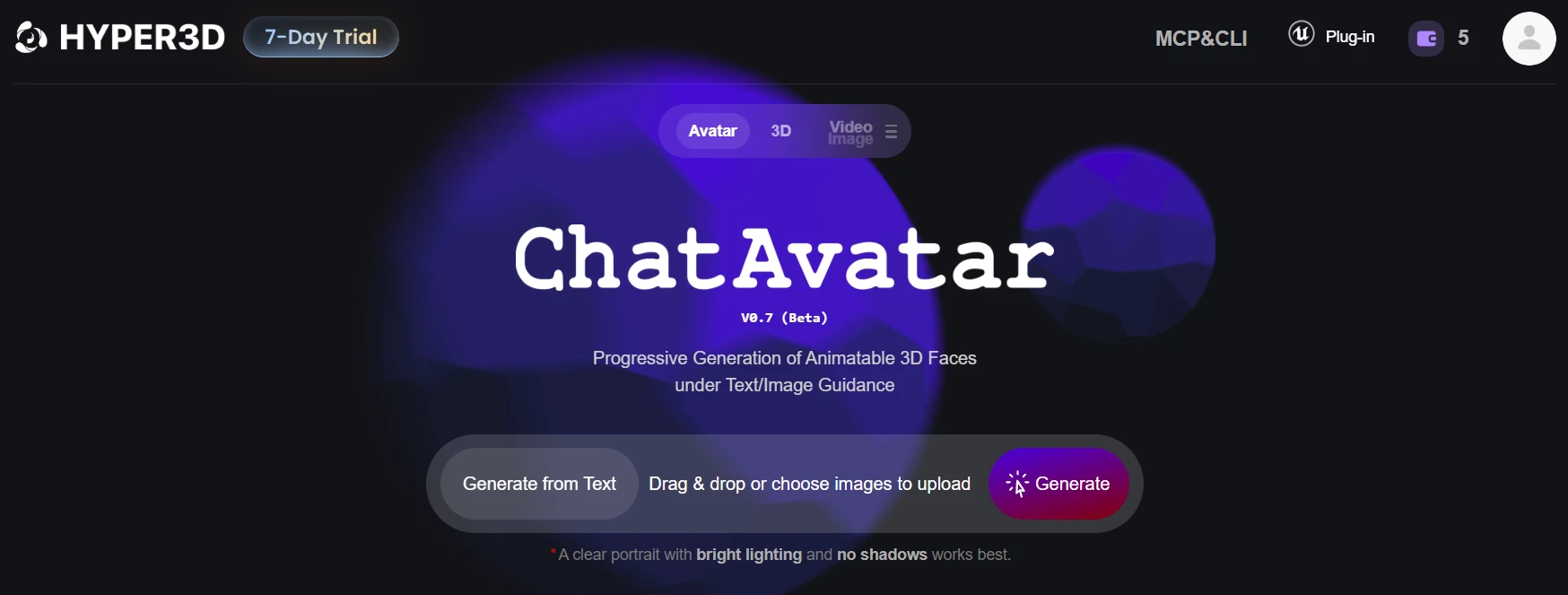
ChatAvatar is a separate 3D avatar generator inside Hyper3D. Describe a character or upload a portrait, and you get a complete avatar package.
Business users get a 3D preview before buying an avatar and a commercial license. On lower plans, check the license badge on each asset before putting a face on a monetized channel.
AI Image Generator and AI Video Generator Inside Hyper3D
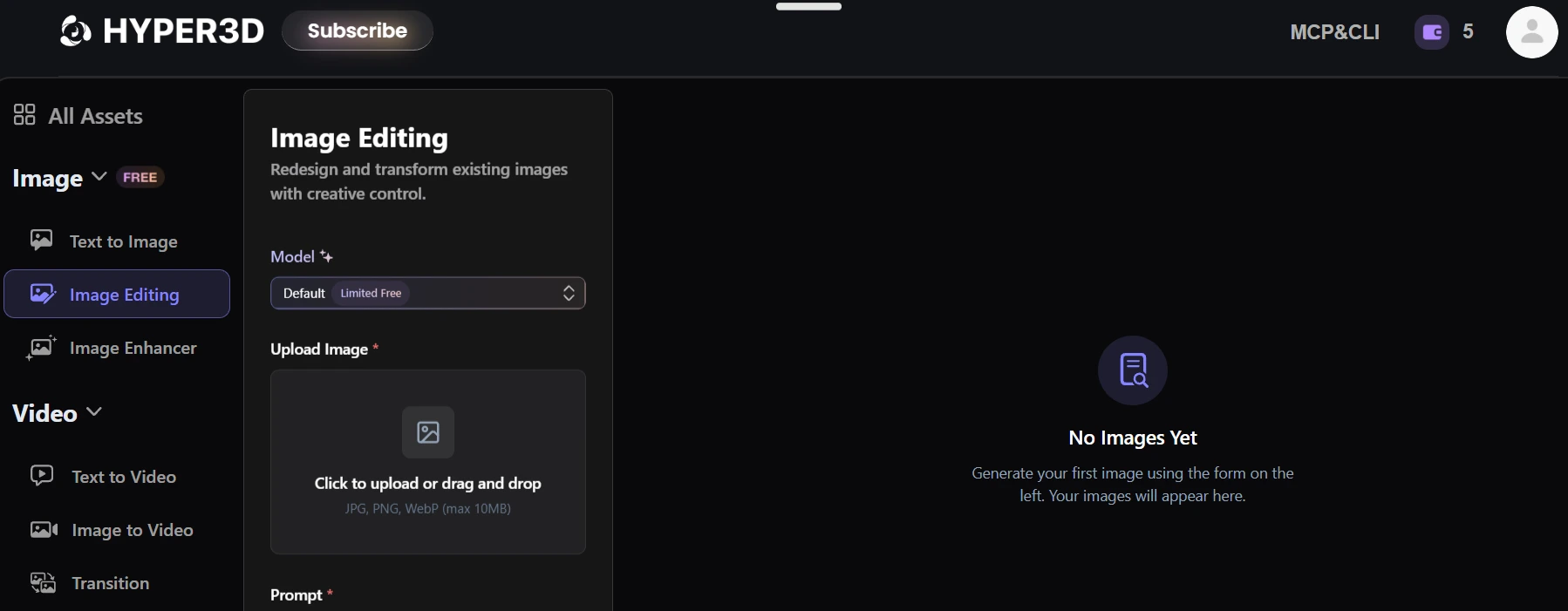
Hyper3D bundles an AI image generator and an AI video generator, so you rarely need a second subscription for creatives.
Our favorite trick is making a clean reference image first, then feeding that image straight into Rodin. Better input, better mesh.
OmniCraft Toolkit for Textures, HDRIs and Mesh Fixes
OmniCraft is the free toolbag we did not expect to love this much.
| OmniCraft Tool | What It Does |
|---|---|
| Image Remix | Restyles an image, handy for fresh reference shots |
| Image Enhancer | Upscales images to 2K and 4K, unlimited on paid plans |
| Texture Generator | Turns any image into a stylized surface material |
| HDRI Generator | Builds 8K lighting environments from a text prompt |
| Rodin Search | A search engine for 3D models |
| Vector to 3D | Converts an SVG to 3D object, perfect for logos and signs |
| Mesh Editor | Quick edits on existing meshes |
| Model Viewer | Checks geometry, materials and scale in the browser |
| Format Converter | Switches files between 3D formats |
Vector to 3D became our favorite for POD. Upload a logo SVG, get an extruded 3D badge, print it as a keychain.
WorldGen for 3D Scene Generation From One Image
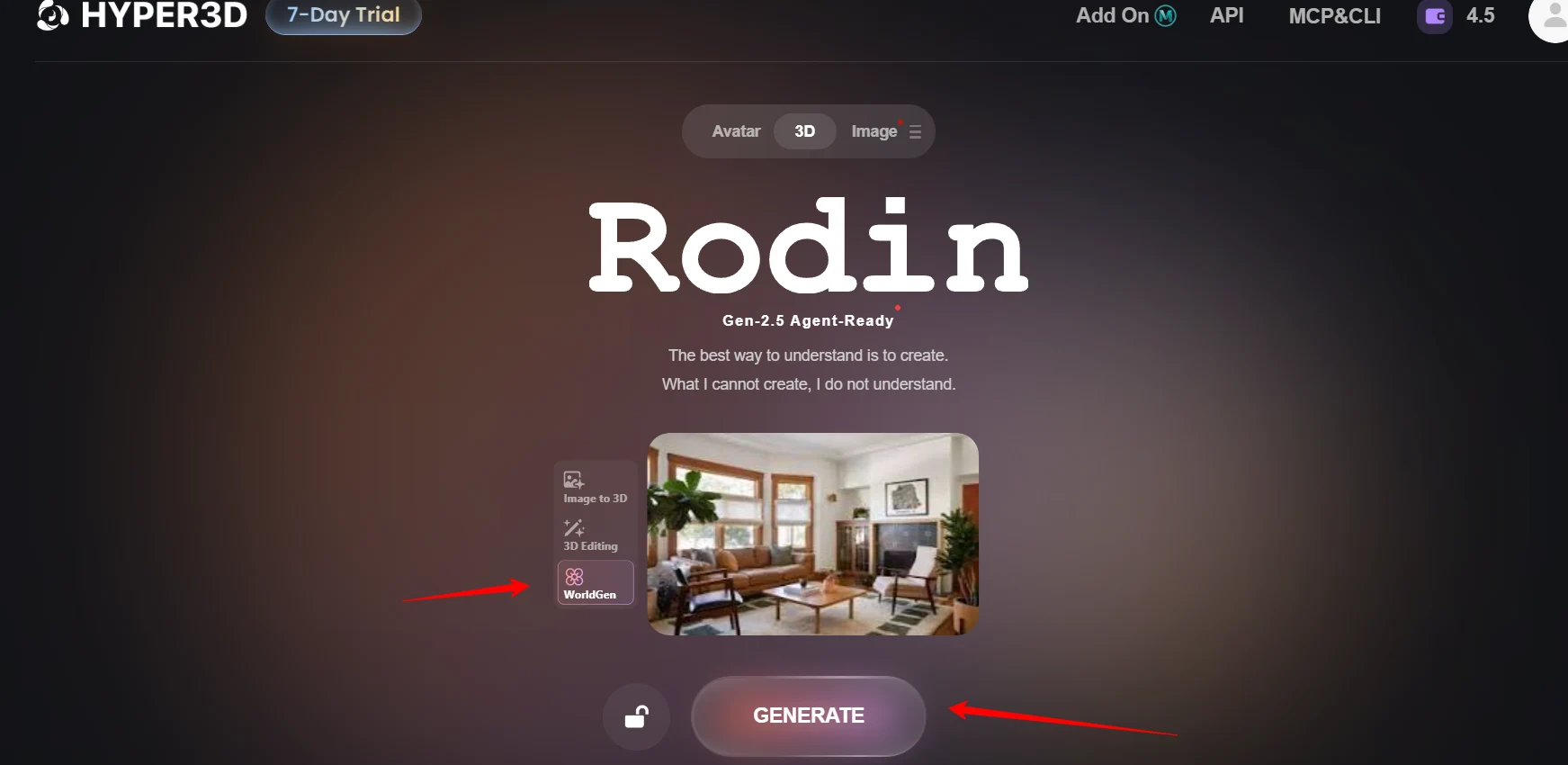
WorldGen is the newest product, and honestly the most exciting one.
Give it a single photo of a room or a desk. WorldGen finds the main objects on its own, or you can draw boxes around the ones you want.
We used WorldGen for a desk setup thumbnail scene and camera previs. Scenes open in Blender, Unity, Unreal and PlayCanvas, and robotics teams can push them into NVIDIA Isaac Sim.
API, Rodin MCP Server and 3D Software Plugins
Hyper3D is very developer friendly.
The Blender add on alone saves us a download and import cycle on every single model.
Enterprise Controls for Teams and Studios
Bigger teams get the security features procurement people ask about.
Best Hyper3D Use Cases for Sellers, Marketers and Creators
Features are nice. Money is nicer. These are the plays we see paying off for AFFiNCO readers.
E-commerce 3D Product Visualization and 360° Previews
Sellers on Amazon and Shopify can stack these assets with strong listing SEO.
Print on Demand and 3D Printing Products to Sell
As an AI 3D print model generator, Rodin opens up products that never needed a sculptor.
Plenty of sellers go hunting for a free AI STL generator and hit export walls. On Hyper3D the preview is free and the STL download costs a credit, which is fair for a sellable file.
Always check wall thickness and overhangs in your slicer before listing a product.
Ad Creatives, UGC Style Videos and Product Renders
Virtual Presenters and Avatars for Faceless Channels
ChatAvatar hosts work for YouTube Shorts, TikTok explainers and course intros. Pair a host with a voiceover tool and your channel gets a consistent face without anyone on camera.
Agencies Automating 3D Asset Delivery
Agencies can wire the API or MCP into n8n, Make or custom scripts. One brief goes in, a folder of GLB and USDZ files comes out, ready for client review.
Indie Game Devs, NFT Creators and AR/VR Projects
How to Create Your First 3D Product Model With Hyper3D
This is the exact process our team follows for a store listing. It takes about 15 minutes the first time.
- Step 1. Create Your Free Hyper3D Account

Head to hyper3d.ai and sign up. The Free plan needs no subscription, and generation works on a pay by result basis, so every image to 3D model free preview costs nothing until you confirm it.
- Step 2. Pick a Clean Product Photo
Choose a sharp photo where the product fills most of the frame. A plain background and soft light give Rodin an easier job. If the back or bottom has important details, keep one extra photo ready.
- Step 3. Open Rodin and Upload Your Image
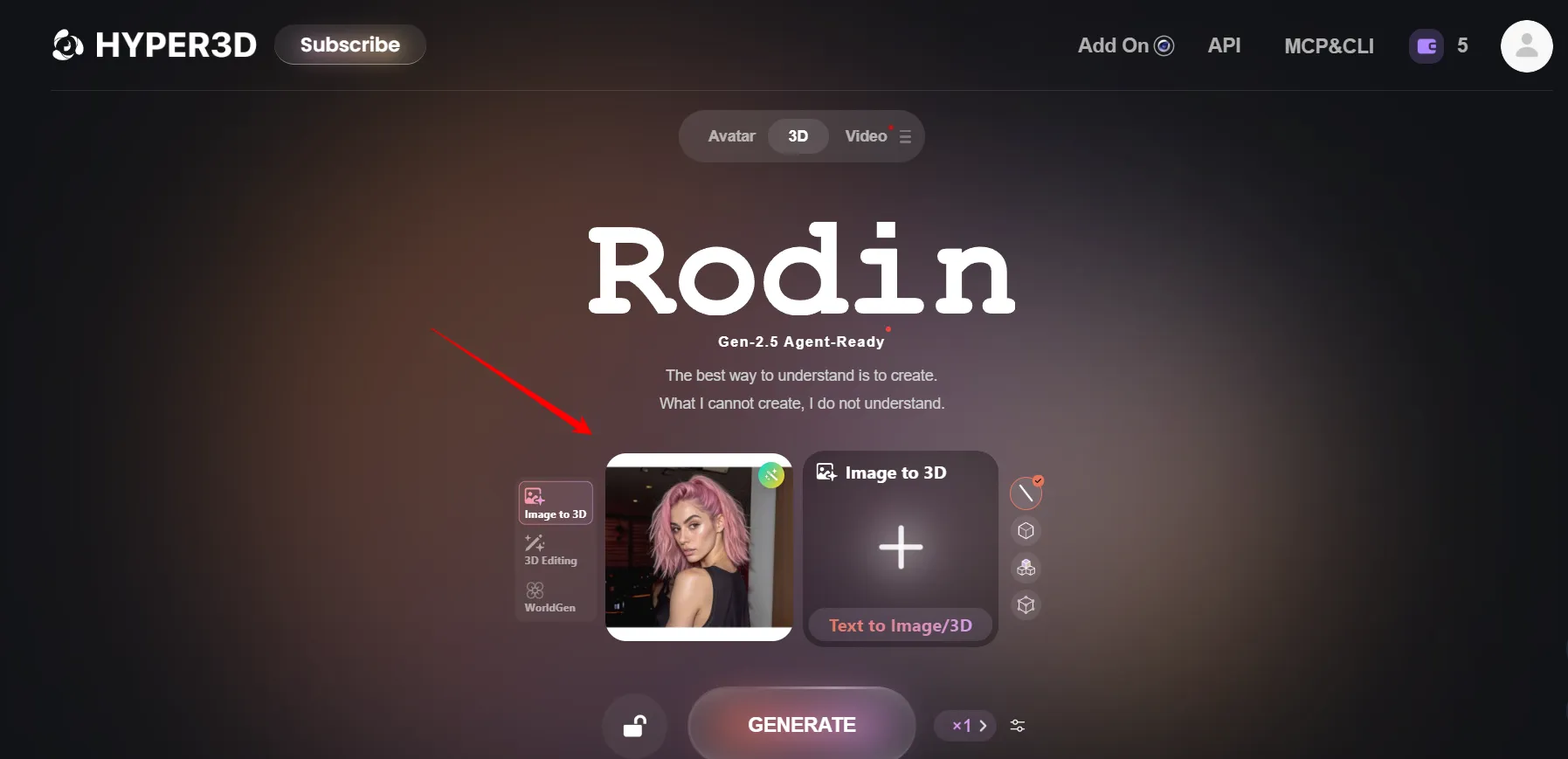
Go to the Rodin workspace and choose Image to 3D. Drop in your main photo. Add extra views only if hidden sides matter. For an idea without a photo, switch to Text to 3D and describe the object instead.
- Step 4. Choose Gen-2.5, Thinking Effort and a Style
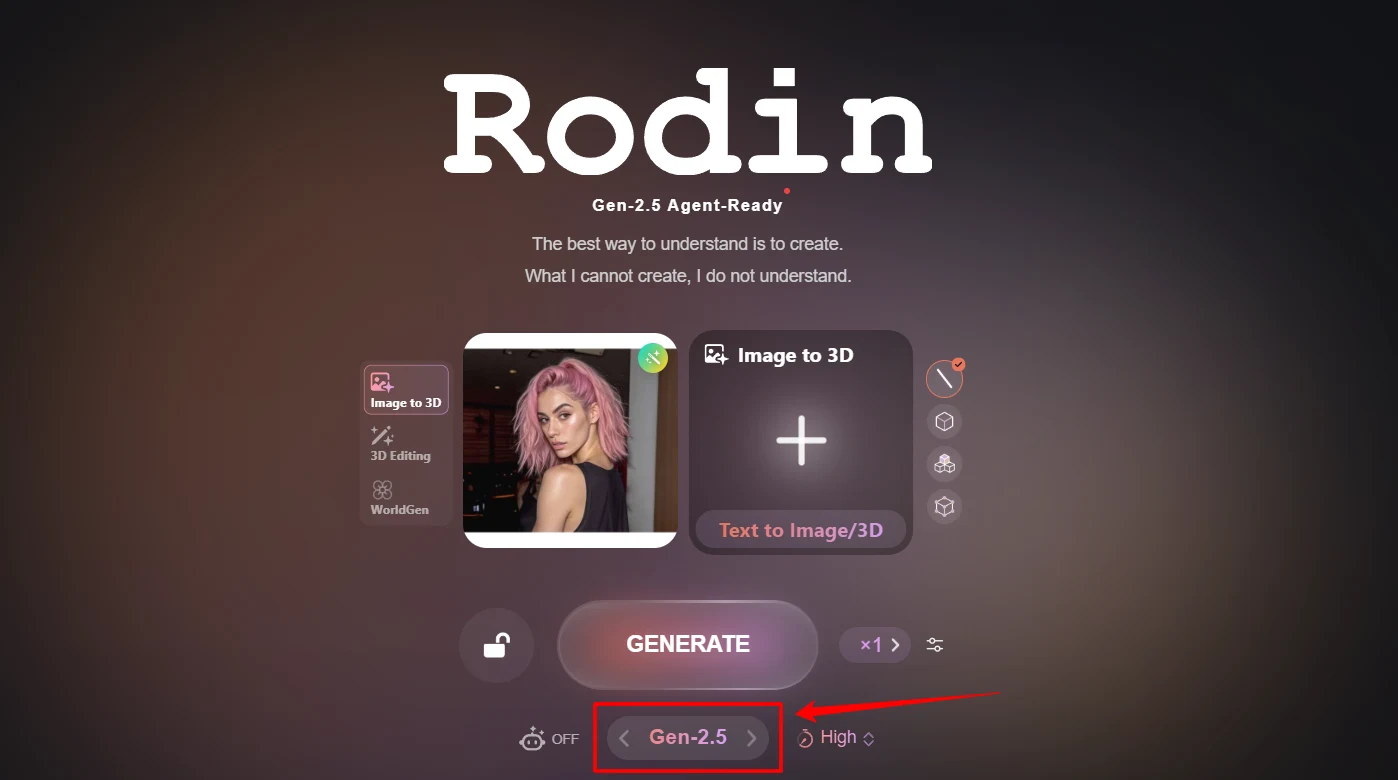
Select Rodin Gen-2.5. Set Thinking Effort to Low for a first look. Pick Photorealistic for product listings. If proportions matter a lot, add a Bounding Box through 3D ControlNet.
- Step 5. Generate the Free Preview and Retry
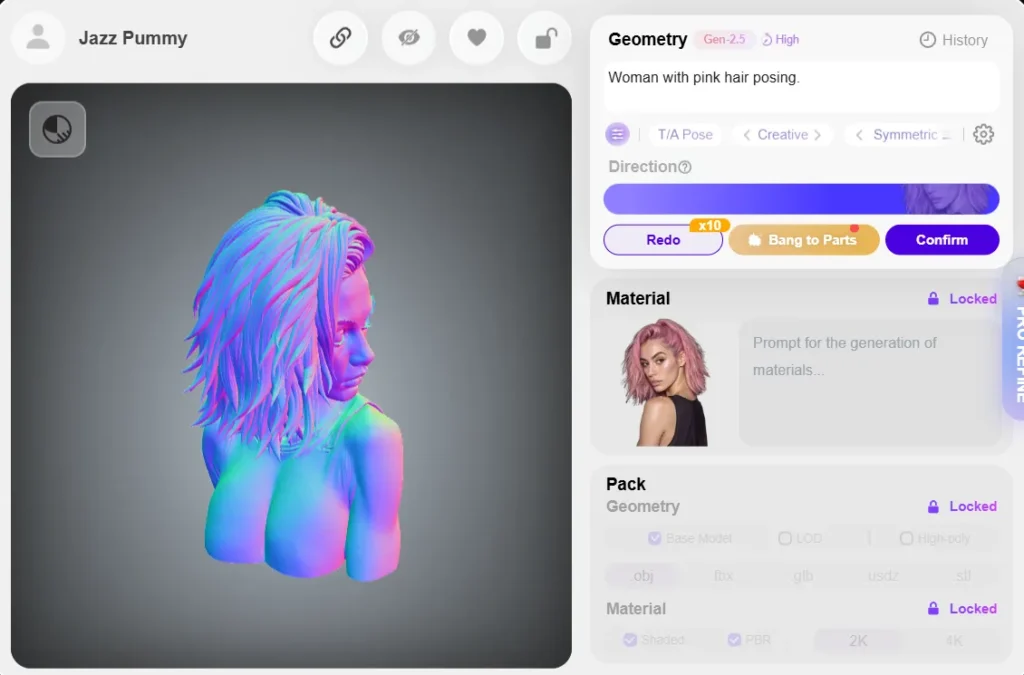
Hit Generate. Spin the preview around and check the back, the base and small parts. Not right? Use Free Retry for a new version, or redo only the geometry or only the material.
- Step 6. Upgrade the Keeper to High Effort and Polish
Once the shape looks right, rerun on High. Turn on HD Texture for sharper surfaces. Use Smart Low Poly or a custom polycount if the model is going on a website or into a game engine.
- Step 7. Confirm and Export the Right File
Confirm the result to spend your credit, then export. Choose GLB for your store's 3D viewer, USDZ for iPhone AR, STL for printing, or FBX for a game engine.
- Step 8. Check the File and Publish
Open the file in OmniCraft's Model Viewer to confirm scale, orientation and materials. Then upload the GLB to Shopify product media or drop the STL into your slicer.
Hyper3D Pricing 2026 Plans, Credits and Real Cost per Model
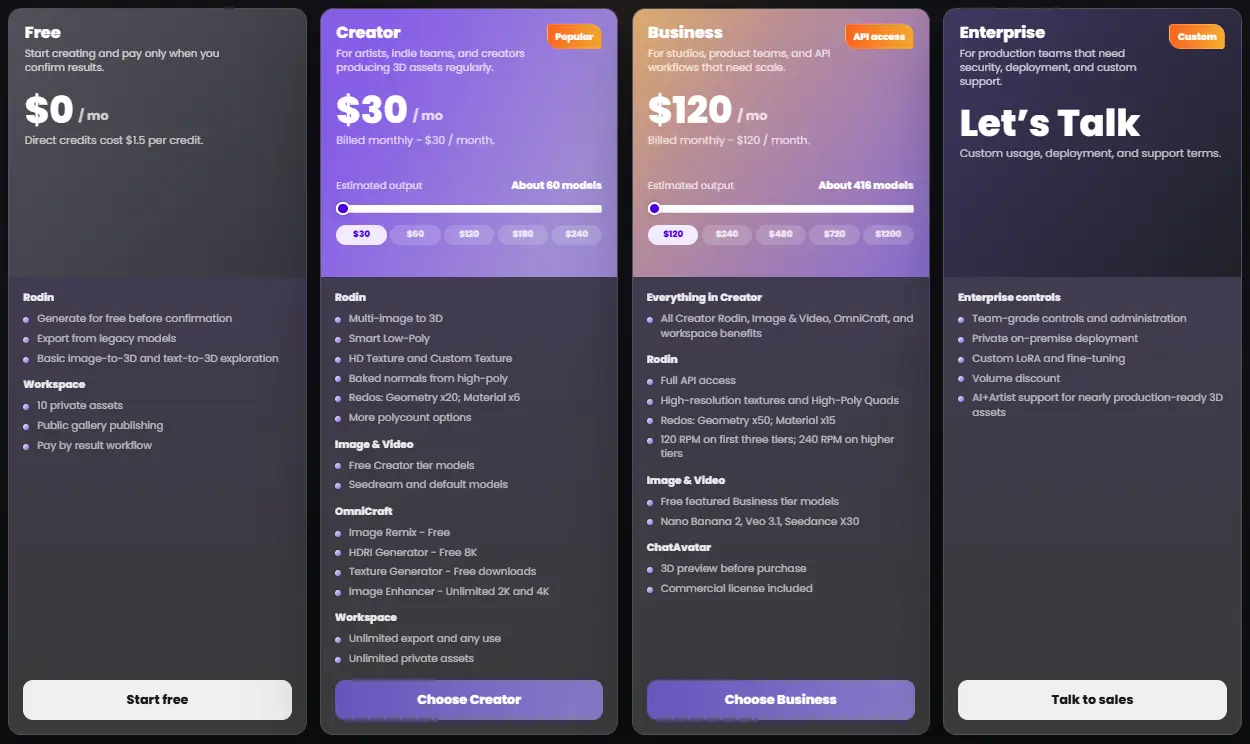
Hyper3D sells monthly or yearly plans. Paying yearly saves 20%. Paid plans come with a 7 day free trial.
| Plan | Monthly | Yearly | Est. Output | Key Inclusions |
|---|---|---|---|---|
| Free | $0 | $0 | Pay per result | Free previews before confirming, direct credits at $1.50 each, 10 private assets, public gallery, export from legacy models |
| Creator | $30 | $24/mo ($288/yr) | About 60 models | Multi image to 3D, Smart Low Poly, HD and Custom Texture, baked normals, more polycount options, 20 geometry and 6 material redos, Seedream, unlimited 2K and 4K enhancer, free 8K HDRIs, unlimited export and any use |
| Business | $120 | $96/mo ($1,152/yr) | About 416 models | Everything in Creator, full API access at 120 or 240 RPM, High Poly Quads, 50 geometry and 15 material redos, Nano Banana 2, Veo 3.1 and Seedance, ChatAvatar preview and commercial license |
| Enterprise | Custom | Custom | Custom | Team controls, private on premise deployment, custom LoRA fine tuning, volume discounts, AI and artist production support |
| Education | Discounted | Discounted | Creator level | Creator benefits at education pricing after verification |
Creator and Business also come in bigger credit tiers, going from $30 up to $240 on Creator and from $120 up to $1,200 on Business.
What One 3D Model Really Costs
We did the math on the base tiers so you can compare fairly.
| Option | Approx. Cost per Model |
|---|---|
| Free plan with direct credits | About $1.50 per Gen-2.5 generation |
| Creator, monthly | About $0.50 |
| Creator, yearly | About $0.40 |
| Business, monthly | About $0.29 |
| Business, yearly | About $0.23 |
These numbers assume standard settings. Extreme-High effort and HighPack textures use more credits per model, so heavy settings shrink the estimate.
Hyper3D API Credit Costs
| API Job | Credit Cost |
|---|---|
| Rodin Gen-2.5 generation | From 1 credit |
| Rodin Gen-2 generation | From 0.5 credit |
| HighPack (4K textures, high poly mesh) | From +1 credit |
| BANG part tasks | From 0.5 credit per task |
| Texture Generation (2K or 4K) | From 0.5 credit per task |
| Status, download and balance checks | Free |
Watch the 7 day window
API generated assets on Business are kept for 7 days. Build your automation to download files right away, or you will lose them.
How We Keep Our Hyper3D Bill Low
Where Hyper3D Falls Short (Our Honest Complaints)
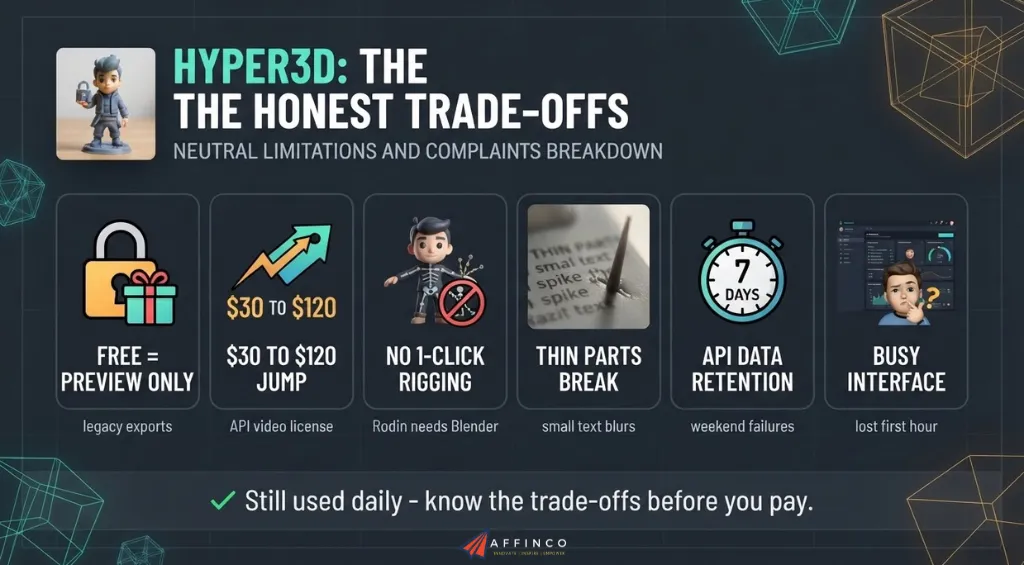
We promised a neutral review, so we are not skipping the annoying parts.
None of these stopped us from using Hyper3D daily. They are simply the trade offs you should know before paying.
Hyper3D vs Meshy vs Tripo AI vs Hunyuan3D
Is Hyper3D the best AI 3D model generator for everyone? Not quite. We also run Meshy AI and Tripo AI in parallel, and we have played with Hunyuan3D. The table uses current pricing from each company.
| Feature | Hyper3D | Meshy | Tripo AI | Hunyuan3D |
|---|---|---|---|---|
| Free tier | Pay by result previews, $1.50 direct credits | 100 credits/mo, CC BY 4.0 license | 200 credits/mo (about 13 models), non commercial | 20 free generations per day |
| Entry paid plan | Creator $30/mo, about 60 models | Pro $20/mo, 1,000 credits | Pro $20/mo, 3,000 credits (about 200 models) | API through Tencent Cloud |
| Standout strength | 3D ControlNet, Thinking Effort, WorldGen scenes | Auto rigging and animation presets | Smart Segmentation and 8K textures | Up to 8 input views, open source 2.x models |
| Avatar tool | ChatAvatar with ARKit blendshapes | No dedicated avatar tool | No dedicated avatar tool | No dedicated avatar tool |
| API access | Business plan | From Pro | Pay as you go developer platform | Tencent Cloud API |
| MCP server | Yes | Yes | Not a headline feature | No |
| Best for | Control, quality and full creative suite | Beginners and animated characters | High volume at a low per model cost | Budget prototyping and self hosting |
Our Take on Each Rival

Ali's Take
After a decade in affiliate and e-commerce marketing, I have learned that unique visuals sell. Stock photos do not.
Hyper3D gave our team a way to make those visuals in minutes without hiring a 3D artist for every listing. It is not perfect, and the Business paywall stings. Still, for anyone selling products or making content, Rodin is the first AI 3D tool I would pay for again.
Start free, draft on Low, and upgrade only once the previews prove themselves.

Who Should Use Hyper3D and Who Should Skip It
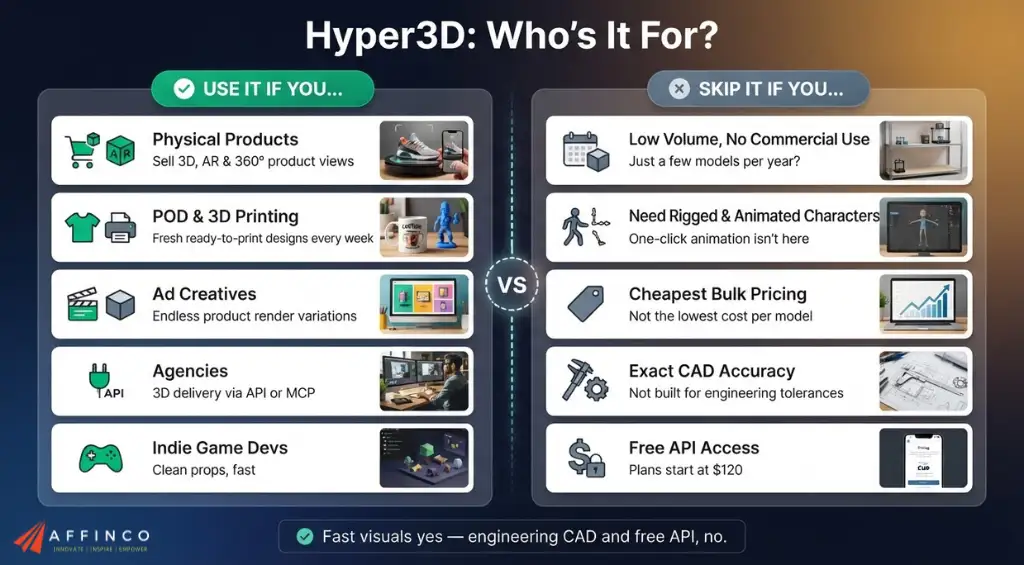
Use Hyper3D If You
Skip Hyper3D If You
FAQs Related to Hyper3D
Can I sell 3D prints and products made with Hyper3D models?
Yes, on a paid plan. Creator and Business include unlimited export and any use of generated assets. Make sure your source images and prompts do not copy someone else's trademark or character. ChatAvatar is the exception, since its commercial license only comes with Business.
Is Hyper3D really free to use?
You can generate and preview models for free on a pay by result basis. Downloading Gen-2.5 results needs direct credits at $1.50 each or a Creator plan from $24 a month billed yearly. The Free plan also caps you at 10 private assets.
Which Hyper3D export format works for Shopify and iPhone AR?
Use GLB for Shopify 3D product media and most web viewers. Use USDZ for Apple AR Quick Look on iPhone and iPad. Exporting both covers nearly every shopper.
Are Hyper3D STL files ready for 3D printing straight away?
Simple, chunky models usually slice fine on the first try. Thin parts, floating details and flat bases often need a quick fix in your slicer or Blender. Adding “printable, solid base, no thin parts” to your prompt helps a lot.
How many credits does one Rodin Gen-2.5 model cost on the API?
A Gen-2.5 generation starts from 1 credit. HighPack adds at least 1 more credit for 4K textures and high poly meshes. Gen-2 starts from 0.5 credit, and status or download checks cost nothing.
Can I use Hyper3D inside Claude Code or Codex?
Yes. Add the Rodin MCP server URL api.hyper3d.com/api/mcp to Claude Code, Codex or Kimi Code CLI, then log in through the browser. You can then request models in plain English, track progress and get download links in the chat.
Final Verdict on Hyper3D Rodin AI
Hyper3D is the most controllable AI 3D model generator we have used. Rodin Gen-2.5 turns a single product photo into a clean, textured 3D asset faster than any freelancer, and the suite around it covers avatars, video, textures and full scenes.
| Category | Score | Why |
|---|---|---|
| Output quality | 4.7 | Strong shapes, clean quads and solid PBR textures on most objects |
| Control | 4.8 | ControlNet, Partial Edit, redos and effort levels beat most rivals |
| Ease of use | 4.2 | Simple core flow, yet a crowded menu for first timers |
| Value | 4.2 | Fair per model cost, though key perks need Business |
| Integrations | 4.8 | API, MCP and plugins for every major 3D app |


Ali
Ali is a digital marketing expert with 7+ years of experience in SEO-optimized blogging. Skilled in reviewing SaaS tools, social media marketing, and email campaigns, we craft content that ranks well and engages audiences. Known for providing genuine information, Ali is a reliable source for businesses seeking to boost their online presence effectively.